CODES DEFAUTS GROUPES EXTERIEURS
MULTIZONE type RAM et RAC
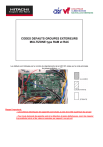
Les défauts sont indiqués par le nombre de clignotements de la LED 301 située sur la carte principale du groupe extérieur
Rappel important:
- Les schémas électriques des appareils sont situés au dos de la tôle supérieure du groupe
- Pour toute demande de garantie suite à la détection de pièce défectueuse, merci de rappeler la procéduire suivie et les valeurs mesurées par rapport à ce qui suit
CODE DEFAUT
SURCHARGE - FREQUENCE COMPRESSEUR
Indique le niveau de charge du compresseur.
C'est-à-dire sa fréquence de rotation.
fréquence max
Dans ce cas présent il n'y a aucun code défaut ni anomalie.
Ces indications apparaissent lorsque l'appareil est en fonctionnement.
CODE DEFAUT
UNITES NON RACCORDEES SUR LE GROUPE
Sur le nombre total d'unités que l'on peut raccorder sur le groupe, 1 unité n'est pas
raccordée
Sur le nombre total d'unités que l'on peut raccorder sur le groupe, 2 unité ne sont
pas raccordée
Sur le nombre total d'unités que l'on peut raccorder sur le groupe, 3 unité ne sont
pas raccordée
CODE DEFAUT
ARRET DU SYSTEME PAR COUPURE DE COURANT
=> Ce clignotement apparaît au redémarrage du groupe extérieur, lorsque le compresseur ne s'est pas remis en route depuis une coupure de courant.
Il n'indique pas de défaut particulier, le compresseur doit redémarrer normalement et le clignotement disparaitra.
Si le clignotement ne disparait pas => vérifier la carte principale ( verte).
CODE DEFAUT
COURANT DE CRETE FRANCHI - SURINTENSITE COMPRESSEUR
Débrancher le compresseur
(bornes U V W)
Vérifier les tensions sur la carte ISPM
POINTS PRINCIPAUX A VERIFIER
- Carte ISPM (inverter) (80% des cas)
- Compresseur (20% des cas)
Groupe extérieur sous tension
Groupe extérieur hors tension ISPM débranché
N1 - P1 et N1 - P2 => 340 - 380 V
+ ET - => 220 VCC
Testeur en mode test diode
Borne + sur N1:
N1-U N1-V N1-W => 350 - 450 mV
Borne - sur N1:
N1-U N1-V N1-W => infini borne + sur P1:
P1-U P1-V P1-W => infini borne - sur P1:
P1-U P1-V P1-W => 350 - 450 mV borne + sur P2: tensions OK
P2-U P2-V P2-W => infini borne - sur P2
P2-U P2-V P2-W => 350 - 450 mV
oui
Vérifier le compresseur au moins une valeur incorrecte
Remplacer ISPM
Vérifier les valeurs d'enroulement: comprises entre 1 et 2 Ohms et équlibrées oui non
Vérifier si au moins un enroulement est à la terre non oui
Le compresseur est peut être bloqué mécaniquement ou revoir la carte ISPM
Remplacer le compresseur
Remplacer le compresseur
CODE DEFAUT
VITESSE DE ROTATION ANORMALEMENT FAIBLE DU COMPRESSEUR -
PROBLEME DE SYNCHRONISATION
POINTS PRINCIPAUX A VERIFIER
- Carte ISPM (inverter) (80% des cas)
- Compresseur (20% des cas)
Vérifier le pont de diode
220v AC en entrée entre bleu et jaune
220v CC en sortie entre rouge et gris tensions OK
Débrancher le compresseur
(bornes U V W)
Vérifier les tensions sur la carte ISPM
Groupe extérieur sous tension
Groupe extérieur hors tension ISPM débranchée au moins une valeur incorrecte
Remplacer ISPM
N1 - P1 et N1 - P2 => 340 - 380 V
+ ET - => 220 VCC
Testeur en mode test diode
Borne + sur N1:
N1-U N1-V N1-W => 350 - 450 mV
Borne - sur N1:
N1-U N1-V N1-W => infini borne + sur P1: borne - sur P1: tension incorrecte
P1-U P1-V P1-W => 350 - 450 mV borne + sur P2:
P2-U P2-V P2-W => infini borne - sur P2
P2-U P2-V P2-W => 350 - 450 mV
OK
Vérifier les valeurs d'enroulement: comprises entre 1 et 2 Ohms oui non
Vérifier si au moins un enroulement est à oui la terre non
Vérifier le compresseur
Remplacer le compresseur
Remplacer le compresseur
Le compresseur est peut être bloqué mécaniquement ou revoir la carte ISPM
Si après avoir changé la carte ISPM et le comresseur il y a toujours un clignotement 3 ou 4 fois, alors remplacer la carte principale (carte verte avec les LED)
CODE DEFAUT
COUPURE POUR CAUSE DE SURCHARGE PROLONGEE - PROBLEME DE
CIRCULATION D'AIR SUR LES ECHANGEURS
POINTS PRINCIPAUX A VERIFIER
- Exposition du groupe extérieur
- Echangeurs (groupe extérieur+unités intérieures)
- Moteurs ventilateurs (groupe extérieur+unités intérieures)
Le groupe extérieur est-il exposé directement au soleil non oui
Limites de fonctionnement atteintes
Vérifier si les échangeurs ne sont pas obstrués
Nétoyer les échangeurs sur groupe extérieur et unités intérieures
Nétoyer les filtres sur les unités intérieures
échangeurs OK
Vérifier les moteurs de ventilateur
Le moteur ventilo du groupe extérieur tourne-t-il non oui
Les moteur de ventilation tournent-t-ils sur non les unités intérieures moteurs ventilateurs OK
Moteur ou carte défectueuse
Moteur ou carte défectueuse
Vérifier si il y a une fuite de
oui gaz non
Détection de la fuite ou tirage au vide. Peser le gaz récupéré et comparer avec la charge constructeur sur la
Vérifier les longueur de tuyauterie entre le groupe extérieur et chaque unité inférieure à 5m intérieure supérieure à 5m
Vérifier si il n'y a pas de pincement de tuyauterie
Vérifier la charge en gaz
fiche signalétique
Mettre une longueur minimum de 5 mètres entre le GE et UI sinon l'appareil déclenche en HP
CODE DEFAUT
TEMPERATURE DE CLOCHE COMPRESSEUR TROP ELEVEE
POINTS PRINCIPAUX A VERIFIER
- Fuite de gaz
- Sonde compresseur
- Compresseur
La température de refoulement du compresseur est anormalement élevée.
Fuite ou manque de gaz
Détecter la fuite de gaz. Si la fuite n'est pas apparante alors récupérer le gaz, le peser et comparer avec la charge constructeur sur la fiche signalitique pas de problème de gaz
Vérifier la sonde du compresseur
(située en haut sur la cloche du compresseur) pas de décalage de température
La sonde indique peut être une valeur de température mauvaise.
- Débrancher le connecteur de la sonde sur la carte principale
(conneceur CN5 sur groupes RAM et connecteur CN8 sur RAC)
- Prendre la valeur ohmique de la sonde
-
- En parallèle prendre la température de cloche du compresseur avec un thermomètre
- Comparer les 2 températures : si il y a un décalage significatif alors la sonde est défectueuse décalage entre les
2 températures exemple :
Sonde défectueuse
Remplacer la sonde du compresseur
Vérifier le compresseur
- Vérifier les pressions avec les mano
- Vérifier les valeurs d'enroulement, comprises entre 1 et 2 Ohms sur un compresseur en état valeurs éronnées
Remplacer le compresseur
CODE DEFAUT
LE COMPRESSEUR NE MONTE PAS EN REGIME
POINTS PRINCIPAUX A VERIFIER
- Fuite de gaz
- Compresseur
Fuite ou manque de gaz Détecter la fuite de gaz. Si la fuite n'est pas apparante alors récupérer le gaz, le peser et comparer avec la charge constructeur sur la fiche signalitique. (+ appoint de gaz éventuel) pas de problème de gaz
Réparer la fuite, puis recharger en gaz
Vérifier le compresseur
- Vérifier les pressions avec les mano
- Vérifier les valeurs d'enroulement, comprises entre 1 et 2 Ohms sur un compresseur en état
Remplacer le compresseur
CODE DEFAUT
9 FOIS
PROBLEME DE COMMUNICATION ENTRE UNITE INTERIEURE / GROUPE
EXTERIEUR
CE CODE CORRESPOND EGALEMENT A
UN CLIGNOTEMENT 3 FOIS SUR L'UNITE INTERIEURE
POINTS PRINCIPAUX A VERIFIER
Chercher pourquoi la liaison entre unité intérieure et groupe extérieure a été interrompue
C
D
C
D
C
D
C
D
Bus alimentation 35v
Vérifier les cables entre le groupe extérieur/unité intérieur continuité
Il y a 2 cables d'alimentation de l'unité intérieure reliés entre les bornes C et D sur le GE et sur l'UI.
- Vérifier si le cable n'est pas sectionné à un endroit
- Vérifier la continuité en débranchant C et D sur le GE et sur l'UI, puis sonder le cable pas de continuité
Vérifier le 35V continu entre C et D sur le bornier du groupe extérieur:
- Débrancher la borne D
- Vérifier la tension sur le bornier entre C et D tension OK
Vérifier si le système de sécurité de la pompe à condensats est relié sur la liaison entre GE et UI non oui
Remplacer le cable, cable coupé la pompe à condensats est en sécurité, niveau haut maxi atteint
pas de tension
Remplacer la carte puissance du groupe extérieur
Reconnecter la borne D sur le GE.
- Prendre la tension entre les bornes C et D de l'unité intérieure qui est initialement de 35V cc
- Si il n'y a pas de tension, déconnecter un par un tous les connecteurs jusqu'à avoir les 35Vcc, remplacer le composant incriminé
- Si il n'y a toujours pas de tension avec tous les connecteurs de la carte débranchés, remplacer la carte de l'unité intérieure exemple
CODE DEFAUT
TENSION D'ALIMENTATION ANORMALEMENT BASSE
POINTS PRINCIPAUX A VERIFIER
- La tension d'alimention du groupe extérieur est trop basse.
- Connexion de la bobine de réactance
Vérifier la connexion de la bobine de réactance sur le groupe extérieur exemple
Réactance autre exemple
CODE DEFAUT
ROTATION DU VENTILATEUR EXTERIEUR ANORMAL
POINTS PRINCIPAUX A VERIFIER
- Moteur ventilateur
- carte de puissance du groupe extérieur
Vérifier le moteur ventilateur extérieur
Vérifier qu'il n'y a pas de frottement sur les hélices ni de point dur lorsque l'on fait tourner le moteur à la main.
Vérifier les connecteurs
normal anormal
Vérifier le fusible de 5A sur la carte puissance du groupe extérieur
anormal
normal
Remplacer le moteur si il y a un point dur ou rectifier les connecteurs
Remplacer le fuible
Couper l'alimentation sur le groupe extérieur et sor les unités intérieures durant 1 minute, puis remettre sous tension et démarrer le groupe en mode test froid à l'aide du bouton SW sur la carte principale (illustré sur le schéma ci-contre) maintenez enfoncé 5 secondes ce bouton.
- Débrancher le connecteur du moteur ventilateur sur la platine puissance.
- Prendre la tension entre le JAUNE et NOIR sur le connecteur de la platine comme indiqué ci-dessous
V=6v
Remplacer le moteur ventilateur
V=0v
Remplacer la carte puissance
connecteur à débrancher
CODE DEFAUT
13 fois
ERREUR DE LECTURE DE L'EEPROM
POINTS PRINCIPAUX A VERIFIER
Le microprocesseur ne peut pas atteindre les données de l'EEPROM
- REMPLACER LA CARTE PRINCIPALE (carte avec les LED 301 302 303 304)
exemple
CODE DEFAUT
14 fois
SURTENSION D'ALIMENTATION DE L'ISPM
POINTS PRINCIPAUX A VERIFIER
Une surtension est détectée au niveau du module ISPM.
- REMPLACER LA CARTE ISPM
exemple
CODE DEFAUT
14 fois
DEFAUT SONDE
Circuit ouvert ou court circuit au niveau d'une sonde
POINTS PRINCIPAUX A VERIFIER
- Connexion de la sonde
- Cable sectionné
- Sonde défectueuse, vérifier la valeur ohmique de la sonde (voir page suivante)
Le connecteur de la sonde mise en cause est-il bien connecté non
oui
Rectifier la connection
La sonde est peut être en court circuit ou le cable est sectionné et elle est en circuit ouvert (voir valeurs ci-dessus)
La valeur de la sonde est décalée (voir valeur ohmique page suivante)
Remplacer la sonde concernée
Remarque: Si une fois la sonde remplacée le défaut revient alors remplacer la platine principale
SONDES
SONDES