02 CONFIGURATION
MENU SETUP
RÉGLAGES VIDÉO
1
1
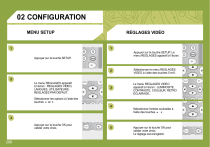
Appuyer sur la touche SETUP.
2
Le menu REGLAGES apparaît
à l’écran : REGLAGES VIDEO,
LANGUES, UTILISATEURS,
REGLAGES PAR DEFAUT.
Appuyer sur la touche SETUP. Le
menu REGLAGES apparaît à l’écran.
2
Sélectionner le menu REGLAGES
VIDEO à l’aide des touches 5 et 6.
3
Le menu REGLAGES VIDEO
apparaît à l’écran : LUMINOSITE,
CONTRASTE, COULEUR, RETRO
ECLAIRAGE.
Sélectionner les options à l’aide des
touches et .
4
Sélectionner l'entrée souhaitée à
l'aide des touches .
3
Appuyer sur la touche OK pour
valider votre choix.
298
5
Appuyer sur la touche OK pour
valider votre choix.
Le réglage est enregistré.
">