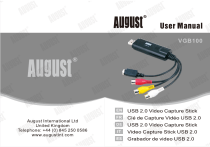
August VGB100 USB Video Capture Adaptor Manuel utilisateur

PDF
Document
VGB100: Numérisation VHS avec IA Chat et PDF | Fixfr
/

User questions

X E

John X.

How to resolve installation issues for the VGB100 video capture device?

Disable antivirus software temporarily during the installation process and accept all permission prompts that appear. After installation, verify that 'USB 2.0 Audio Capture' and 'USB 2.0 Video Capture' are listed in the Device Manager. Additionally, ensure that Windows privacy settings permit applications to access the camera.

X E

John X.

How to troubleshoot installation issues for the VGB100 capture device?

To resolve installation issues, pause the antivirus software before starting the installation and accept all permission prompts during the process. Once complete, verify that 'USB 2.0 Audio Capture' and 'USB 2.0 Video Capture' appear in the Device Manager. Additionally, ensure that camera access is enabled in the operating system's privacy settings.

X E

John X.

How to install the VGB100 device?

To install the VGB100 device, download the drivers and software (VHS to DVD 4.0 SE) from the manufacturer's website. Pause your antivirus before starting the installation and accept all authorization requests. Once the installation is complete, verify that 'USB 2.0 Audio Capture' and 'USB 2.0 Video Capture' appear in your computer's Device Manager. Also, ensure that camera access is allowed for applications in Windows privacy settings.

X E

John X.

How to install the VGB100 key?

To install the VGB100 key, follow these steps: 1. Download the drivers and software (VHS to DVD 4.0 SE) from the August International website. 2. Pause your antivirus before starting the installation. 3. Accept all authorization requests during installation. 4. Verify "USB 2.0 Audio Capture" and "USB 2.0 Video Capture" appear in your computer's device manager. Also, ensure camera access is allowed for applications in Windows privacy settings.

X E

John X.

How to install the VGB100 capture key?

To install the device, pause the antivirus software before starting, accept all permission prompts during the installation process, and verify that 'USB 2.0 Audio Capture' and 'USB 2.0 Video Capture' appear in the computer's device manager.

X E

John X.

How to troubleshoot the installation of a VGB100 capture key?

Disable antivirus software before starting the installation and accept all system permission requests. After installation, verify that "USB 2.0 Audio Capture" and "USB 2.0 Video Capture" are listed in the device manager. Additionally, ensure that camera access is enabled in the operating system's privacy settings.

X E

John X.

How to install the VGB100 capture card?

Deactivate the antivirus, download the drivers and software, and accept all permission prompts during the installation process. Once finished, verify the presence of 'USB 2.0 Audio Capture' and 'USB 2.0 Video Capture' in the Device Manager. Ensure camera access is enabled in the system's privacy settings.

X E

John X.

How to resolve installation issues for the VGB100 driver and software?

To install the device successfully, pause any active antivirus software before starting the process. During installation, accept all permission requests that appear. After completion, verify that 'USB 2.0 Audio Capture' and 'USB 2.0 Video Capture' are listed in the computer's device manager. Additionally, ensure that camera access is enabled in the operating system's privacy settings.

Preparing document for printing…
0%