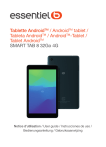
Tablette AndroidTM / AndroidTM tablet /
Tableta AndroidTM / AndroidTM-Tablet /
Tablet AndroidTM
SMART TAB 8 32Go 4G
Notice d’utilisation / User guide / Instrucciones de uso /
Bedienungsanleitung / Gebruiksaanwijzing
1
1
2
Table des matières
Votre appareil............................................................... 6
1.1 Touches et connecteurs................................... 6
1.2 Mise en marche................................................10
1.3 Écran d’accueil..................................................12
Saisir du texte............................................................23
2.1 Utiliser le clavier à l’écran..............................23
2.2 Modifier le texte..............................................24
3Téléphone, Journaux des appels et Contacts ....26
3.1 Téléphone..........................................................26
3.2 Journaux d'appels............................................32
3.3 Contacts.............................................................32
4SMS/MMS..................................................................39
4.1 Rédiger un nouveau message.......................39
4.2 Gérer les messages..........................................41
5
Mode Enfants ............................................................43
6Agenda, Horloge et Calculatrice............................ 45
6.1 Agenda...............................................................45
6.2 Horloge..............................................................47
6.3 Calculatrice........................................................49
7
Applications multimédia.......................................... 51
7.1 Appareil photo..................................................51
3
7.2
Photos ...............................................................52
8
Autres........................................................................... 55
8.1 Centre d’assistance..........................................55
8.2 Autres applications .........................................55
9
Applications Google................................................. 56
9.1 Chrome...............................................................56
9.2 Gmail...................................................................57
9.3 Maps...................................................................57
9.4 YouTube..............................................................58
9.5 Play Store...........................................................58
9.6 Duo.....................................................................59
10 Paramètres..................................................................60
10.1 Réseau & Internet............................................60
10.2 Partage connexion Internet...........................63
10.3 Bluetooth et connexion d’appareils.............66
10.4 Affichage............................................................68
10.5 Écran d’accueil et fonds d’écran...................69
10.6 Son......................................................................69
10.7 Fonctionnalités avancées...............................69
10.8 Smart Manager.................................................70
10.9 Sécurité .............................................................70
10.10 Localisation......................................................71
10.11 Paramètres de confidentialité......................71
10.12 Applications.....................................................71
4
• Appuyez de manière prolongée pour activer
Google Assistant. Vous pouvez obtenir de
l’aide, comme un itinéraire ou des informations
sur un restaurant, en fonction du contenu
affiché à l’écran.
Appareil
photo arrière
Touche Applications récentes
• Appuyez pour afficher les applications
auxquelles vous avez récemment accédé.
Touche Retour
• Appuyez sur cette touche pour revenir à
l’écran précédent ou pour fermer une boîte
de dialogue, le menu des options, le volet des
notifications, etc.
Touche Accueil
• Depuis n’importe quelle application ou écran,
appuyez sur cette touche pour revenir à l’écran
d’accueil.
7
Touche Marche-Arrêt
• Appuyer : verrouiller/allumer l’écran.
• Maintenir appuyé : afficher le menu contextuel
pour choisir entre Redémarrer/Éteindre/
Mode avion
• Maintenez les touches Marche-Arrêt et
Volume bas appuyées pour faire une capture
d’écran.
• Maintenez la touche Marche/Arrêt appuyée
pendant au moins 10 secondes pour forcer le
redémarrage.
Touches du volume
• Réglez le volume de l'appel durant un appel
téléphonique.
• Réglez le volume du contenu multimédia tout
en écoutant de la musique ou une vidéo, ou
une diffusion en continu.
8
1.2.2
Charger la batterie
Allumer votre tablette
Appuyez de manière prolongée sur la touche MarcheArrêt jusqu’à ce que la tablette s’allume, déverrouillez
celle-ci (par balayage, code PIN, mot de passe ou
séquence de déverrouillage) si nécessaire et confirmez.
L’écran d’accueil s’affiche.
Si vous ne connaissez pas votre code PIN ou si vous
l’avez oublié, adressez-vous à votre opérateur. Veillez à
conserver votre code PIN en lieu sûr.
1.2.3
Éteindre votre tablette
Il est conseillé de charger complètement la batterie ( ).
L’état de charge est indiqué par le pourcentage affiché
à l’écran. Ce pourcentage augmente à mesure que la
tablette se recharge.
Maintenez la touche Marche/Arrêt appuyée jusqu’à ce
que les options s’affichent, puis sélectionnez Éteindre.
fin de réduire la consommation électrique et le
A
gaspillage d’énergie, une fois la batterie
complètement chargée, débranchez votre
chargeur de la prise. Désactivez les applications
Wi-Fi, GPS, Bluetooth ou fonctionnant en arrièreplan lorsqu’elles ne sont pas utilisées. Réduisez la
durée du rétroéclairage, etc.
Vous pouvez placer tous les éléments de votre choix
(applications, raccourcis, widgets et dossiers) ou afficher
ceux que vous utilisez le plus souvent sur votre écran
d’accueil pour pouvoir y accéder rapidement. Appuyez
sur la touche Accueil pour passer à l’écran d’accueil.
11
1.3 Écran d’accueil
12
1.3.2
Faire dérouler
Faites glisser le doigt sur l’écran afin de faire défiler
verticalement les applications, les images et les pages
Web. Vous pouvez également faire défiler l’écran
horizontalement.
Feuilleter
Comparable au balayage, ce geste permet des
déplacements plus rapides.
Pincer/Écarter
Barre d’état
La barre d’état vous permet de visualiser l’état de la
tablette (à droite) et les informations de notification (à
gauche).
Balayez la barre d’état vers le bas pour afficher les
notifications, et balayez à nouveau vers le bas pour
accéder au volet des réglages rapides. Balayez vers le
haut pour le refermer.
Volet des notifications
Balayez la barre d’état vers le bas pour ouvrir le volet
des notifications et obtenir de plus amples informations.
Placez deux doigts sur la surface de l’écran, puis
écartez-les ou rapprochez-les pour redimensionner un
élément à l’écran.
L’appareil prend également en charge le zoom à l’aide
d’un doigt dans les fonctions Appareil photo et Galerie.
Appuyez deux fois sur l’écran pour agrandir/réduire
l’affichage.
Supprimer toutes
les notifications (les
notifications en cours
sont conservées)
Pivoter
Basculez automatiquement l’écran du mode Portrait au
mode Paysage en faisant pivoter la tablette sur le côté
pour bénéficier d’un affichage plus étendu.
15
16
Volet des paramètres rapides
Pour verrouiller l’écran de la tablette
Balayez deux fois la barre d'état vers le bas pour ouvrir
le volet des réglages rapides d’où vous pouvez activer
ou désactiver des fonctions, ou changer de mode, en
appuyant sur les icônes correspondantes
Si votre tablette reste inactive pendant un certain laps de
temps, elle verrouille automatiquement l'écran et passe
en mode veille pour économiser de l'énergie. Accédez
à Paramètres > Affichage > Veille et sélectionnez
une temporisation d'écran. Vous pouvez également
verrouiller manuellement l'écran en appuyant une fois
sur la touche Marche/Arrêt.
Ouvrir les Paramètres pour
afficher la liste complète des
paramètres.
Pour déverrouiller l’écran de la tablette
Appuyez une fois sur la touche Marche/Arrêt pour
allumer l'écran, balayez vers le haut et déverrouillez
l'écran au moyen de la méthode que vous avez définie.
1.3.3
Verrouiller et déverrouiller l’écran
Pour protéger votre tablette et votre confidentialité,
vous pouvez verrouiller l'écran de la tablette à l'aide
d'une séquence de verrouillage, d'un code PIN, d'un
mot de passe, etc.
Pour créer un modèle de déverrouillage d'écran
• Sur l’écran d’accueil, appuyez sur Paramètres >
Sécurité > Verrouillage de l’écran.
• Saisissez votre schéma.
17
Si vous avez choisi Balayer comme verrouillage de
l’écran, vous pouvez appuyer sur la touche Marche/
Arrêt pour allumer l’écran, puis balayer vers le haut
pour déverrouiller l’écran.
Balayer vers
le haut pour
déverrouiller
l’écran.
18
1.3.4
Personnaliser votre écran d'accueil
Ajouter
Vous pouvez appuyer de manière prolongée sur un
dossier, une application ou un widget, puis faire glisser
l’élément vers votre écran d’accueil favori.
Repositionner
Créer des dossiers
Pour réorganiser les raccourcis ou les applications
présents sur l’écran d’accueil et dans la zone des favoris,
vous pouvez les ranger dans un dossier en les empilant
les uns sur les autres. Pour renommer un dossier,
ouvrez-le et appuyez sur sa barre de titre pour saisir le
nouveau nom.
Appuyez de manière prolongée sur un élément et
faites-le glisser à l’emplacement souhaité, puis relâchez
la pression. Vous pouvez déplacer des éléments à la
fois sur l’écran d’accueil et dans la zone des favoris.
Maintenez l’icône située sur le bord gauche ou droit de
l’écran pour faire glisser l’élément sur un autre écran
d’accueil.
Personnaliser le fond d’écran
Supprimer
Consulter des widgets
Appuyez de manière prolongée sur un élément et
faites-le glisser au-dessus de l’icône Supprimer, puis
relâchez la pression.
Appuyez de manière prolongée sur une zone vide
de l’écran d’accueil, puis appuyez sur Widgets pour
afficher tous les widgets.
Appuyez de manière prolongée sur une zone vierge de
l'écran d'accueil, puis appuyez sur Fonds d'écran pour
personnaliser votre fond d'écran.
1.3.5
Widgets et applications récemment
utilisées
Appuyez sur le widget sélectionné et faites-le glisser
pour le déplacer vers votre écran préféré.
19
20
Accéder aux applications récemment utilisées
À l’aide du menu Paramètres
Pour consulter les applications récemment utilisées,
.
appuyez sur la touche Applications récentes
Appuyez sur une vignette dans la fenêtre pour ouvrir
l’application concernée.
Depuis la page d’accueil, appuyez sur Paramètres >
Son pour régler le volume du lecteur multimédia, des
sonneries, des alarmes, etc.
Appuyez sur une vignette et faites la glisser vers le haut
pour fermer une application.
Appuyez sur Effacer tout en bas de l'écran pour fermer
toutes les applications en cours d'exécution.
1.3.6
Régler le volume
À l’aide de la touche Volume
Pour régler le volume, appuyez sur la touche Volume.
Pour activer le Mode silencieux, appuyez sur la touche
Volume bas jusqu’à ce que la tablette n’émette plus
aucun son.
21
22
2
Saisir du texte..........................
2.1.1
Gboard
1
2.1 Utiliser le clavier à l’écran
Paramètres du clavier à l’écran
Accédez à Paramètres > Système > Langues et saisie >
Clavier virtuel, puis sélectionnez le clavier à configurer
pour choisir parmi la série de paramètres qui s’affiche.
Changer l’orientation du clavier à l’écran
Faites pivoter la tablette sur le côté ou replacez-la
verticalement pour changer l’orientation du clavier
à l’écran. Vous pouvez aussi changer l’orientation en
modifiant les paramètres (appuyez sur Paramètres >
Affichage > Rotation auto de l'écran).
3
4
2
1
S
aisir du texte ou des chiffres.
2
ppuyer de manière prolongée pour sélectionner
A
des symboles.
3
Basculer entre les modes « abc / Abc » ; appuyer
deux fois rapidement pour passer en mode « ABC »
en continu.
4
Basculer du clavier numérique à celui des symboles.
2.2 Modifier le texte
Vous pouvez modifier le texte que vous avez saisi.
• Appuyez de manière prolongée ou deux fois sur le
texte à modifier.
• Faites glisser les onglets pour modifier le texte
sélectionné.
23
24
• Les options suivantes apparaissent : Couper, Copier,
Partager et Tout sélectionner.
• Si vous avez préalablement coupé ou copié du texte,
appuyez sur l’onglet pour afficher Coller qui vous
permet de coller alors votre texte sur l’emplacement
actuel.
3
Téléphone, Journaux des
appels et Contacts .................
3.1 Téléphone
3.1.1
Passer un appel
Pour passer un appel, appuyez sur
favoris.
3
dans la barre des
6
1
5
25
4
2
1
J ournal d’appels
2
C
ontacts
3
V
isualiser les informations détaillées relatives au
contact. Il est également possible de modifier,
supprimer, partager le contact, ou lui envoyer un
message.
26
Lorsque vous recevez un appel, une fenêtre des appels
s’affiche en haut de l’écran. Appuyez sur REFUSER
pour rejeter un appel ou ACCEPTER pour répondre à
un appel. Appuyez sur la fenêtre des appels pour ouvrir
l’écran d’appel du téléphone.
Sur l’écran d’appel du téléphone :
vers le haut pour répondre à l’appel ;
• Balayez
• Balayez
vers le bas pour rejeter l'appel ;
• Pour rejeter l’appel en envoyant un message prédéfini,
appuyez sur
.
R
accrocher l’appel en cours.
3.1.3
Appeler votre messagerie vocale
Appuyez pour passer un autre appel.
Votre messagerie vocale est mise à disposition par
l’opérateur afin que vous ne manquiez aucun appel.
Cette messagerie fonctionne comme un répondeur que
vous pouvez consulter à tout moment.
A
ffichez le clavier de numérotation.
Pour accéder à votre messagerie vocale, appuyez de
manière prolongée sur .
apparaît
Si vous recevez un message vocal, l’icône
dans la barre d’état. Ouvrez le volet des notifications et
appuyez sur Nouveau message vocal.
3.1.4
En cours d’appel
Appuyez pour mettre l’appel en cours en attente.
Cliquez pour mettre le haut-parleur
Appuyez une fois pour couper le son de l’appel en
cours. Appuyez à nouveau pour réactiver le son de
l’appel.
3.1.5
Gérer plusieurs appels
Grâce à votre tablette, vous pouvez gérer plusieurs
appels simultanément.
Pour régler le volume lors d’un appel, appuyez sur la
touche Volume.
29
30
Passer d’un appel à l’autre
3.2 Journaux d'appels
Lorsque vous acceptez deux appels, appuyez sur
pour passer d’une ligne à l’autre. L’appel en cours est
mis en attente.
Vous pouvez accéder à vos journaux d’appels en
depuis l’écran du Téléphone pour
appuyant sur
afficher les appels manqués, les appels sortants et les
appels entrants.
Conférence téléphonique (1)
Vous pouvez établir une conférence comme suit.
• Appelez le premier participant à la conférence.
• Appuyez sur
pour établir un autre appel.
• Composez le numéro de téléphone de la personne
que vous souhaitez ajouter à la conférence et
appuyez sur
. Vous pouvez également ajouter des
participants à partir des options Appels ou Contacts.
pour démarrer la conférence.
• Appuyez sur
• Appuyez sur
pour mettre fin à la conférence et
déconnecter tous les participants.
3.1.6
Paramètres du téléphone
Appuyez sur
depuis l’écran Appeler, puis sur
Paramètres pour configurer le téléphone et les contacts.
3.3 Contacts.....................................................
Contacts vous permet de joindre facilement et
rapidement le contact que vous souhaitez joindre.
Vous pouvez afficher et créer des contacts sur votre
tablette, puis les synchroniser avec vos contacts Gmail
ou d’autres applications.
3.3.1
Consulter vos Contacts
Pour afficher vos contacts, appuyez sur
volet des applications.
1
2
3
4
(1)
Selon votre opérateur.
31
32
depuis le
1
A
fficher le menu d’options de la liste des contacts
2
A
ppuyer pour rechercher des contacts
1
2
3
Appuyer de manière prolongée pour sélectionner
le/les contact(s) à supprimer.
3
4
A
jouter un nouveau contact.
Les contacts supprimés sont également retirés
des autres applications de la tablette ou du Web
lors de la synchronisation suivante.
3.3.2
Ajouter un contact
Appuyez sur
dans la liste des contacts pour créer un
nouveau contact.
Vous devez indiquer le nom du contact et les autres
informations le concernant. Vous pouvez passer d’un
champ à l’autre en faisant défiler l’écran vers le haut ou
vers le bas.
1
ne fois terminé, appuyez sur cette icône pour
U
l’enregistrer
2
électionnez une photo ou prenez-en une et
S
associez-la au contact
3
A
ppuyez pour ouvrir les libellés disponibles
Ajouter/Supprimer des favoris (1)
Pour ajouter un contact à vos favoris, appuyez sur
ce contact afin d’en afficher les coordonnées, puis
pour l’ajouter aux favoris.
appuyez sur
Pour retirer un contact des favoris, appuyez sur l’icône
de l’écran des coordonnées du contact.
(1)
33
Seuls les contacts de la tablette et ceux du compte
peuvent être ajoutés aux favoris.
34
3.3.3
Modifier vos contacts
Pour modifier les coordonnées d’un contact, appuyez
sur l’icône
dans l’écran de ses coordonnées.
Une fois terminé, appuyez sur Enregistrer pour
enregistrer.
3.3.4
Utiliser les Liens rapides Android
Appuyez sur un contact pour ouvrir le volet de Contact
rapide pour Android. Vous pouvez alors appuyer sur
ou sur le numéro pour passer l’appel. Pour envoyer un
message, appuyez sur .
3.3.5 Importer, exporter et partager des
contacts
Cette tablette vous permet d'importer des contacts de
votre carte SIM vers votre tablette, et d'exporter les
contacts de votre tablette via un fichier .vcf pour les
partager avec d'autres.
Importer des contacts :
pour ouvrir le
Dans l'écran Contacts, cliquez sur
menu des options. Cliquez sur Paramètres > Importer,
puis sélectionnez Importer des contacts depuis la carte
SIM ou un fichier .vcf depuis le stockage interne.
Exporter et partager des contacts :
pour
Depuis l’écran des Contacts, appuyez sur
ouvrir le menu des options. Appuyez sur Paramètres >
exporter > ENREGISTRER, les contacts sont exportés
dans un fichier .vcf. Vous pouvez modifier le nom du
fichier .vcf avant de l’ENREGISTRER.
Les icônes disponibles sur le volet Liens rapides
dépendent des informations dont vous disposez à
propos du contact, ainsi que des applications et des
comptes configurés sur votre tablette.
35
Vous pouvez partager un ou plusieurs contacts avec
d’autres personnes en leur envoyant une vCard du/des
contact(s) via Bluetooth, Gmail, SMS, etc.
Appuyez sur un contact que vous souhaitez partager,
(Partager) depuis l’écran des contacts,
appuyez sur
puis choisissez l’application avec laquelle effectuer
cette opération.
36
3.3.6
Afficher des contacts
Appuyez sur
puis sur Paramètres, sélectionnez Trier
par > Prénom ou Nom de famille pour trier la liste des
contacts, tout en affichant les noms des contacts par
Prénom en premier ou Nom de famille en premier dans
le menu du Format du nom.
Synchronisation automatique
Depuis l'écran Comptes, appuyez sur Synchro
automatique des données. Lorsque cette option
est activée, toutes les modifications apportées aux
informations stockées sur la tablette ou en ligne sont
automatiquement synchronisées entre elles.
3.3.7
Synchroniser des contacts entre
plusieurs comptes
Les contacts, les données ou d’autres informations
sont synchronisables à partir de plusieurs comptes, en
fonction des applications installées sur votre tablette.
dans la liste
Pour ajouter un compte, appuyez sur
des contacts et appuyez sur Paramètres > Comptes
ou, depuis la liste des applications, appuyez sur
Paramètres > Comptes > Ajouter un compte.
Vous devez sélectionner les types de compte que vous
ajoutez, tel que DUO, Exchange et Google.
Comme pour la configuration des autres comptes, vous
devez saisir des informations détaillées, telles que le
nom d’utilisateur, le mot de passe, etc.
Vous pouvez supprimer un compte et toutes les
informations correspondantes de la tablette. Appuyez
sur le compte que vous souhaitez supprimer > Appuyez
sur SUPPRIMER LE COMPTE.
37
38
4
SMS/MMS................................
4.1 Rédiger un nouveau message
Grâce à votre tablette, vous pouvez créer, modifier et
recevoir des messages texte (SMS) et des messages
multimédia (MMS).
Pour accéder aux SMS/MMS, appuyez sur
Dans la liste des messages, appuyez sur
rédiger un SMS ou un MMS.
.
pour
Envoyer un SMS
Pour ajouter des destinataires, entrez le nom ou le
numéro de téléphone du destinataire dans le champ
À, puis cliquez sur le numéro que vous avez saisi pour
confirmer. Cliquez sur le champ Message texte pour
saisir le texte du message. Une fois terminé, appuyez
sur pour envoyer le SMS.
es lettres spécifiques (accentuées) augmentent
L
également la taille d’un SMS, ce qui peut générer
l’envoi de plusieurs SMS à votre destinataire.
Envoyer un MMS
Les MMS sont des messages permettant d’envoyer des
vidéos, des images, des photos, des animations, des
diapositives et des sons à d’autres téléphones mobiles
compatibles ou à des adresses e-mail.
1
3
Un SMS est automatiquement converti en MMS lorsque
des fichiers multimédia (image, vidéo, audio, etc.) sont
joints, ou qu’un objet ou des adresses e-mail sont
ajoutés.
2
1
P
lus d’options
2
E
nvoyer un SMS.
3
liquez pour insérer des émojis, joindre un
C
emplacement, des fichiers audio ou vidéo.
39
Pour envoyer un MMS, saisissez le numéro de téléphone
du destinataire dans le champ À et cliquez sur le
numéro que vous avez saisi pour confirmer. Cliquez
sur le champ Message texte pour rédiger le texte du
message.
40
5
Mode Enfants .........................
Après être entré dans le Mode Enfant :
Touchez pour définir un
contact d'urgence, ou
simplement pour passer un
appel d'urgence.
Touchez
sur l'écran d'accueil, puis définissez un
mot de passe. Une page s'affiche alors, comme illustré
ci-dessous (à gauche), vous devez définir une réponse
en fonction des questions ci-dessus pour récupérer le
mot de passe en cas d'oubli.
Touchez et entrez le mot
de passe pour quitter le
mode enfant.
Ensuite, vous devez définir un nom d'utilisateur pour
accéder au Mode Enfant, comme indiqué ci-dessous (à
droite).
Touchez et entrez le mot de passe, puis vous pouvez
définir le mode enfant, par exemple, vous pouvez ajouter
une application, ajouter un contact, fixer une limite de
temps pour l'utilisation, réinitialiser le mot de passe, etc.
Touchez ici pour voir
plus de questions
43
44
6
genda, Horloge et
A
Calculatrice...............................
6.1 Agenda
Vous pouvez utiliser l’Agenda pour gérer vos réunions
et rendez-vous importants etc.
Pour accéder à l’agenda et créer des événements,
ouvrez le dossier des applications Google depuis l’écran
d’accueil, puis appuyez sur Agenda.
6.1.1
Vue multimode
Vous pouvez afficher l’Agenda selon différentes vues :
Planning, Jour, 3jours, Semaine, ou Mois, appuyez sur
pour choisir.
6.1.2
Créer de nouveaux événements
Vous pouvez ajouter de nouveaux événements à partir
de n’importe quelle vue de l’Agenda.
• Appuyez sur .
• Renseignez toutes les informations requises liées
à ce nouvel évènement. Si l’événement concerne
la totalité d’une journée, vous pouvez sélectionner
Journée entière.
45
• Invitez d’autres personnes à participer à cet
événement. Indiquez les adresses e-mail des invités
en les séparant par des virgules. Les invités recevront
une invitation via les applications Agenda et E-mail.
• Une fois terminé, appuyez sur Enregistrer en haut
de l’écran.
Pour créer rapidement un événement depuis les écrans
Semaine, appuyez sur une zone vierge pour sélectionner
une zone cible qui affiche alors
, puis appuyez sur
l’icône pour créer le nouvel événement.
6.1.3
Supprimer ou modifier un événement
Pour supprimer ou modifier un événement, sélectionnezle afin d’accéder à l’écran contenant ses informations
détaillées. Appuyez sur
pour modifier l’événement,
ou appuyez sur , puis sur Supprimer pour le supprimer.
6.1.4
Définir un rappel d’événement
Si vous avez défini un rappel pour un événement, l’icône
apparaît dans la barre d’état pour vous prévenir de
l’imminence de l’événement.
Balayez la barre d’état vers le bas pour ouvrir le volet des
notifications, puis appuyez sur le nom de l’événement
pour afficher la liste des notifications de l’agenda.
46
Appuyez sur la touche Retour pour conserver tous les
rappels en attente dans la barre d’état et le volet des
notifications.
6.2 Horloge
Votre tablette est dotée d'une horloge intégrée. Balayez
l'écran d'accueil vers le haut, puis cliquez sur Horloge.
6.2.1
Retardateur
Depuis l’écran Horloge, appuyez sur
l’écran Retardateur.
pour accéder à
• Réglez l’heure. Le temps qui s’écoule doit être saisi
selon une séquence en heures, minutes et secondes.
• Appuyez sur
pour lancer le compte à rebours.
Horloge
Pour afficher l’horloge mondiale, appuyez sur
l’écran Heure.
Appuyez sur
6.2.2
6.2.3
depuis
pour ajouter un fuseau horaire.
Alarme
Depuis l’écran Horloge, appuyez sur
l’écran Alarme.
Appuyez sur
Appuyer sur
pour activer l’alarme.
pour ajouter une nouvelle alarme :
Appuyez sur une alarme existante pour accéder à
l’écran de modification correspondant.
Appuyez sur
pour supprimer l’alarme sélectionnée.
47
Mettre en pause/Lire.
pour accéder à
6.2.4
Chronomètre
Depuis l’écran Horloge, appuyez sur
l’écran Chronomètre.
• Appuyez sur
pour accéder à
pour lancer le Chronomètre.
• Appuyez sur Tour pour afficher la liste des
enregistrements selon l'heure mise à jour.
48
pour arrêter les temps au tour et le
• Appuyez sur
temps total. Ils ne reprendront qu’après avoir appuyé
.
sur
• Appuyez sur RÉINITIALISER pour supprimer
l'enregistrement.
• Appuyez sur PARTAGER pour le partager.
6.2.5
Définir les paramètres de l’horloge
Appuyez sur puis sur Paramètres pour accéder aux
paramètres Horloge et Alarmes.
Appuyez sur
pour tout supprimer simultanément.
6.3 Calculatrice
Pour résoudre des problèmes mathématiques à l’aide
de la Calculatrice, balayez l’écran d’accueil vers le haut,
puis appuyez sur Calculatrice.
Vous avez le choix entre les deux volets suivants :
Fonctions de base et Fonctions avancées. Appuyez
ou
pour passer des fonctions de base aux
sur
fonctions avancées, vous pouvez :
49
50
7
Applications multimédia.......
7.1 Appareil photo
Avant d’utiliser l’appareil photo, veillez à retirer la
pellicule recouvrant l’objectif pour qu’elle n’influe pas
sur la qualité de la prise de vue.
Pour prendre une photo ou enregistrer une vidéo,
depuis l’écran d’accueil.
appuyez sur
Prendre une photo
Appuyez sur
pour prendre une photo. La photo est
automatiquement enregistrée. Vous pouvez également
maintenir
appuyé pour prendre des photos en rafale.
Prendre une vidéo
Appuyez sur VIDÉO pour passer l'appareil photo
en mode vidéo, puis appuyez sur
pour lancer
l'enregistrement vidéo. Vous pouvez également appuyer
pour prendre une photo durant
sur l’icône de droite
l’enregistrement vidéo.
Appuyez sur
pour interrompre l’enregistrement
pour poursuivre. Appuyez
vidéo et appuyez sur
sur
pour arrêter l’enregistrement. La vidéo est
automatiquement enregistrée.
2
3
7.2 Photos
1
4
1
B
asculer entre les appareils photos avant et arrière
2
incer les doigts pour effectuer un zoom arrière ou
P
les écarter pour effectuer un zoom avant
3
V
isionner les photos ou les vidéos prises
4
P
rendre une photo
51
Cette option sert de lecteur multimédia et vous permet
de visionner des photos et des vidéos. Vous avez
également accès à de nombreuses autres options pour
modifier vos photos et vos vidéos.
Pour accéder aux photos prises, balayez l’écran d’accueil
vers le haut, puis cliquez sur Photos.
Les photos et les vidéos sont regroupées par albums.
52
8
Autres.....................................
8.1 Centre d’assistance
Le Centre d’assistance vous permet d’en savoir
davantage grâce aux FAQ, modes d’emploi, instructions
de dépannage, etc. Vous pouvez également utiliser ce
service pour nous faire part de vos commentaires.
8.2 Autres applications (1)
Les applications mentionnées précédemment dans
cette section sont préinstallées sur votre tablette. Pour
lire une brève présentation des applications tierces
préinstallées, reportez-vous à la brochure fournie avec la
tablette. Pour télécharger et installer plus d’applications
tierces, utilisez l’application Google Play Store.
9
Applications Google...........
Les applications Google sont préinstallées sur votre
tablette pour améliorer votre productivité au travail et
vous libérer dans votre vie de tous les jours.
Ce manuel explique brièvement ces applications. Pour
connaître les fonctionnalités détaillées et les modes
d’emploi, reportez-vous aux sites Web appropriés ou à
la présentation fournie dans les applications.
Il est conseillé de créer un compte Google pour
bénéficier de toutes les fonctions.
9.1 Chrome
Il s’agit d’un navigateur qui vous permet de parcourir
Internet.
Vos signets, historique de navigation et paramètres sur
tous vos appareils où le navigateur est installé peuvent
être synchronisés avec votre compte Google.
(1)
La disponibilité de cette option varie d’un pays et d’un
opérateur à l’autre.
55
56
9.2 Gmail
9.4 YouTube
Gmail est un service de messagerie électronique hébergé
sur Google et qui se paramètre lors de la première
configuration de votre tablette. Cette application vous
permet d’envoyer et de recevoir des e-mails, de les
gérer par libellés, de les archiver, etc. Vous pouvez
également synchroniser automatiquement vos e-mails
avec votre compte Gmail.
YouTube est une application de partage de vidéos en
ligne permettant aux utilisateurs d’envoyer, de visionner
et de partager des vidéos. Les contenus disponibles
comprennent de courtes vidéos, des programmes télé,
des clips musicaux et divers autres types de contenu,
tels que des blogs vidéo, des courts-métrages originaux
et des vidéos éducatives. Il prend en charge la diffusion
en continu, ce qui permet de lancer la lecture d’une
vidéo dès que son téléchargement commence sur
Internet.
9.3 Maps
Google Maps offre des images satellite, des plans de
rues, des vues panoramiques des rues à 360°, le trafic
en temps réel et la planification d’itinéraires à pied,
en voiture ou en transport public. À l’aide de cette
application, vous pouvez obtenir votre géolocalisation,
rechercher un lieu et vous voir proposé un itinéraire
pour vos déplacements.
9.5 Play Store
Sert de boutique officielle d’applications pour le système
d’exploitation Android, permettant aux utilisateurs
de rechercher et de télécharger des applications et
des jeux. Les applications peuvent être gratuites ou
payantes.
Dans le Play Store, recherchez l’application dont vous
avez besoin, téléchargez-la, puis suivez son guide
d’installation. Vous pouvez également mettre à jour
et désinstaller une application, ainsi que gérer vos
téléchargements.
57
58
9.6 Duo
Une application mobile de chat vidéo. Une fois les
numéros de téléphone vérifiés, les utilisateurs peuvent
facilement effectuer des appels vidéo avec leurs
contacts.
10 Paramètres............................
Pour accéder aux Paramètres, balayer vers le haut
depuis l'écran d'accueil, puis appuyez sur Paramètres.
Vous pouvez également balayer vers le bas depuis le
volets des notifications et appuyer sur .
10.1 Réseau & Internet
10.1.1 Wi-Fi
Vous pouvez vous connecter à Internet dès que votre
tablette est à portée d’un réseau sans fil. La technologie
Wi-Fi peut être exploitée sur votre tablette, même sans
carte SIM insérée.
Activer le Wi-Fi et se connecter à un réseau sans fil
• Appuyez sur Paramètres > Réseau et Internet >
Wi-Fi.
• Activez
.
• Une fois le Wi-Fi activé, les réseaux Wi-Fi détectés
s’affichent.
59
60
• Sélectionnez le réseau WiFi auquel vous connecter.
Si le réseau que vous avez sélectionné est sécurisé,
vous devez saisir un mot de passe ou toute autre
information de connexion (vous devez contacter
votre opérateur réseau si vous avez besoin de
renseignements). Une fois terminé, appuyez sur SE
CONNECTER.
Ajouter un réseau Wi-Fi
Lorsque le Wi-Fi est activé, vous pouvez ajouter de
nouveaux réseaux Wi-Fi selon vos préférences.
• Appuyez sur Paramètres > Réseau et Internet >
Wi-Fi.
• Sélectionnez Ajouter réseau.
• Indiquez le nom du réseau et toute autre information
requise.
• Appuyez sur ENREGISTRER.
Supprimer un réseau Wi-Fi
Procédez comme suit si vous ne souhaitez plus vous
connecter automatiquement à un réseau ou si vous ne
l’utilisez plus.
• Le cas échéant, activez le réseau Wi-Fi.
• Sur l’écran Wi-Fi, appuyez sur le nom du réseau
enregistré.
61
• Appuyez sur Retirer dans la boîte de dialogue qui
apparaît.
10.1.2 Réseau mobile
Accédez à Paramètres > Réseau et Internet > Réseau
mobile pour activer l'itinérance des données, définir
votre type de réseau préféré, vérifier la connexion
réseau que vous utilisez ou créer un nouveau point
d'accès, etc.
10.1.3 Consommation des données
La première fois que vous allumez votre tablette
avec votre carte SIM insérée, celle-ci configure
automatiquement votre service réseau : GPRS, GSM,
3G ou 4G. Si le réseau n’est pas connecté, vous pouvez
activer les données mobiles dans Paramètres > Réseau
et Internet > Consommation de données.
Économiseur de connexion
L’activation de l’Économiseur de connexion permet de
réduire la consommation de données en empêchant
certaines applications d’envoyer et de recevoir des
données en arrière-plan.
62
Données mobiles
Si vous n’avez pas besoin de transmettre des données
sur les réseaux mobiles, désactivez Données mobiles
pour éviter les frais importants liés à l’utilisation de
données sur les réseaux mobiles des opérateurs locaux,
en particulier si vous ne disposez pas d’un forfait de
données mobiles.
L’utilisation des données est mesurée par votre
tablette ; votre opérateur peut les comptabiliser
différemment.
10.2 Partage connexion Internet
Pour partager la connexion de données de votre
téléphone par USB et Bluetooth, ou en tant que
point d'accès mobile, accédez à Paramètres > Réseau
et Internet > Partage de connexion pour activer ces
fonctions.
10.2.1 VPN
Le réseau privé virtuel (VPN) permet de se connecter
à des ressources sur un réseau local sécurisé sans être
sur place. Les VPN sont généralement déployés dans
des entreprises, des établissements d’enseignement et
d’autres institutions afin que les utilisateurs puissent
accéder aux ressources du réseau local depuis l’extérieur
ou via une connexion à un réseau sans fil.
63
Ajouter un VPN
• Appuyez sur Paramètres > Réseau et Internet > VPN
puis cliquez sur .
• Dans l’écran qui apparaît, suivez les instructions de
votre administrateur réseau pour configurer chaque
composant des paramètres VPN.
• Appuyez sur ENREGISTRER.
Le VPN est ajouté à la liste figurant sur l’écran
Paramètres du VPN.
Avant d’ajouter un VPN, définissez un verrouillage
de l’écran pour votre téléphone.
Se connecter à un VPN ou se déconnecter
Pour se connecter à un VPN :
• Appuyez sur Paramètres > Réseau et Internet >
VPN.
• Les VPN que vous avez ajoutés sont répertoriés.
Sélectionnez le VPN auquel vous connecter.
• Dans la boîte de dialogue qui s’affiche, saisissez les
identifiants requis et appuyez sur CONNECTER.
Pour se déconnecter d’un VPN :
• Sélectionnez le VPN duquel vous déconnecter.
Dans la boîte dialogue qui apparaît, appuyez sur
DÉCONNECTER.
64
Modifier/Supprimer un VPN
10.3 Bluetooth et connexion d’appareils
Pour modifier un VPN :
• Appuyez sur Paramètres > Réseau et Internet >
VPN.
• Les VPN que vous avez ajoutés sont répertoriés.
Appuyez sur l’icône
située près du VPN à modifier.
• Une fois terminé, appuyez sur ENREGISTRER.
10.3.1 Bluetooth
Le Bluetooth est une technologie de communication
sans fil de courte portée que certains appareils utilisent
pour échanger des informations ou se connecter à
d’autres appareils Bluetooth.
Pour supprimer un VPN :
• Appuyez sur l’icône
située en regard du VPN
sélectionné, puis appuyez sur RETIRER pour le
supprimer.
Activer le Bluetooth
• Appuyez sur Paramètres > Bluetooth et connexion
d’appareils > Bluetooth.
• Activez le Bluetooth
.
10.2.2 Mode Avion
Le nom de l’appareil ainsi que les autres appareils
disponibles s’affichent à l’écran.
Activez le Mode Avion
pour désactiver
simultanément toutes les connexions sans fil, telles que
le Wi-Fi, le Bluetooth, etc.
10.2.3 DNS privé
Appuyez pour choisir le mode DNS privé.
65
Pour renommer votre appareil
• Appuyez sur Paramètres > Bluetooth et connexion
d’appareils > Bluetooth.
• Appuyez sur Nom de l’appareil.
• Saisissez un nom, puis appuyez sur RENOMMER
pour confirmer.
66
Appairer/Connecter votre tablette à un appareil
Bluetooth
Pour échanger des données avec un autre appareil, vous
devez activer le Bluetooth et appairer votre tablette
à l'appareil Bluetooth avec lequel vous souhaitez
échanger des données.
• Appuyez sur Paramètres > Bluetooth et connexion
d’appareils > Bluetooth.
• Appuyez sur + Appairer un nouvel appareil.
• Choisissez dans la liste l’appareil Bluetooth que vous
souhaitez coupler à votre tablette.
• Dans la boîte de dialogue qui s’affiche, appuyez sur
Appairer pour confirmer.
• Si l’appairage s’effectue correctement, votre tablette
est alors connectée à l’appareil.
• Appuyez surParamètres > Bluetooth et connexion
d’appareils > Diffusion .
• Cliquez sur le nom de l’appareil auquel vous souhaitez
vous connecter.
Remarque : votre appareil doit d'abord être connecté au
réseau Wi-Fi avant d'utiliser cette fonction.
10.3.3 USB
À l’aide d’un câble USB, vous pouvez transférer des
fichiers multimédia et d’autres types de fichiers entre la
mémoire interne de votre téléphone et un ordinateur.
Appuyez sur Paramètres > Bluetooth et connexion
d’appareils > USB. Sélectionnez Transférer des fichiers
ou Transférer des photos (PTP)
10.3.4 Impression
Déconnecter un appareil Bluetooth
• Appuyez sur
devant l’appareil dont vous voulez
couper l’appairage.
• Appuyez sur RETIRER pour confirmer.
Appuyez sur Impression pour activer les services
d'impression. Vous pouvez sélectionner votre Service
d'impression par défaut ou choisir Ajouter un service.
10.3.2 Diffusion
Dans ce menu, il vous est possible de régler la luminosité
de l’écran, le fond d’écran, l’heure de mise en veille, la
taille du texte, etc.
Cette fonction peut transmettre le contenu de votre
tablette à un téléviseur ou à un autre appareil capable
de prendre en charge la vidéo par connexion Wi-Fi.
67
10.4 Affichage
68
Pour faire pivoter le contenu de l’écran lorsque vous
tournez l’appareil, appuyez sur Rotation automatique
de l'écran.
10.5 Écran d’accueil et fonds d’écran
Dans ce menu, vous pouvez gérer votre écran d'accueil,
changer le fond d'écran, les paramètres de l'écran
d'accueil, afficher ou non les notifications sur l'écran de
verrouillage, etc.
Vous pouvez également activer/désactiver le Daily
Board. Lorsque cette fonction est activée, le chargeur
peut lancer le Daily Board qui affiche l'horloge, la
météo, le calendrier des actualités et l'assistant Google.
10.6 Son
Appuyez sur cette option pour régler les sonneries
d’appel et de notification, la musique et autres
paramètres audio.
10.7 Fonctionnalités avancées
10.8 Smart Manager
Smart Manager garantit que votre tablette fonctionne
de manière optimale en analysant et en optimisant
automatiquement l’utilisation des données afin de
préserver les niveaux de batterie, gérer le stockage et la
protéger contre les menaces de sécurité. Vous pouvez
également effectuer manuellement certains réglages
pour une plus grande optimisation
10.9 Sécurité
• Verrouillage de l’écran
Verrouillage de l’écran. Sélectionnez une méthode telle
que Balayage, Modèle, code PIN, ou Mot de passe pour
déverrouiller l’écran.
• Smart Lock
Smart Lock permet de garder votre appareil déverrouillé
lorsqu’il est en sécurité avec vous et verrouillé lorsqu’il
détecte qu’il a été déposé.
• Autres
Dans ce menu, vous pouvez définir des gestes pour des
actions rapides et conviviales.
Vous pouvez également définir la gestion de l’appareil,
le verrouillage de la carte SIM, l’épinglage d’écran, etc
dans Paramètres > Sécurité.
69
70
10.10 Localisation
10.13 Stockage
Appuyez pour définir si vous souhaitez autoriser une
application à accéder à la localisation de votre appareil.
Vous pouvez définir une autorisation d'accès continu
ou uniquement lorsque l'application est en cours
d'utilisation.
Utilisez ces paramètres pour contrôler l’espace total et
disponible sur votre tablette et la carte microSD.
10.11 Paramètres de confidentialité
Pour protéger votre vie privée, vous pouvez régler
une application de telle façon qu'elle soit autorisée ou
interdite d’accès à votre localisation, SMS, téléphone,
etc. Vous pouvez également indiquer si vous souhaitez
afficher les mots de passe ou choisir les activités et les
informations que vous souhaitez que Google enregistre.
10.12 Applications
Appuyez sur cette option pour afficher des informations
détaillées sur les applications installées sur votre
tablette, gérer l’utilisation des données ou forcer leur
arrêt.
Dans le menu Autorisations de l’appli d’une application,
vous pouvez, par exemple, autoriser l’application à
accéder aux options Appareil photo, Contacts, Votre
position, etc.
71
10.14 Comptes
Appuyez pour ajouter, supprimer et gérer vos comptes
e-mail et autres comptes pris en charge. Ces paramètres
vous permettent également de contrôler les conditions
et la manière dont les applications envoient, reçoivent
et synchronisent les données avec leur calendrier,
et si toutes synchronisent les données utilisateur
automatiquement.
Appuyez sur Ajouter un compte pour ajouter un
compte à l’application sélectionnée.
10.15 Bien être numérique et contrôle
parental
Dans ce menu, vous pouvez trouver le temps que vous
avez passé sur la tablette, et même sa répartition pour
chaque application. Vous pouvez personnaliser la durée
maximale d’utilisation de la tablette afin de bénéficier
d’une vie saine et équilibrée. De plus, les parents
peuvent limiter la durée d'utilisation du téléphone
par leurs enfants, afin de gérer leurs habitudes de
navigation.
72
10.16 Google
10.18.3 Sauvegarder
Appuyez pour configurer le compte Google et les
paramètres des services.
Appuyez sur
pour sauvegarder les paramètres de
votre tablette ainsi que les données de vos applications
sur les serveurs Google. Si vous changez de tablette, les
paramètres et les données sauvegardés sont restaurés
sur le nouvel appareil lorsque vous vous y connectez à
l’aide de votre compte Google.
10.17 Accessibilité
Les paramètres Accessibilité vous permettent de
configurer les plug-ins d’accessibilité installés votre
tablette.
10.18 Système
10.18.1 Langues et saisie
Appuyez pour configurer les paramètres de langue,
le clavier à l’écran, les paramètres de reconnaissance
vocale, la vitesse du pointeur, etc.
10.18.2 Date et heure
Utilisez les paramètres de date et d’heure pour définir
le format d’affichage des dates et de l’heure souhaité.
73
10.18.4 Réinitialisation
Appuyez sur cette option pour accéder aux paramètres
Réinitialisation DRM, Réinitialiser les connexions Wi-Fi,
mobile et Bluetooth, Réinitialiser préfér. appli. ou
Effacer toutes les données.
10.18.5 Lois et sécurité
Appuyez sur cette option pour afficher les informations
sur le produit.
10.19 À propos de la tablette
Cette rubrique contient des informations telles que
l’IMEI, l’état de la carte SIM, les informations légales, le
numéro du modèle, la version du noyau, le numéro de
version, etc.
74
11 Profiter pleinement de
votre tablette.......................
11.1 Mise à jour FOTA
Utilisez l’outil de mise à jour FOTA (Firmware Over
The Air) pour mettre à jour le logiciel de votre tablette.
Pour accéder aux Mises à jour, depuis la liste des
applications, appuyez sur Paramètres > Système > Mise
à jour système.
Si vous souhaitez mettre à jour le système, appuyez
sur VÉRIFIER LES MISES À JOUR et une fois terminé,
la dernière version du logiciel est installée sur votre
tablette.
Lors du téléchargement ou de la mise à jour de l’outil
FOTA, ne modifiez pas l’emplacement de stockage par
défaut pour éviter les erreurs de localisation des mises
à jour nécessaires.
75
12 Accessoires...........................
Accessoires standard
1. Chargeur
2. Câble USB
3.Guide d’utilisation rapide
3. Précautions d’emploi du produit
4. Adhésif sur l’écran
• Les accessoires varient selon les pays.
• Utilisez exclusivement les batteries, chargeurs
et accessoires qui accompagnent votre appareil.
76
13
Dépannage............................
Avant de contacter le centre de services, voici quelques
consignes pour vous aider à dépanner vous-même votre
appareil :
• Pour bénéficier d’un fonctionnement optimal,
chargez intégralement la batterie.
• Pour améliorer les performances de la tablette,
supprimez les fichiers ou applications inutiles de
votre tablette.
• Mettez à jour le logiciel de votre tablette via
Paramètres > Système > Mises à jour système.
• Réinitialisez votre tablette à l'aide de l'option Effacer
toutes les données (réinitialiser). Appuyez sur
Paramètres > Système > Réinitialiser > Restauration
aux valeurs d’usine. Une autre méthode consiste
à maintenir la touche Marche/Arrêt et la touche
Volume haut enfoncées simultanément lorsque
votre appareil est éteint. Toutes les données de
votre appareil seront définitivement perdues. Il est
vivement recommandé de procéder à une sauvegarde
complète des données de votre tablette avant toute
réinitialisation,
et d'effectuer les vérifications suivantes :
77
Je ne parviens pas à allumer ma tablette ou celle-ci est
figée
• Si vous ne parvenez pas à allumer la tablette,
chargez-la pendant au moins 20 minutes pour vous
assurer que la batterie est suffisamment chargée.
Rallumez-le ensuite.
• Lorsque la tablette est prise dans une boucle lors
de l'animation et que l'interface utilisateur n'est
pas accessible, appuyez de manière prolongée sur
la touche Marche/Arrêt pour la réinitialiser. Cette
opération supprime tout problème de démarrage du
système d’exploitation causé par des applications
tierces.
• Si aucune de ces deux méthodes ne donne de résultat,
réinitialisez la tablette en appuyant simultanément
sur les touches Marche/Arrêt et d’augmentation du
volume, en sélectionnant une langue, puis l’option
Effacer les données/Rétablir les paramètres d’usine.
Appuyez sur la touche Volume pour sélectionner,
puis la touche Marche/Arrêt pour confirmer la
sélection.
Ma tablette ne répond pas depuis quelques minutes
• Si votre tablette ne répond pas, éteignez-la puis
rallumez-la en maintenant la touche Marche/Arrêt
appuyée jusqu’à ce quelle s’éteigne, puis redémarrezla.
78
• Si votre tablette est équipée d’une batterie amovible,
retirez-la et réinsérez-la, puis redémarrez la tablette.
• Si elle ne fonctionne toujours pas, réinitialisez-la.
Ma tablette s’éteint toute seule
• Vérifiez que votre écran est verrouillé lorsque vous
n’utilisez pas votre tablette, et assurez-vous que la
touche Marche/Arrêt n’est pas accidentellement
enfoncée alors que l’écran est déverrouillé.
• Vérifiez le niveau de charge de la batterie.
• Si elle ne fonctionne toujours pas, réinitialisez la
tablette ou mettez à jour le logiciel.
Ma tablette ne se charge pas correctement
• Assurez-vous que vous utilisez le chargeur livré avec
la tablette.
• Si votre tablette est équipée d’une batterie amovible,
veillez à ce qu’elle soit correctement insérée et
nettoyez ses contacts s’ils sont sales. Vous devez
l’insérer avant de brancher le chargeur.
• Vérifiez que votre batterie n’est pas complètement
déchargée. Si la batterie est restée déchargée
pendant une période prolongée, 20 minutes peuvent
s’écouler avant que l’indicateur de charge de la
batterie ne s’affiche à l’écran.
• Vérifiez que la charge s’effectue dans des conditions
normales (entre 0 °C (32 °F) à 40 °C (104 °F)).
• À l’étranger, vérifiez la compatibilité des prises de
courant.
Ma tablette ne parvient pas à se connecter à un réseau
ou le message « Aucun service » s’affiche
• Essayez de vous connecter au réseau en vous plaçant
à un autre endroit.
• Vérifiez la couverture du réseau auprès de votre
opérateur.
• Vérifiez la validité de votre carte SIM auprès de votre
opérateur.
• Essayez de vous connecter ultérieurement si le
réseau est saturé.
Ma tablette ne peut pas se connecter à Internet
• Vérifiez que le service d’accès à Internet de votre
carte SIM est disponible.
• Vérifiez les paramètres de connexion à Internet de
votre tablette.
• Assurez-vous que vous vous trouvez dans un endroit
couvert par le réseau.
• Essayez de vous connecter ultérieurement ou ailleurs.
Carte SIM non valide
• Vérifiez que la carte SIM est insérée correctement
• Vérifiez que la puce de votre carte SIM n’est pas
abîmée.
79
80
• Vérifiez que le service de votre carte SIM est
disponible.
Ma tablette ne permet pas de passer des appels
• Vérifiez que vous avez composé un numéro valide et
appuyé sur Appeler.
• Pour les appels internationaux, vérifiez les codes
pays / zones.
• Vérifiez que votre tablette est connectée à un réseau,
et que celui-ci n’est pas surchargé ou indisponible.
• Vérifiez l’état de votre abonnement auprès de votre
opérateur (crédit, validité de la carte SIM, etc.).
• Vérifiez que vous n’avez pas interdit les appels
sortants.
• Vérifiez que votre tablette n’est pas en mode Avion.
Ma tablette ne reçoit pas les appels
• Vérifiez que votre tablette est allumée et connectée
à un réseau (vérifiez que le réseau n’est pas saturé
ou indisponible).
• Vérifiez l’état de votre abonnement auprès de votre
opérateur (crédit, validité de la carte SIM, etc.).
• Vérifiez que vous n’avez pas activé le renvoi d’appel.
• Vérifiez que vous n’avez pas interdit certains appels.
• Vérifiez que votre tablette n’est pas en mode Avion.
Le nom ou le numéro de mon interlocuteur n’apparaît
pas lors de la réception d’un appel
• Vérifiez que vous êtes abonné à ce service auprès de
votre opérateur.
• Votre correspondant peut avoir masqué son nom ou
son numéro.
Je ne peux pas trouver mes contacts
• Vérifiez que votre carte SIM n’est pas abîmée.
• Vérifiez que votre carte SIM est correctement
insérée.
• Importez dans la tablette tous les contacts de la carte
SIM.
La qualité sonore des appels n’est pas optimale
• Au cours d’un appel, réglez le volume au moyen de
la touche Volume.
• Vérifiez la puissance du réseau. Placez-vous dans un
lieu où la force du signal est meilleure.
• Vérifiez que le récepteur, le connecteur et le haut-parleur
de votre tablette sont propres.
Je ne peux pas utiliser les fonctions décrites dans le
manuel
• Vérifiez la disponibilité de ce service dans votre
abonnement auprès de votre opérateur.
• Vérifiez que cette fonction ne nécessite pas un
accessoire supplémentaire.
81
82
Aucun numéro n’est composé lorsque je sélectionne
un numéro dans mon répertoire
• Vérifiez que vous avez enregistré ce numéro
correctement.
• Vérifiez que vous avez sélectionné l’indicatif du pays
lorsque vous appelez un numéro à l’étranger.
Je ne parviens pas à ajouter un contact
• Vérifiez que le répertoire de votre carte SIM n’est pas
plein ; supprimez certains fichiers ou enregistrez-les
dans la tablette.
Mes correspondants ne peuvent pas laisser de message
sur ma messagerie vocale
• Vérifiez la disponibilité de ce service auprès de votre
opérateur.
Je ne peux pas accéder à ma messagerie vocale
• Vérifiez que le numéro du répondeur de votre
opérateur est bien enregistré dans « Numéro de
messagerie vocale ».
• Essayez plus tard si le réseau est occupé.
Je n’arrive pas à envoyer et à recevoir de MMS
• Vérifiez que la mémoire de stockage interne de votre
tablette n’est pas saturée.
• Vérifiez la disponibilité de ce service et les paramètres
MMS auprès de votre opérateur.
83
• Vérifiez le numéro du centre serveur ou votre profil
MMS auprès de votre opérateur.
• Le centre serveur est peut-être saturé. Réessayez
ultérieurement.
PIN de carte SIM verrouillé
• Contactez votre opérateur pour obtenir le code PUK
de déblocage.
Je n’arrive pas à établir une connexion entre ma
tablette et mon ordinateur
• Vérifiez que le port USB n’est pas endommagé. Si
cela ne fonctionne pas, essayez un autre port USB
de votre ordinateur.
• Assurez-vous que les pilotes USB sont bien installés.
• Si vous utilisez un ordinateur sous Windows, vérifiez
qu’il est compatible avec le mode MTP. Si vous
utilisez un ordinateur Mac, n’oubliez pas d’installer
Android File Transfer disponible sur www.android.
com/filetransfer/.
Je ne peux pas télécharger de nouveaux fichiers
• Vérifiez que votre tablette dispose d’un espace de
mémoire de stockage interne suffisant pour votre
téléchargement.
• Sélectionnez la carte microSD comme emplacement
de stockage de vos fichiers téléchargés.
• Vérifiez l’état de votre abonnement auprès de votre
opérateur.
84
La tablette n’est pas reconnue par les autres appareils
via Bluetooth
• Assurez-vous que Bluetooth est activé et que votre
tablette est visible par d’autres utilisateurs.
• Vérifiez que la distance entre les deux tablettes
correspond à la portée de détection Bluetooth.
La batterie se vide trop rapidement
• Vérifiez que vous avez respecté le temps de charge
complet (330 minutes minimum).
• Après une charge partielle, l’indicateur de niveau de
charge peut ne pas être exact. Attendez au moins
20 minutes après avoir débranché le chargeur pour
obtenir une indication exacte.
• Réglez la luminosité de l’écran en conséquence.
• Choisissez un intervalle de consultation automatique
des e-mails le plus long possible.
• Mettez à jour manuellement les actualités et les
informations météorologiques, ou augmentez leur
intervalle d’actualisation automatique.
• Fermez les applications exécutées en arrière-plan
si vous ne les utilisez pas pendant des périodes
prolongées.
• Désactivez les fonctions Bluetooth, Wi-Fi ou GPS
lorsqu’elles ne sont pas utilisées.
La température de la tablette augmente si vous l’utilisez
de façon prolongée pour passer des appels, jouer
à des jeux, naviguer sur Internet ou lancer d’autres
applications complexes
• Ce réchauffement est une conséquence normale
du traitement d’un volume de données excessif
par le processeur. Mettre fin aux actions citées
précédemment permet de ramener la tablette à une
température normale.
Après la restauration aux valeurs d’usine, je n’arrive pas
à utiliser ma tablette sans avoir à saisir les identifiants
de mon compte Google
• Après réinitialisation, vous devez ressaisir les
identifiants de votre compte Google qui étaient
auparavant utilisés sur cet appareil.
• Si vous ne vous souvenez plus de vos identifiants,
suivez les procédures de récupération de compte
Google.
• Si vous ne parvenez toujours pas à accéder à votre
tablette, demandez de l’aide au centre de réparation
agréé, mais n’oubliez pas que cela ne saurait être
considéré comme couvert par la garantie.
J’ai oublié certains mots de passe/ codes/ clés d’accès
sur la tablette
• Restaurez les valeurs d’usine.
85
86
• Si vous ne parvenez toujours pas à accéder à votre
tablette, demandez au centre de réparation agréé,
mais n’oubliez pas que cela ne saurait être considéré
comme couvert par la garantie.
14 Déclaration UE de
conformité simplifiée
Le soussigné, Sourcing & Création, déclare que
l’équipement radioélectrique du type tablette PC
Essentiel B SmartTab 8 32Go 4G est conforme à la
directive 2014/53/UE.
Le texte complet de la déclaration UE de conformité est
disponible à l’adresse Internet suivante :
https://www.boulanger.com/info/assistance
87
88
15 Spécifications.......................
Système d’exploitation
Essentiel B Smart Tab 8 32Go 4G
Android™ 10
Processeur
Type de processeur
Cadence
Stockage et mémoire
Type de mémoire
Capacité
Mémoire RAM
Lecteur de cartes
Écran
Technologie
MediaTek MT8766B, Quad core
Quad core (4 x A53 2.0GHz)
Flash
32 Go extensible par carte microSD™
(non fournie)
2 Go
Micro SD™ jusqu’à 256 Go
8 pouces, 20,32 cm
Type d’écran
Résolution
Réseaux
Capacitif multi-points
800 x 1280
2G
3G
Bluetooth*
DAS
IPS
Taille écran
Wi-Fi
4G
802,11 b/g/n, bande de fréquences :
2,4 GHz, puissance émise : 14,40 dBm
802,11 a/n/ac, bande de fréquences :
5,0 GHz, puissance émise : 15,67 dBm
GSM 900 : 33,5 dBm
GSM 1800 : 31,5 dBm
UMTS B1/8 (2100/900) : 24,5 dBm
89
Multimédia
Caméra
Prise casque
Haut-parleurs
Connectique
USB
Dimensions (L x l x P)
Poids
LTE FDD B1/3/8/20/28
(2100/1800/900/800/700) : 24 dBm
LTE FDD B7(2600) : 22 dBm
LTE TDD B38/40 (2600/2300) : 24 dBm
5.0
Bluetooth* bande de 2,4 GHz : 9,93 dBm
Bluetooth* LE : -2,24 dBm
DAS* avec l’appareil en contact avec le
corps (0 mm) LTE Band 7+Wi-Fi 5GHz :
1,69 W/kg
DAS* aux membres (0 mm) LTE Band
7+Wi-Fi 5GHz : 1,69 W/kg
Oui (5 Mp à l’avant, 5 Mp à l’arrière)
Oui, audio jack 3,5 mm
Oui, 1 HP
Oui, USB C 2.0
209,4 x 125,2 x 8,75 mm
290 g
90
Alimentation
Type de batterie
Information publiée
Valeur et précision
Unité
Raison sociale
ou marque
déposée, numéro
d’enregistrement au
registre du commerce et
adresse du fabricant
TCL Communication
Ltd., 5/F Building 22E,
22 Science Park East
Avenue, Hong Kong
Science Park, Shatin,
NT, Hong Kong
-
UC11
-
Tension d’entrée
AC 100-240
V~
Fréquence du CA
d’entrée
50/60
Hz
Tension de sortie
5
Courant de sortie
1
A
Puissance de sortie
5
W
Rendement moyen en
mode actif
73,8
%
Rendement à faible
charge (10 %)
N/A
%
Consommation
électrique hors charge
0,08
W
Lithium-ion, 4080 mAh
Autonomie
Environ 20 h (audio/vidéo/web)
Modèle adaptateur secteur UC11
Entrée
100 - 240 V 50/60 Hz
5,0 V DC 1 A 5,0 W
Sortie
Efficacité 73,8 %
Consommation à vide 0,08 W
Compatibilité
Microsoft Windows®* XP, Vista, 7, 8 & 10
OS compatibles
Mac OS ou Linux
* Le débit d’absorption spécifique (DAS) local quantifie
l’exposition de l’utilisateur aux ondes électromagnétiques
à puissance maximale de l’équipement concerné. Le DAS
maximal autorisé est de 2 W/kg pour la tête et le tronc et de
4 W/kg pour les membres.
Restrictions ou exigences d’utilisation pour les appareils
équipés du Wi-Fi 5 GHz en AT, BE, BG, CZ, DK, EE, FR, DE,
IE, IT, EL, ES, CY, LV, LT, LU, HU, MT, NL, PL, PT, RO, SI,
SK, FI, SE, UK, HR.
* Ce produit Essentiel b est compatible avec les marques citées (marques
appartenant à des tiers et n’ayant aucun lien avec Sourcing & Creation).
91
Référence du modèle
92
V
Protection de l’environnement
Ce symbole apposé sur le produit signifie qu’il s’agit d’un appareil dont le
traitement en tant que déchet est soumis à la réglementation relative aux déchets
d’équipements électriques et électroniques (DEEE). Cet appareil ne peut donc
en aucun cas être traité comme un déchet ménager, et doit faire l’objet d’une collecte
spécifique à ce type de déchets. Des systèmes de reprise et de collecte sont mis à votre
disposition par les collectivités locales (déchèterie) et les distributeurs. En orientant
votre appareil en fin de vie vers sa filière de recyclage, vous contribuerez à protéger
l’environnement et empêcherez toute conséquence nuisible pour votre santé.
Protection of the environment
This symbol attached to the product means that it is an appliance whose disposal is
subject to the directive on waste from electrical and electronic equipment (WEEE). This
appliance may not in any way be treated as household waste and must be subject to
a specific type of removal for this type of waste. Recycling and recovery systems are
available in your area (waste removal) and by distributors. By taking your appliance at its
end of life to a recycling facility, you will contribute to environmental conservation and
prevent any harm to your health.
Toutes les informations, dessins, croquis et images dans ce document relèvent de la
propriété exclusive de SOURCING & CREATION. SOURCING & CREATION se réserve tous
les droits relatifs à ses marques, créations et informations. Toute copie ou reproduction,
par quelque moyen que ce soit, sera jugée et considérée comme une contrefaçon.
All information, designs, drawings and pictures in this document are the property of
SOURCING & CREATION. SOURCING & CREATION reserves all rights to its brands,
designs and information. Any copy and reproduction through any means shall be deemed
and considered as counterfeiting.
Toda la información, diseños, dibujos e imágenes de este documento son propiedad de
SOURCING & CREATION. SOURCING & CREATION se reserva todos los derechos de sus
marcas, diseños e información. Cualquier copia y reproducción por cualquier medio será
considerada como falsificación.
Alle Informationen, Zeichnungen, Skizzen und Bilder in diesem Dokument sind alleiniges
Eigentum von SOURCING & CREATION. SOURCING & CREATION behält sich alle Rechte
in Zusammenhang mit ihren Marken, Schöpfungen und Informationen vor. Kopien oder
Reproduktionen, ungeachtet des dazu verwendeten Mittels, werden als Fälschung
betrachtet und beurteilt.
Alle gegevens, tekeningen, schetsen en afbeeldingen in dit document zijn het exclusieve
eigendom van SOURCING & CREATION. SOURCING & CREATION behoudt alle rechten
met betrekking tot haar merken, creaties en informatie. Alle kopieën, of reproducties, met
eender welk middel, worden beoordeeld en beschouwd als een vervalsing.
Protección del medio ambiente
Este símbolo en el producto significa que es un aparato cuyo tratamiento como residuo
está sujeto a la normativa de Residuos de Aparatos Eléctricos y Electrónicos (RAEE). Por
lo tanto, este dispositivo no se puede tratar en ningún caso como residuo doméstico, sino
que se debe tratar específicamente como este tipo de residuos. Las autoridades locales
(centros de recogida de residuos) y los distribuidores disponen de sistemas de devolución
y recogida. Reciclando su dispositivo al final de su vida útil ayudará a proteger el medio
ambiente y a evitar consecuencias perjudiciales para su salud.
Umweltschutz
Dieses Symbol auf dem Produkt bedeutet, dass es sich um ein Gerät handelt, dessen
Entsorgung den Vorschriften für elektrische und elektronische Altgeräte (Elektronikschrott)
unterliegt. Dieses Gerät darf daher auf keinen Fall als Haushaltsmüll behandelt werden und
muss an einer spezifischen Sammelstelle für diesen Typ von Abfall abgegeben werden.
Rücknahme- und Sammelsysteme werden Ihnen von den lokalen Gebietskörperschaften
(Mülldeponie) und Vertrieben bereitgestellt. Indem Sie Ihr Gerät an seinem Lebensende dem
Recycling zuführen, tragen sie zum Umweltschutz bei und verhindern schädliche Folgen für
Ihre Gesundheit.
Milieubescherming
Dit op het apparaat aangebrachte symbool betekent dat het apparaat aan het einde van de
levensduur afgevoerd moet worden volgens de voorschriften voor afgedankte elektrische
en elektronische apparatuur (WEEE). Dit apparaat mag dus in geen geval bij het gewone
huisafval weggeworpen worden maar moet naar een specifiek inzamelpunt teruggebracht
worden. De gemeentes (vuilstortplaatsen) of de verkooppunten stellen inzamelsystemen
en -punten tot uw beschikking. Door uw apparaat aan het einde van de levensduur in te
leveren voor recycling, draagt u bij aan de milieubescherming en voorkomt u schadelijke
gevolgen voor de gezondheid.
* Testé dans nos laboratoires
Garantie valide à partir de la date d’achat (ticket de caisse faisant foi). Cette
garantie ne couvre pas les vices ou les dommages résultant d’une mauvaise
installation, d’une utilisation incorrecte ou de l’usure normale du produit.
* Tested in our laboratories
Warranty valid from the date of purchase (receipt as proof of purchase). This warranty does not
cover defects or damage caused by improper set up, incorrect use, or normal wear and tear of
this product.
* Probado en nuestros laboratorios
Garantía válida desde la fecha de compra (el recibo servirá como justificante). Esta garantía
no cubre defectos o daños que resulten de una instalación inadecuada, un uso indebido o un
desgaste normal del producto.
* In unseren Labors getestet
Die Garantie läuft ab dem Kaufdatum (maßgeblich ist der Kassenzettel). Diese Garantie deckt
keine Mängel oder Schäden, die aus unsachgemäßer Installation, falschem Gebrauch oder der
normalen Abnutzung des Produkts resultieren.
* Getest in onze laboratoria
Waarborg geldig vanaf de datum van aankoop (kasticket geldt als bewijs). De garantie dekt geen
gebreken of schade die voortvloeien uit een onjuiste installatie, een onjuist gebruik of de normale
slijtage van het product.
Faites un geste éco-citoyen.Recyclez ce produit en
fin de vie.
Please behave responsibly towards the environment.
Recycle this product at the end of its life.
Sea un ciudadano responsable con el medio ambiente. Recicle
este producto al final de su vida útil.
Zeigen Sie Umweltbewusstsein: Recyceln Sie dieses Produkt am
Ende seiner Lebensdauer.
Lever uw bijdrage aan het milieu. Recycle dit product aan het
einde van zijn levensduur.
Art. 8009138
Ref. Smart Tab 8 32Go 4G
SERVICE RELATION CLIENTS / Customer
Relations
Department / Servicio de Atención al Cliente /
Kundenservice / Klantenafdeling
Avenue de la Motte
CS 80137
59811 Lesquin cedex
FABRIQUÉ EN R.P.C. / Made in China /
Fabricado en R.P.C. / Hergestellt in VR
China / Gefabriceerd in VRC.
SOURCING & CREATION
Avenue de la Motte
59810 Lesquin - FRANCE
">