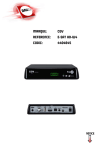
MARQUE:
CGV
REFERENCE:
E-SAT HD-W4
CODIC:
4404645
NOTICE
E-SAT HD-W4
1
E-SAT HD-W4
2
E-SAT HD-W4
1.
Introduction ................................................................................................... 6
1.1.
1.2.
2.
Consignes de sécurité ............................................................................................ 6
Conformité ........................................................................................................... 7
Description .................................................................................................... 8
2.1.
2.2.
2.3.
2.4.
2.5.
2.6.
2.7.
2.7.1.
2.7.2.
Contenu ............................................................................................................... 8
Fonctionnalités ...................................................................................................... 8
Connectique ......................................................................................................... 8
La face avant ........................................................................................................ 9
Le côté avec le lecteur de carte à puce .................................................................... 9
La face arrière ...................................................................................................... 9
La télécommande ................................................................................................ 10
Description des touches................................................................................... 10
Installation des piles de la télécommande ........................................................... 11
3.1.
3.2.
3.3.
3.4.
Label FRANSAT ................................................................................................... 11
Utilisation de la carte à puce fournie ..................................................................... 11
Mise à jour ......................................................................................................... 12
Enregistrements cryptés ........................................................................................ 12
3.
4.
Informations Importantes ............................................................................. 11
Branchements .............................................................................................. 12
4.1.
4.2.
4.3.
4.4.
4.4.1.
Branchement standard ......................................................................................... 12
Orienter votre parabole ....................................................................................... 13
Raccordement à un amplificateur audio ................................................................. 13
Branchement pour faire des enregistrements........................................................... 13
Enregistrements sur support de stockage USB ....................................................... 13
4.5.
Trucs et astuces ................................................................................................... 14
4.4.1.1.
4.4.1.2.
4.4.1.3.
5.
Première mise en route et installation rapide ................................................ 14
5.1.
5.2.
5.2.1.
5.3.
6.
Raccordement du support de stockage USB ........................................................................ 13
Bien choisir son support de stockage USB pour bien réussir ses enregistrements numériques ........ 13
Enregistrement sur un magnétoscope ou un graveur DVD ....................................................... 13
Navigation et utilisation des menus ....................................................................... 14
Démarrage ......................................................................................................... 14
Afficher l’image du E-SAT HD-W4 sur votre TV ..................................................... 14
Installation rapide................................................................................................ 15
Utilisation au quotidien ................................................................................ 17
6.1.
6.2.
6.3.
6.4.
6.5.
6.6.
6.7.
6.8.
6.8.1.
6.8.2.
Regarder une chaîne de télévision ......................................................................... 17
Contrôle du volume............................................................................................. 17
Afficher la liste des chaînes ................................................................................... 17
Numérotation des chaînes .................................................................................... 18
Le bandeau d’information .................................................................................... 18
Sélectionner la langue d’un programme ................................................................ 18
Activer/désactiver les sous-titres ............................................................................ 19
Consulter le guide des programmes (EPG) ............................................................. 19
Description de l’interface ................................................................................. 19
Liste des différentes fonctions disponibles depuis le guide (EPG) .............................. 20
6.9.
6.9.1.
Enregistrement sur support de stockage USB .......................................................... 20
Brancher un support de stockage USB................................................................ 20
6.8.2.1.
Programmer un enregistrement depuis le guide des programmes............................................. 20
3
E-SAT HD-W4
6.9.2.
6.9.3.
6.9.4.
6.9.5.
Lancer un enregistrement ................................................................................. 20
Modifier la durée d’un enregistrement ................................................................ 21
Arrêter un enregistrement ................................................................................. 22
Lire un enregistrement ..................................................................................... 22
6.9.6.
6.9.7.
6.9.8.
6.9.9.
6.9.10.
Changer de chaîne pendant un enregistrement .................................................... 23
Mise en veille pendant un enregistrement ............................................................ 23
Renommer un enregistrement ............................................................................ 23
Supprimer un enregistrement ............................................................................ 24
Ajouter un programme d’enregistrement (Timer) .................................................... 24
6.9.5.1.
6.9.5.2.
6.9.5.3.
6.9.5.4.
6.9.5.5.
6.9.10.1.
6.9.10.2.
6.9.11.
6.10.
6.10.1.
6.10.2.
6.11.
6.11.1.
6.11.2.
6.11.2.1.
Description du gestionnaire des enregistrements (liste des enregistrements) ................................ 22
Description des options disponibles dans la liste des enregistrements ....................................... 22
Lecture d’un enregistrement .............................................................................................. 23
Reprise de la lecture ....................................................................................................... 23
Positionner le curseur de lecture à un emplacement précis (Aller à, fonction GO TO) .................. 23
Programmer un enregistrement simple ................................................................................ 24
Programmer un enregistrement quotidien ou hebdomadaire ................................................... 24
Supprimer un programme d’enregistrement (Timer) ................................................ 25
Utiliser la « Pause du Direct » (Timeshift)................................................................. 25
C’est quoi la « Pause du Direct » (Timeshift) ......................................................... 25
Comment utiliser la « Pause du Direct » (Timeshift) ................................................. 25
Lire des fichiers multimédia depuis le support de stockage USB ................................ 25
Comment accéder aux fichiers Multimédia .......................................................... 25
Lecture d’un fichier Multimédia ......................................................................... 26
Reprise de la lecture ....................................................................................................... 26
6.12.
6.12.1.
6.12.2.
6.12.3.
6.13.
6.14.
6.14.1.
6.14.2.
6.14.3.
6.15.
6.16.
6.17.
6.18.
6.18.1.
Liste de favoris .................................................................................................... 26
Créer une liste de favoris ................................................................................. 26
Sélectionner une liste de favoris ou une autre liste ................................................. 26
Sortir de la liste de favoris ............................................................................... 27
Afficher le télétexte .............................................................................................. 27
Modifier la Qualité d’image ................................................................................. 27
Changer la résolution HDMI ............................................................................ 27
Modifier le recadrage de l’image ..................................................................... 27
Modifier le format de la sortie vidéo analogique .................................................. 27
Réglage audio avec une chaîne Hi-Fi ou home cinéma ........................................... 28
Modifier ou désactiver le contrôle parental ............................................................. 28
Verrouiller/déverrouiller une chaîne ....................................................................... 28
Les codes PIN ..................................................................................................... 28
Le Code PIN Parental ..................................................................................... 29
6.18.2.
Le Code PIN Carte ........................................................................................ 29
6.18.1.1.
6.18.1.2.
6.18.2.1.
6.18.2.2.
6.19.
6.20.
6.20.1.
6.20.2.
Changer le Code PIN Parental ......................................................................................... 29
Réinitialiser le Code PIN Parental ...................................................................................... 29
Changer le Code PIN Carte ............................................................................................ 29
Réinitialiser le Code PIN Carte ......................................................................................... 29
Mise en veille automatique ................................................................................... 29
Recherche des chaînes ......................................................................................... 29
Effectuer une nouvelle recherche des chaînes FRANSAT ......................................... 30
Effectuer une recherche des chaînes sur un autre satellite. ....................................... 30
4
E-SAT HD-W4
6.20.3.
Rechercher des chaînes sur plusieurs satellites avec un commutateur (switch) DiSEqCTM. 30
6.21.
6.22.
6.23.
6.24.
Changer la sélection régionale de France 3 ........................................................... 32
Réinitialiser les paramètres (retour aux réglages usine) ............................................. 32
Formater le support de stockage USB .................................................................... 32
Améliorer votre appareil....................................................................................... 33
6.20.3.1.
6.20.3.2.
7.
7.1.
7.2.
7.3.
7.4.
7.5.
7.6.
7.7.
7.8.
7.9.
Accéder aux paramètres DiSEqC ...................................................................................... 31
Configuration des paramètres DiSEqC ............................................................................... 31
Description des menus ................................................................................. 33
Menu chaînes ..................................................................................................... 33
Menu Image ....................................................................................................... 33
Menu Configurer................................................................................................. 33
Menu Heure ....................................................................................................... 33
Menu Langues .................................................................................................... 34
Menu Système..................................................................................................... 34
Menu USB .......................................................................................................... 34
Menu Via Eutelsat ............................................................................................... 34
Menu Viaccess .................................................................................................... 34
8. En cas de problème ..................................................................................... 35
9. SAV, HOTLINE, fabriquant et Garantie ......................................................... 37
10. Caractéristiques techniques .......................................................................... 38
5
E-SAT HD-W4
1. Introduction
Le terminal de réception satellite E-SAT HD-W4, permet la réception et l’enregistrement des chaînes de la TNT
disponibles par satellite avec FRANSAT en Haute Définition (TNT-HD). Il a été fabriqué selon les normes
internationales en matière de sécurité. Afin d’utiliser votre terminal en toute sécurité, nous vous recommandons de
lire attentivement les consignes de sécurité ci-dessous avant sa mise en service. Ce récepteur satellite permet aussi
de recevoir la totalité des chaînes gratuites disponibles sur le satellite EUTELSAT 5WA (Ex. ATLANTIC BIRD 3) mais
aussi d’autres satellites.
1.1.
Consignes de sécurité
• Veuillez lire ce manuel dans son intégralité avant d’installer votre E-SAT HD-W4.
• Branchez l’alimentation de l’appareil uniquement sur une prise secteur ayant les caractéristiques suivantes: 110240VAC, 50/60Hz.
• N’ouvrez jamais l’appareil ou son alimentation; cela vous exposerait à des risques de chocs électriques mortels
et vous ferait perdre le bénéfice de la garantie.
• Toute rupture de l’étiquette d’inviolabilité marquée : «Warranty void if seal is broken or removed1» annulera la
garantie de l’appareil. Si nécessaire, confiez votre équipement à un réparateur spécialisé.
• Protection contre la foudre : en cas d’orage, nous vous recommandons d’éteindre le terminal, de débrancher son
alimentation de la prise secteur et de déconnecter le câble d’antenne afin d’éviter tout dommage.
• Placez le terminal à l’intérieur, dans un endroit sec et correctement ventilé, à l’abri des rayons du soleil,
suffisamment éloigné d’éventuelles sources de chaleur (radiateur par exemple). Ne le posez pas sur un objet mou
tel que tapis ou mousse. Il est important de vérifier qu’il y a suffisamment d’espace autour de l’appareil afin
d’assurer une ventilation correcte.
• Ne manipulez pas l’appareil ou les câbles avec les mains mouillées ou dans une atmosphère très humide.
• Quand vous n’utilisez pas votre terminal pendant une longue période (vacances par exemple), débranchez le du
secteur et du câble antenne afin de faire des économies d’énergie et de le protéger contre un éventuel « Coup
de Foudre ».
• Ne posez aucun objet sur votre terminal. Si celui-ci doit être installé dans un meuble, prévoyez au moins 6cm
d’espace libre au-dessus. Vérifiez qu’aucun objet n’est entré dans l’appareil par ses fentes de ventilation car cela
pourrait l’endommager irrémédiablement.
• Les fentes de ventilation ne doivent jamais être obstruées.
• Ne posez jamais d’objets lourds sur le terminal, même s’il n’est pas en service.
• Ne posez jamais de récipient contenant un quelconque liquide à proximité ou sur le terminal. Assurez-vous
qu’aucun liquide n’entre dans l’appareil. N’utilisez jamais de détergents liquides pour le nettoyer. La présence
d’un quelconque liquide à l’intérieur de l’appareil vous exposerait à des risques de chocs électriques mortels.
• Déplacer le terminal depuis un endroit froid vers un endroit chaud peut faire apparaître de la condensation. Dans
ce cas, attendez au moins deux heures avant de le remettre en route pour permettre à la condensation de
s’évacuer totalement.
• Les piles (pack de piles ou piles installées) ne doivent pas être exposées à une chaleur excessive comme le soleil,
le feu ou autres.
• L'adaptateur AC / DC est utilisé comme dispositif de déconnexion, il doit rester facilement accessible.
CGV ne peut être tenu pour responsable de dommages occasionnés du fait de la non-observation des consignes de
sécurité ou d’une utilisation inappropriée de l’appareil.
Conservez la totalité du matériel d’emballage original pour un éventuel retour de l’appareil en SAV.
6
E-SAT HD-W4
1.2.
Conformité
Déchets d’équipements électriques et électroniques
Ce symbole sur le produit, ses accessoires ou sa documentation indique que ce dernier est
conforme à la Directive européenne 2002/96/CE. Cela signifie que ni le produit, ni ses
accessoires électroniques usagés ne peuvent être jetés avec les autres déchets ménagers.
Veuillez séparer vos produits et accessoires usagés des autres déchets. La mise au rebut
citoyenne de votre ancien produit permet de protéger l’environnement et la santé, vous
favoriserez ainsi le recyclage de la matière qui les compose dans le cadre d’un développement
durable.
Les particuliers sont invités à contacter les autorités locales pour connaitre les procédures et les
points de collectes de ces produits en vue de leur recyclage.
MARQUAGE POUR L’EUROPE
Le marquage CE qui est attaché à ce produit signifie sa conformité aux Directives Européennes
de sécurité EMC (2004/108/EC), EN 60065 et LVD (2006/95/EC).
Ce produit est conforme à la directive 2011/65/CE. Les substances soumises à limitation
n’excèdent pas les valeurs de concentration maximales tolérées en poids dans les matériaux
homogènes (Plomb (0,1 %), Mercure (0,1 %), Cadmium (0,01 %), Chrome hexavalent (0,1 %),
Polybromobiphényles (PBB) (0,1 %), Polybromodiphényléthers (PBDE) (0,1 %)).
Piles et Accumulateurs
Les piles, y compris celles qui ne contiennent aucun métal lourd, ne doivent pas être jetées avec
les ordures ménagères. Veuillez vous débarrasser des piles usagées d’une façon ne présentant
aucun danger pour l’environnement. Renseignez-vous sur la réglementation en vigueur dans votre
région à ce sujet.
Fabriqué sous licence de Dolby Laboratories.
Le terme « Dolby » et le sigle double D sont des marques commerciales de Dolby Laboratories.
Le logo HDMI et High-Definition Multimedia Interface sont des marques commerciales ou des
marques déposées de HDMI Licensing LLC aux États-Unis et dans d'autres pays.
7
E-SAT HD-W4
2. Description
2.1.
•
•
•
•
•
Le terminal satellite numérique E-SAT HD-W4
Une carte à puce prépayée donnant accès aux chaînes de la TNT SD et HD disponibles par satellite avec FRANSAT.
1 télécommande avec 2 piles LR03/AAA de 1,5V
Un bloc secteur 230VAC->12VDC, 2A
Ce manuel d’utilisation
2.2.
•
•
•
•
•
•
•
•
•
•
•
•
•
•
•
•
•
•
•
•
•
•
•
•
•
Fonctionnalités
Capacité de 4000 chaînes TV et radios.
Recherche automatique et manuelle des chaînes.
Gestion des décrochages régionaux de France 3.
Sous-titrage et Télétexte.
Affichage du programme courant/suivant dans le bandeau d’information.
Guide électronique des programmes (EPG).
Contrôle parental suivant les recommandations du Conseil Supérieur de l’Audiovisuel (CSA).
Verrouillage des chaînes par l’utilisateur (mot de passe demandé pour afficher la chaîne).
Suppression de chaînes (uniquement les chaînes gratuites non incluses dans le service FRANSAT).
Liste de chaînes favorites.
Port USB 2.0 pour l’enregistrement numérique des chaînes (Simple et Haute Définition : SD et HD) sans perte de
qualité, sur support de stockage USB externe formaté en FAT32 ou NTFS (enregistrements cryptés).
Programmer jusqu’à 30 Timers (programmateur d’enregistrement, journalier et hebdomadaire).
Programmer facilement un enregistrement par le guide des programmes EPG.
Possibilité de renommer les enregistrements.
Fonction de reprise de la lecture et fonction "Aller à" (GO TO).
Pause du Direct (Timeshift) pour une maîtrise totale du direct.
Lecture multimédia : photos (JPG), musique (MP3) et film (XviD).
Mise à jour automatique du logiciel par les airs (OTA) et/ou par USB.
Commutation DiSEqCTM 1.0 et DiSEqCTM 1.1
Possibilité de rechercher les chaînes FTA d’autres satellites (même si la recherche du satellite Atlantic Bird3 n’a pas été effectuée).
Résolution HDMI jusqu'à 1080p.
Affichage du menu en plusieurs langues (Français et Anglais).
Import/export de la liste des chaînes sur support de stockage USB.
Eco-veille : Très faible consommation en mode veille (<0,5 W).
Télécommande simple et ergonomique.
2.3.
•
•
•
•
•
•
•
•
•
•
Contenu
1
1
1
1
1
1
1
1
1
1
Connectique
tuner satellite 1 entrée
lecteur de carte à puce VIACCESS
sortie audio/vidéo numérique HDMI (HDCP 1.2)
port USB 2.0 situé en face arrière
sortie audio numérique S/PDIF optique
entrée capteur infrarouge filaire
sortie audio/vidéo analogique CVBS (Mini-Jack 3.5mm)
bouton veille
afficheur 4 chiffres à 7 segments
voyant d’alimentation (vert = allumé et rouge = veille)
8
E-SAT HD-W4
2.4.
La face avant
1
3
2
1: Bouton de mise en marche/mise en veille du E-SAT HD-W4.
2 : Afficheur : Affiche le numéro de chaîne, OtA pendant une mise à jour…
3 : Voyant ON/OFF : VERT lorsque le E-SAT HD-W4 est en fonctionnement et ROUGE lorsqu’il est en veille.
2.5.
Le côté avec le lecteur de carte à puce
Lecteur de carte à puce : voir §3.2 p11.
2.6.
La face arrière
1
2
3
4
5
6
7
8
1. IR EXT : Entrée capteur infrarouge. Branchez un capteur infrarouge (non fourni) afin de dissimuler votre récepteur
dans un meuble tout en continuant à utiliser votre télécommande.
2. PARABOLE IN : Reliez ce connecteur à votre parabole à l’aide d’un câble coaxial adéquat.
Attention : votre parabole doit être orientée vers le satellite Atlantic Bird3 (EUTELSAT 5WA).
3. USB : Port USB 2.0 pour connexion d’un support de stockage USB 2.0.
4. HDMI : Sortie audio/vidéo numérique HDMI à brancher sur votre TV pour bénéficier de la Haute Définition.
5. S/PDIF: Sortie audio numérique optique à raccorder à un home cinéma pour profiter du son Dolby Digital
(facultatif).
6. A/V : Reliez cette prise sur votre téléviseur uniquement si votre TV ne dispose pas d’entrée HDMI. Reliez cette prise
à un magnétoscope ou un graveur DVD-R si vous désirez effectuer des enregistrements (facultatifs). Cette prise permet
aussi de disposer de sorties audio analogique stéréo à raccorder sur une chaîne Hi-Fi par exemple (facultatif).
Ce câble est disponible sur notre site internet www.cgv.fr.
7. RS232 : Prise réservé aux techniciens.
8. DC12V/2A : Entrée d’alimentation du E-SAT HD-W4. La source d’alimentation à connecter sur cette entrée
doit fournir une tension comprise entre 10 et 15V continu et 2A. Il est conseillé d’utiliser le bloc secteur fourni (230VAC>DC12V/2A) comme source d’alimentation. Toutefois cette entrée est compatible avec les sources d’alimentations
des véhicules (camping-car, caravane, etc…) équipés d'une batterie 12V.
Attention : CGV ne garantit pas l’utilisation du E-SAT HD-W4 dans les véhicules. Ces installations doivent être
effectuées par un professionnel. CGV ne pourrait être tenu responsable en cas de défaut de fonctionnement.
9
E-SAT HD-W4
2.7.
La télécommande
2.7.1.
Description des touches
STANDBY : Allume/éteint l’Etimo. / MUTE : Coupe le son.
FAV : Sélection des chaînes favorites.
: Touche non utilisée.
TV/Radio : Passe de TV à RADIO. Appuyez sur cette touche pour passer
sur la liste des radios disponibles ou pour revenir sur la liste des chaînes.
(Multimédia) : Affiche les fichiers présents sur le disque USB.
LIB: Affiche les enregistrements effectués sur le disque USB.
CH+/- : Changement de chaîne.
EPG: Affiche le guide des programmes TNT. Obtenez des informations
sur les programmes en cours et à venir des chaînes de la TNT (si transmis
par la chaîne) et programmez des enregistrements.
(Recall) : Cette touche permet de retourner sur la précédente chaîne
sélectionnée.
VOL+/- : Réglage du volume.
INFO : Affiche le bandeau d’information de la chaîne sélectionnée. Un
2ème appui affiche le résumé du programme en cours.
EXIT: Ferme le menu ou toute autre fenêtre affichée.
MENU : Affiche le menu principal.
BACK: Cette touche permet de revenir en arrière dans les menus.
◄/►/▲/▼: Déplacement et sélection des menus/fichiers.
OK: Affiche la liste des chaînes, valide une sélection/paramètre.
(REC) : Lance l’enregistrement du programme pour une durée
correspondante à la durée restante du programme + 10 minutes.
► (PLAY) : Démarre la lecture d’un fichier en plein écran ou lance la
lecture du Timeshift.
(STOP) : Arrête la lecture et marque un point de reprise ou arrête le
Timeshift.
◄◄/►► (RETOUR et AVANCE RAPIDE) : Appuyez une ou plusieurs
fois sur l’une de ces touches pour faire défiler les différentes vitesses
disponibles et effectuez un retour ou une avance rapide.
(PAUSE): Démarre le Timeshift (L’image du programme TNT se fige,
appuyez une nouvelle fois pour redémarrer la lecture) ou met en pause la
lecture d’un fichier.
TXT: Affiche le télétexte (si transmis par la chaîne).
SUBT.: Sélection des sous-titres (si transmis par la chaîne).
AUDIO : Sélection de la langue du programme (si transmis par la chaîne).
OPT : Modifie le format d’image (4-3, 16-9, etc.).
/
/
/
: Différentes actions dans les menus.
10
E-SAT HD-W4
2.7.2.
Installation des piles de la télécommande
Ouvrez le compartiment à piles en retirant le couvercle et insérez les piles en respectant la polarité indiquée au fond
du compartiment.
Si le terminal ne répond plus correctement à la télécommande, les piles sont certainement vides et doivent être
remplacées par des neuves (toujours changer les deux piles simultanément). Le fabriquant n’assume aucune
responsabilité pour des dommages résultants de piles ayant coulées.
REMARQUE : Les piles, y compris celles qui ne contiennent aucun métal lourd, ne doivent pas être jetées avec les
ordures ménagères. Veuillez vous débarrasser des piles usagées d’une façon ne présentant aucun danger pour
l’environnement. Renseignez-vous sur la réglementation en vigueur dans votre région à ce sujet.
3. Informations Importantes
3.1.
Label FRANSAT
L’E-SAT HD-W4 est labellisé FRANSAT, ce qui signifie qu’il peut recevoir et afficher les chaînes de la TNT disponibles
sur le satellite EUTELSAT 5WA (Ex. ATLANTIC BIRD 3) grâce à la carte à puce FRANSAT fournie. Cependant, il peut
aussi recevoir les chaînes payantes (Pack Cinéma avec OCS, Pack Sport avec beIN SPORTS, Pack Musique avec
Mélody le Pack jeunesse ou le Pack Famille) par simple appel et inscription, sans changement de carte à puce.
Rendez-vous sur le site www.fransat.fr pour plus d’informations sur les différents bouquets et conditions d’abonnements.
L’E-SAT HD-W4 peut aussi recevoir les chaînes gratuites (FTA) d’autres satellites.
3.2.
Utilisation de la carte à puce fournie
Votre E-SAT HD-W4 est équipé d’un lecteur de carte à puce qui vous ouvre l’accès aux chaînes de la TNT disponibles
par satellite avec FRANSAT. Pour pouvoir accéder à l’offre de service FRANSAT, insérez votre carte à puce dans la
fente du lecteur prévue à cet effet, puce vers le haut comme indiqué sur l’image ci-dessous.
Sens d’introduction de la carte :
La carte doit etre inséree puce vers le haut
comme indiqué sur l’image et doit être enfoncée
jusqu’au bout, elle ne doit pas dépasser.
Pour information, les cartes FRANSAT possèdent
un Code PIN Carte, nécessaire pour la
protection des mineurs (contre les programmes
de catégorie V, c'est-à-dire interdit aux -18 ans).
Ainsi, lorsqu’une carte à puce FRANSAT est utilisée dans un terminal E-SAT HD-W4, il y a en fait deux codes secrets
qui cohabitent dans le terminal :
• Le Code PIN Parental (que vous choisirez lors de la première installation).
• Le Code PIN Carte VIACCESS (qui est propre à la carte FRANSAT).
Le Code PIN Carte VIACCESS vous sera demandé lorsque :
• Un programme interdit aux -18 ans s’affiche (même si vous n’avez pas activé le contrôle parental).
• Vous effectuerez votre premier enregistrement ou Timeshift. Vous pouvez toutefois ne pas saisir ce code et
appuyer sur la touche
(EXIT) pour supprimer ce message. Mais dans ce cas, l’enregistrement ou le Timeshift
des programmes ayant la classification -18 ne fonctionnera pas.
Note : Un enregistrement démarré sur un programme standard ne sera pas valide si jamais une partie de
l’enregistrement contient un secteur interdit aux -18 ans.
11
E-SAT HD-W4
3.3.
Mise à jour
L’E-SAT HD-W4 est équipé d’un système de mise à jour automatique. Il est capable de détecter quand une mise à
jour est disponible via le satellite et de l’effectuer lorsque la machine redémarre. Pour bénéficier de ces mises à jour,
il est donc recommandé de mettre en veille puis de rallumer votre E-SAT HD-W4 régulièrement.
Si la mise à jour venait à être interrompue par une perturbation du signal, l’E-SAT HD-W4 interrompra la procédure
de mise à jour après 5 minutes et retournera dans son état normal en affichant une chaîne.
L’E-SAT HD-W4 peut aussi être mis à jour par l’intermédiaire de son port USB. Rendez-vous sur www.cgv.fr pour
télécharger les derniers logiciels.
3.4.
Enregistrements cryptés
ATTENTION, le label FRANSAT impose, pour des raisons de propriété intellectuelle et de sécurité, que tous les
enregistrements numériques faits sur support de stockage USB par votre E-SAT HD-W4 soient cryptés ; En d’autres
termes, les enregistrements ne pourront pas être relus par un ordinateur ou par d’autres modèles de récepteurs satellite.
4. Branchements
Afin de profiter pleinement des avancées technologiques de votre E-SAT HD-W4, il est important que l'ensemble de
votre installation (paraboles, câbles et accessoires divers) soit de bonne qualité.
4.1.
Branchement standard
1. Raccordez votre parabole orientée sur EUTELSAT 5WA (Ex. ATLANTIC BIRD 3) sur l’entrée PARABOLE IN.
2. Connectez la prise HDMI de votre E-SAT HD-W4 à l’entrée HDMI de votre téléviseur. La prise HDMI est la seule
prise qui permet d’obtenir la Haute Définition, ce type de connecteur transporte l’image et le son. Si votre TV ne
dispose pas d’entrée HDMI alors, procurez-vous un câble audio/vidéo mini-jack et connectez-le dans la prise
ANALOG A/V OUTPUT du E-SAT HD-W4 et dans la prise péritel ou RCA de votre TV à l’aide d’adaptateur.
3. Connectez la sortie du bloc secteur dans la prise DC12V/2A de votre E-SAT HD-W4, puis branchez le bloc
secteur sur une prise secteur 230VAC 50Hz.
* Branchements facultatifs: Branchez un disque dur USB 2.0 pour effectuer des enregistrements, du timeshifting ou
de la lecture multimédia. Raccordez la prise S/PDIF du E-SAT HD-W4 sur un ampli Home-Cinéma à l’aide d’un câble
optique si vous souhaitez profiter du son Dolby Digital 5.1.Utilisez la sortie ANALOG A/V OUTPUT uniquement si
votre TV ne dispose pas d’entrée HDMI (l’adaptateur Mini-Jack/RCA et le câble RCA/Péritel sont disponibles sur
notre site internet www.cgv.fr). Branchez un capteur infrarouge filaire si vous souhaitez enfermer votre appareil dans
un meuble (capteur infrarouge disponible sur www.cgv.fr.
12
E-SAT HD-W4
4.2.
Orienter votre parabole
Pour recevoir les chaînes de la TNT sur votre récepteur satellite E-SAT HD-W4 FRANSAT, votre parabole doit être
correctement orientée vers le satellite EUTELSAT 5WA (Ex. ATLANTIC BIRD 3).
Positionnez votre parabole à l’aide de l’application FRANSAT Assistance disponible sur Google Play d’Android ou
sur l’Appstore d’Apple. Téléchargez l’application FRANSAT Assistance sur votre Smartphone/tablette et disposez
d’une aide efficace au pointage de la parabole intégrant l’ensemble des paramètres précis de réglage : azimut,
élévation et polarisation. L’orientation de la parabole est l’une des parties les plus importante de l’installation, ne la
négligez pas.
4.3.
Raccordement à un amplificateur audio
Vous pouvez raccorder votre E-SAT HD-W4 à une chaîne Hi-Fi ou à un amplificateur Home cinéma :
1. En analogique, connectez la sortie AUDIO L/R sur l’entrée AUX de votre amplificateur.
2. En numérique, connectez la sortie SPDIF sur l'entrée optique de votre amplificateur à l’aide d’un câble optique.
Note : En numérique, vous pouvez profiter du son numérique 5.1 des chaînes TNT (si disponible) et d’une meilleure
qualité audio. Pour profiter du son 5.1, vous devrez paramétrer votre E-SAT HD-W4 en mode « Multicanal » (voir
§6.15p28) et votre amplificateur Home Cinéma doit être équipé d’un décodeur DOLBY DIGITAL.
4.4.
4.4.1.
4.4.1.1.
Branchement pour faire des enregistrements
Enregistrements sur support de stockage USB
Raccordement du support de stockage USB
Connectez un support de stockage USB 2.0 sur le port USB 2.0 de la face avant de votre E-SAT HD-W4. Le
raccordement d’un support de stockage USB sur l’E-SAT HD-W4 permet d’effectuer des enregistrements, en qualité
numérique Haute Définition et de profiter de la « Pause du Direct » (Timeshift) ou encore de lire des fichiers multimédias.
Attention : Le label FRANSAT impose, pour des raisons de propriété intellectuelle et de sécurité, que tous les
enregistrements numériques faits sur support de stockage USB par votre E-SAT HD-W4 soient cryptés ; En d’autres
termes, les enregistrements ne pourront pas être relus par un ordinateur ou par d’autres récepteurs satellite.
4.4.1.2.
Bien choisir son support de stockage USB pour bien réussir ses enregistrements numériques
Préférez un disque dur USB 2.0 avec une capacité de 160 à 500GB de marque (par exemple Seagate/Maxtor Western Digital - LaCie - Storeva – AluSlim - Samsung), alimenté par USB. Si vous souhaitez utiliser un disque dur
d'un TeraByte ou plus, il devra alors être équipé de sa propre alimentation et être fractionné en partitions de 250GB
à l’aide d’un ordinateur et du logiciel gratuit MiniTool Partition Wizard.
Nous déconseillons les disques durs multimédia, ceux avec mise en veille automatique ou disposants d’une partition
sécurisée non supprimable contenant des logiciels préinstallés.
ATTENTION : Les premiers disques durs USB 3 peuvent présenter des incompatibilités avec l’ETIMO. Dans ce cas
l’utilisation d’un adaptateur USB 3.0/USB 2.0 ou d’un câble USB 2.0 est conseillé. Effectuez le formatage des
disques durs USB 3.0 à l’aide d’un ordinateur et du logiciel gratuit MiniTool Partition Wizard.
4.4.1.3.
Enregistrement sur un magnétoscope ou un graveur DVD
Si vous souhaitez enregistrer une chaîne à partir de votre E-SAT HD-W4 sur votre magnétoscope ou graveur DVD,
reliez un câble dans la prise mini-jack Audio/vidéo analogique de votre E-SAT HD-W4 et la prise AV de votre
magnétoscope ou graveur DVD. Sélectionnez la chaîne AV (ou Ext ou AU) sur votre magnétoscope ou graveur DVD
pour que les enregistrements s’effectuent correctement.
Attention : Pour toutes les programmations d’enregistrement, vous devrez alors programmer un Timer de rappel sur
votre E-SAT HD-W4 et un Timer d’enregistrement sur votre magnétoscope ou graveur DVD.
13
E-SAT HD-W4
4.5.
Trucs et astuces
Si votre TV dispose d’une entrée HDMI, préférez ce branchement plutôt que la prise mini-jack Audio/vidéo
analogique, vous pourrez ainsi bénéficier de la Haute Définition. Si vous utilisez le HDMI, pensez à sélectionner la
bonne entrée sur votre TV. Il n'est pas nécessaire d’effectuer un raccordement audio séparé, car le HDMI inclut l’audio
multicanal. Cependant vous pouvez toujours effectuer des raccordements audio externes additionnels (Home cinéma,
chaîne Hi-Fi…).
Certains téléviseurs ou plus généralement certains systèmes d’affichage ne possèdent pas de prise péritel mais plutôt
des prises VIDEO IN (connecteur RCA ou CINCH). Si c’est le cas de votre téléviseur (ou système d’affichage), utilisez
un adaptateur, afin de raccorder votre E-SAT HD-W4 à l’entrée VIDEO IN de votre système d’affichage.
5. Première mise en route et installation rapide
En premier lieu, les branchements doivent être effectués ; suivez le schéma de branchement (voir §4 p12), en omettant
éventuellement les branchements facultatifs et insérez votre carte à puce dans le lecteur de carte prévu à cet effet.
ATTENTION au sens : puce vers le haut (voir §3.2 p11).
Lors de la première mise sous tension, le menu d’installation rapide vous permettra de configurer votre récepteur.
5.1.
Navigation et utilisation des menus
Votre E-SAT HD-W4 a été élaboré pour une utilisation ergonomique. Les fonctions de votre E-SAT HD-W4 sont
accessibles soit directement par une touche de la télécommande, soit par un système simple de menus et sous-menus.
Dans la plupart de ces menus, une zone d’aide contextuelle, affichée en bas de l’écran, rappelle les fonctions
attribuées aux touches de la télécommande. Pour des raisons de place et de lisibilité, il se peut que certaines touches
ne soient pas représentées dans certains menus.
Pour bien comprendre l’utilisation de chaque rubrique, il est indispensable de se familiariser avec le principe de
fonctionnement des menus et sous-menus.
De manière générale :
(MENU) permet d’afficher le Menu principal.
• La touche
• Les touches
o
o
o
• La touche
permettent :
De naviguer dans les différents menus et sous-menus.
De modifier la valeur de certains paramètres.
De sélectionner une réponse à une question.
(OK) permet de valider une modification ou de répondre à une question.
• Dans certains menus, les touches de couleur :
sont utilisées pour effectuer des actions spéciales.
Le cas échéant, cela sera toujours indiqué dans l’aide contextuelle au bas de l’écran.
• La touche
sur la touche
5.2.
5.2.1.
(EXIT) permet de revenir un cran en arrière dans un menu ou une fonction. Appuyez plusieurs fois
(EXIT) pour quitter le menu.
Démarrage
Afficher l’image du E-SAT HD-W4 sur votre TV
Une fois les branchements effectués :
1. Allumez en premier votre TV et sélectionnez l’entrée HDMI correspondant à votre E-SAT HD-W4.
2. Insérez la carte FRANSAT fournie dans le terminal puce vers le haut, (voir §3.2 p11).
14
E-SAT HD-W4
3. Allumez votre E-SAT HD-W4 et patientez. Un voyant vert s’allume sur sa face avant puis l’afficheur indique « boot »
puis « Ft1 » : Le Guide d’installation s’affiche sur votre TV.
Important : Assurez-vous que l’antenne est branchée et orientée vers le satellite EUTELSAT 5WA (Ex. ATLANTIC BIRD
3) et que la carte FRANSAT fournie est insérée dans le terminal avant d’allumer votre E-SAT HD-W4 pour la première
fois.
Le menu d’installation s’affiche sur votre TV :
Si votre TV n’affiche pas le menu d’installation du E-SAT HD-W4 alors :
1. Vérifiez que l’appareil est allumé, la LED située à droite de l’afficheur est alors allumée en vert. Si la LED est allumée
en rouge, appuyez sur le bouton de mise en marche pour allumer votre E-SAT HD-W4.
2. Si l’appareil est allumé, appuyez sur la touche
(MENU) de la télécommande du E-SAT HD-W4 pour essayer
d’afficher le menu principal. Si le Menu principal s’affiche, effectuez une réinitialisation des paramètres (voir §6.22
p32).
Si le menu ne s’affiche pas alors passez à l’étape ci-dessous :
3. Si l’appareil est allumé (la LED est verte) mais que votre TV affiche un message PAS DE SIGNAL alors, avec la
télécommande de votre TV, essayez les différentes entrées HDMI de votre TV jusqu'à afficher la page d’installation.
Changez de câble HDMI si le problème persiste.
5.3.
Installation rapide
Dès lors que le menu d’installation est affiché :
• Etape 1 : Paramètres de langue
Sélectionnez une langue puis appuyez sur la touche
(ROUGE) pour passer à l’étape suivante.
• Etape 2 : Paramètres A/V
- Format de l’image : laissez sur16/9 Ecran large si vous utilisez un TV HD standard.
- Format HD : Laissez la résolution par défaut sur1080i.
- Sortie Numérique :
o PCM si vous ne savez pas quoi choisir.
o Multicanal (HDMI) si vous raccordez votre E-SAT HD-W4 à un ampli home cinéma DOLBY DIGITAL en
utilisant un câble HDMI.
15
E-SAT HD-W4
Multicanal (SPDIF) si vous raccordez votre E-SAT HD-W4 à un ampli home cinéma DOLBY DIGITAL en
utilisant un câble optique.
o Arrêt si vous ne souhaitez pas avoir de son sur la sortie HDMI ou optique du E-SAT HD-W4.
Note : si votre ampli home cinéma/chaîne Hi-Fi n’est pas DOLBY DIGITAL, vous pouvez toutefois y connecter votre
E-SAT HD-W4 en laissant ce paramètre sur PCM et en utilisant la prise optique ou les sorties AUDIO L/R.
o
Appuyez sur la touche
(ROUGE) pour passer à l’étape suivante.
• Etape 3 : Contrôle parental :
Activez ou non le contrôle parental. Sélectionnez NON et appuyez sur
(OK) si vous ne souhaitez pas activer le
contrôle parental et passer à l’étape suivante. Si vous activez Le contrôle parental, vous devrez alors saisir le mot de
passe (Code PIN Parental) pour visualiser certain type de programme.
Réglage :
Le mot de passe (Code PIN Parental) devra être entré pour visualiser
les programmes ayant les pictogrammes :
- 18 ans
- 16 ans
- 12 ans
- 10 ans
Sélectionnez un des réglages et appuyez sur
(OK) pour valider et choisir votre Code PIN Parental.
Choisissez un Code PIN Parental que vous n’oublierez pas, même après plusieurs mois/années. Ce code vous sera
demandé pour afficher une chaîne bloquée par le contrôle parental (si activé), pour entrer dans les menus verrouillés
ou encore pour effectuer une réinitialisation des paramètres.
Note : Ce Code PIN Parental est différent du Code PIN Carte VIACCESS demandé lors du déclenchement de
l’enregistrement d’un programme adulte interdit aux -18 ans (§6.9.2 p20).
• Etape 4 : Recherche des Chaînes
L’indication de Qualité doit être au moins à 50% pour que la recherche automatique fonctionne correctement. La
fonction Beeper du E-SAT HD-W4 (appuyez sur la touche
(MUTE) pour l’activer/la désactiver) permet d’ajuster
plus facilement la position de la parabole (plus le « Beep-Beep » est fort, meilleure est la réception).
Si les indications Signal et Qualité restent faibles, cela peut signifier que :
a.Votre parabole n’est pas correctement orientée sur le satellite Atlantic Bird3 (Eutelsat 5WA), vous devez alors
réorienter votre parabole (voir §4.2 p13 pour plus d’information et prendre connaissance des paramètres
d’orientations de votre parabole sur le satellite Atlantic Bird3 (EUTELSAT 5WA)).
16
E-SAT HD-W4
b.Vous utilisez une installation de parabole complexe comportant un switch DiSEqCTM nécessitant la sélection d’une
entrée. Sélectionnez le réglage DiSEqC1.0 et choisissez le numéro de LNB correspondant au branchement de
votre parabole sur le switch DiSEqCTM (voir §6.20 p29).
Après avoir effectué tous les réglages et obtenu des niveaux de Signal et de Qualité corrects, appuyez sur la touche
(BLEU) pour lancer la recherche automatique et patientez. Le menu de recherche liste les différentes chaînes et
radios trouvées.
Attention : Si aucune chaîne n’est trouvée, votre parabole est probablement mal orientée. Avant de modifier
l’orientation de votre parabole, essayez votre E-SAT HD-W4 sur une installation FRANSAT fonctionnelle, chez un ami
ou voisin (voir §4.2 p13 pour plus d’information sur l’orientation de la parabole et §6.20 p29 pour une nouvelle
recherche des chaînes)
• Etape 5 : Sélectionnez le décrochage régional (France 3 régional)
Sélectionnez votre France 3 Régional dans la liste de droite en appuyant sur . Utilisez
France 3. Appuyez sur
INFO HD s’affiche.
pour sélectionner votre
(OK) pour valider et patientez. L’installation est terminée lorsque la chaîne 0 FRANSAT
6. Utilisation au quotidien
6.1.
Regarder une chaîne de télévision
Lorsque vous regardez une chaîne (pas de menu ouvert) :
• Passez à la chaîne suivante/précédente en appuyant sur les touches
(CH+/CH-).
• Ou sélectionnez une chaîne directement en tapant son numéro à l’aide des touches de 0 à 9.
• Ou appuyez sur
sur
(OK) pour afficher la liste des chaînes, sélectionnez une chaîne à l’aide du
puis appuyez
(OK) pour l’afficher (voir §6.3 p17 pour plus d’information sur la liste des chaînes).
6.2.
Contrôle du volume
Utilisez
(Vol-/Vol+) pour régler le volume sonore à un niveau satisfaisant. Le volume nominal du E-SAT HD-W4 est
obtenu lorsque le volume est à 100%. Pour couper provisoirement le son, appuyez sur
(MUTE). Appuyez à nouveau
sur
(MUTE) pour le réactiver
Attention : Le volume de votre TV doit être ajusté en fonction de celui de votre E-SAT HD-W4 et des autres appareils
de votre installation Audio/Vidéo.
Note : Un son faible sur le E-SAT HD-W4 vous oblige à augmenter le son du TV et peu faire apparaitre du bruit
donc il est plutôt conseillé d’avoir un son proche du maximum sur le E-SAT HD-W4 et un niveau moyen sur le TV.
6.3.
Afficher la liste des chaînes
Pour accéder à la liste des chaînes, appuyez sur
(OK). Utilisez les touches
pour monter/descendre et
pour afficher les autres chaînes disponibles, puis appuyez sur
(OK) pour afficher la chaîne sélectionnée.
ATTENTION, la liste des chaînes/numérotation des chaînes peut changer puisqu’elle dépend de la liste sélectionnée
par la touche
(FAV) (liste Fransat HD, Tous ou Favoris). Veuillez noter qu’il est préférable de choisir la liste
17
E-SAT HD-W4
Fransat HD par défaut. Si jamais la liste des chaînes/numérotation des chaînes a changé et ne vous convient plus,
appuyez alors sur la touche
6.4.
(FAV) de la télécommande et sélectionnez la liste Fransat HD.
Numérotation des chaînes
La numérotation des chaînes dépend de la liste des chaînes sélectionnée. Si la numérotation des chaînes semble
mélangée (TF1 en numéro 5 par exemple), appuyez sur la touche
(FAV) de la télécommande et sélectionnez
la liste Fransat HD pour remettre ainsi les chaînes dans le bon ordre (tel que défini par le CSA).
6.5.
Le bandeau d’information
Le bandeau d’information de la chaîne s’affiche et se ferme automatiquement lorsque vous changez de chaîne. Vous
pouvez aussi afficher le bandeau d’information en appuyant sur
(INFO), appuyez une seconde fois sur
(INFO)
pour afficher les informations détaillées et une troisième fois sur
(INFO) pour revenir au bandeau d’information.
Le bandeau d’information affiche le nom de la chaîne, le titre du programme en cours, le titre du programme suivant,
l’heure, la liste couramment sélectionnée.
Liste des chaînes sélectionnée
Heure de début, de fin et titre
du programme en cours
6.6.
Numéro et nom de la chaîne
Heure de début, de fin et titre
du programme suivant
Heure
Classification du programme
(niveau de moralité)
Sélectionner la langue d’un programme
Pour sélectionner un langage « préférentiel » des bandes son des programmes, appuyez sur
(MENU), puis
sélectionnez le menu Langues. Descendez sur Langue audio et sélectionnez une langue à l’aide des touches .
Lorsqu’une chaîne propose la langue que vous avez choisie, celle-ci seront automatiquement sélectionnée. Ce
paramètre permet aussi d’activer l’audio description ainsi que la version originale.
NOTE : Les bandes son disponibles dépendent de la chaîne TNT en cours de visualisation. Vous pourrez, lorsque
la chaîne le diffuse, disposer de plusieurs types de bandes son : Française, version originale et audio description,
Dolby Digital, étrangère, etc.
ATTENTION, certaines chaînes montrent que plusieurs pistes audio sont disponibles alors que lorsque vous les
sélectionnez, vous ne constatez aucun changement, ou que le changement attendu ne correspond pas à celui
souhaitez. Ce problème est dû à une mauvaise transmission des informations de la part de la chaîne, CGV ne peut
en aucun cas être responsable ni contrôler le contenu des informations transmises par les chaînes.
Info : Vous pouvez aussi gérer le langage chaîne par chaîne avec la touche
18
(AUDIO) lorsqu’un chaîne est affichée.
E-SAT HD-W4
6.7.
Activer/désactiver les sous-titres
Pour activer ou désactiver des sous titres, appuyez sur
(MENU), puis sélectionnez le menu Langues. Descendez
sur Langue sous-titres et sélectionnez une langue de sous-titre à l’aide des touches
ou sélectionnez Arrêt pour les
désactiver. Lorsqu’une chaîne propose une langue de sous-titres que vous avez choisie, les sous-titres seront
automatiquement affichés.
Vous pouvez aussi modifier les paramètres Sous-titres TXT et Sous-titres afin de choisir le type de sous-titre à afficher.
NOTE : Les sous-titres et langues disponibles dépendent de la chaîne TNT en cours de visualisation. Certaines chaînes TNT ne
diffusent pas de sous-titres et il n’est donc pas possible de les afficher.
ATTENTION, certaines chaînes montrent que plusieurs pistes sous-titres sont disponibles alors que lorsque vous les
sélectionnez, vous ne constatez aucun changement, ou que le changement attendu ne correspond pas à celui
souhaitez. Ce problème est dû à une mauvaise transmission des informations de la part de la chaîne, CGV ne peut
en aucun cas être responsable ni contrôler le contenu des informations transmises par les chaînes
Info : Vous pouvez aussi gérer les sous-titres chaîne par chaîne en activant ou désactivant les sous-titres avec la touche
(SUBT.) lorsqu’un chaîne est affichée.
6.8.
6.8.1.
Consulter le guide des programmes (EPG)
Description de l’interface
Le guide des programmes vous permet de consulter les programmes en cours et à venir. Vous pourrez obtenir le
résumé de chaque programme, à la manière d’un magazine TV. Il permet aussi de programmer facilement un
enregistrement. Appuyez sur la touche
(EPG) pour ouvrir le guide électronique des programmes (EPG).
Le guide électronique des programmes vous fournit les informations suivantes :
Liste des programmes diffusés
Jour sélectionné
Chaîne sélectionnée
par la chaîne sélectionnée
Options disponibles
Détails du programme diffusé par la chaîne sélectionnée
Sélectionnez une chaîne à l’aide des touches
. Sélectionnez ensuite un programme avec les touches
informations et le résumé du programme sélectionné s’affichent sur la partie de droite.
19
. Les
E-SAT HD-W4
Note : Toutes les chaînes TNT ne transmettent pas un guide électronique des programmes complet. Cependant, les
chaînes ont obligation de transmettre au minimum les informations sur le programme en cours et sur le suivant (sauf
chaînes locales).
6.8.2.
Liste des différentes fonctions disponibles depuis le guide (EPG)
Depuis le guide électronique des programmes (EPG), vous pouvez :
Prendre connaissance de la grille des programmes des prochains jours en appuyant sur la touche
(ROUGE) (si la
chaîne diffuse les informations d’EPG sur plusieurs jours) et/ou programmer un enregistrement facilement en
sélectionnant un programme puis en appuyant sur la touche
6.8.2.1.
(OK).
Programmer un enregistrement depuis le guide des programmes
Sélectionnez un programme et appuyez sur
(OK) pour planifier l’enregistrement, descendez sur Mode puis
sélectionnez Enreg. et appuyez sur
(OK) pour valider (voir §6.9.10 p24 et §6.9.11 p25 pour modifier ou
supprimer ce programmateur (Timer)). Les programmes de la TNT peuvent ne pas respecter les horaires donc nous
vous conseillons de retirer quelques minutes à l’heure de début et d’en ajouter quelques une à l’heure de fin pour être
absolument certain d’enregistrer la totalité du film.
6.9.
6.9.1.
Enregistrement sur support de stockage USB
Brancher un support de stockage USB
Pour effectuer un enregistrement, vous devez avoir connecté un support de stockage USB dans la prise USB 2.0 de
la face avant de votre E-SAT HD-W4. Pour des raisons de performances et de capacité de stockage, il est
recommandé d’utiliser un disque dur externe USB (voir §4.4.1.2 p13 pour savoir comment bien choisir son support
de stockage USB). C’est sur ce support de stockage USB que s’effectueront tous les enregistrements numériques, aussi
bien de chaînes Simple Définition (SD) que de chaînes Haute Définition (HD).
Lorsque vous branchez un support de stockage USB, le message « le dispositif USB est inséré » s’affiche au bout de
quelques secondes pour indiquer que l’E-SAT HD-W4 a bien détecté votre support de stockage USB. Si votre support
de stockage USB n’est pas correctement formaté en FAT32 ou NTFS alors, le message de formatage s’affiche et vous
propose de lancer le formatage de votre support de stockage USB.
Attention : votre support de stockage USB contient peut-être des données importantes et précieuses ! L'opération
« Formatage » effacera, de manière définitive et irrémédiable, toutes les partitions et toutes les données, y compris
les partitions et données non visible depuis l’E-SAT HD-W4. Si votre support de stockage USB contient des données
importantes et précieuses, connectez-le d’abord sur un ordinateur et sauvegardez vos données, avant de lancer
l'opération « Formatage ». Il est recommandé de dédier un support de stockage USB à l'utilisation sur votre appareil.
Après l’opération, la capacité totale de votre support de stockage USB sera disponible, dans une seule et unique
partition en FAT32 ou NTFS et sans aucune donnée.
Si aucun message ne s’affiche, essayez les différentes manipulations listées ci-dessous :
• Vérifiez que votre support de stockage USB est correctement branché et alimenté (bloc secteur branché sur une
prise de courant et correctement branché sur le support de stockage USB) et qu’il est bien allumé.
• Débranchez et éteignez le support de stockage USB et l’E-SAT HD-W4. Patientez 5 secondes, rallumez l’E-SAT
HD-W4, puis rebranchez et rallumez le support de stockage USB lorsque l’image d’une chaîne est affichée.
• Vérifiez que votre support de stockage USB fonctionne correctement sur un ordinateur.
• Effectuez un formatage du support de stockage USB (voir §6.23 p32).
6.9.2.
Lancer un enregistrement
1. Appuyez sur la touche
(REC) de la télécommande pour enregistrer la chaîne que vous regardez.
20
E-SAT HD-W4
2. L’enregistrement démarre directement pour une durée correspondant à la durée du programme + 10min. Pour les
programmes adultes interdits aux -18 ans (non disponible sur le bouquet de base FRANSAT), le Code PIN Carte est
demandé (voir la note ci-dessous à propos du Code PIN Carte).
3. Le message
s’affiche brièvement sur l’écran.
4. Le temps écoulé
s’affiche en haut à gauche de l’écran. Appuyez sur
(EXIT) pour l’effacer.
Note : L’E-SAT HD-W4 utilise le nom de la chaîne, la date et l’heure pour nommer l’enregistrement mais il est tout à
fait possible de renommer cette enregistrement (voir §6.9.8p23). Un enregistrement occupe environ 2 à 4 Go/heure
d’espace sur le support de stockage USB (en fonction du débit du programme enregistré).
ATTENTION, si le Guide Électronique des Programmes (EPG) est en retard, la durée de l’enregistrement pourrait ne
pas correspondre à la durée du programme que vous souhaitez enregistrer. Pour plus de sécurité, enregistrez à l’aide
de l’EPG (Cf. §6.8p19).
A propos du Code PIN Carte : le Code PIN Carte de la carte à puce FRANSAT demandé pour un programme
interdit aux -18 ans est différent du Code PIN Parental que vous avez choisi lors de la première installation de votre
terminal. Le Code PIN Carte par défaut de la carte à puce FRANSAT vous sera communiqué lors de votre abonnement
à un bouquet complémentaire.
Ce Code PIN Carte ne sert qu’à autoriser les enregistrements ou la « pause du direct » (Timeshift) des programmes
pour adultes interdits aux moins de 18 ans. Il s’agit d’une surprotection liée à la carte FRANSAT différente du contrôle
parental du E-SAT HD-W4. Cette surprotection n’a aucun impact sur les autres enregistrements/programmes ayant
une classification inférieure. Lorsque ce message s’affiche, vous avez donc la possibilité de :
• Appuyez sur
(EXIT) pour fermer ce message sans entrer le Code PIN Carte et donc de ne pas autoriser les
enregistrements ou la « Pause du Direct » (Timeshift) des programmes avec classification -18.
• Saisir le Code PIN Carte afin de débloquer l’enregistrement ou la « Pause du Direct » (Timeshift) des programmes
avec la classification -18.s
6.9.3.
Modifier la durée d’un enregistrement
Lorsque vous appuyez sur la touche
(REC), l’enregistrement démarre pour une durée correspondant à la durée
du programme + 10min ou pour une durée de 3h si les informations sur le programme en cours ne sont pas
disponibles. Vous n’avez rien d’autre à faire car cet enregistrement s’arrêtera automatiquement lorsque le programme
sera terminé. Votre E-SAT HD-W4 utilise les informations du Guide Électronique des Programmes (EPG) (Cf. §6.8p19)
pour déterminer automatiquement la durée de l’enregistrement et ajoute environ 10min pour être sûr de bien enregistrer
la totalité du programme en cas de retard de l’EPG.
Appuyez sur la touche
(INFO) pour afficher la durée déjà enregistrée en haut de l’écran à gauche. Appuyez une
deuxième fois sur la touche
(INFO) ou sur
(INFO) pour avoir des informations complémentaires. Appuyez à nouveau sur
(EXIT) pour quitter la page d’information.
ATTENTION : Si vous souhaitez faire des enregistrements en contrôlant leur durée, il est nécessaire d'utiliser l’interface
des Timers (Cf. §6.9.10 p24), plutôt que l'appui direct sur la touche
(REC). Vous pourrez ainsi définir l’heure
de début et l’heure de fin. La solution la plus simple est de passer par le Guide Électronique des Programmes (EPG)
(Cf. §6.8p19), de sélectionner le programme à enregistrer puis d’appuyer sur
automatiquement le Timer.
21
(OK) pour programmer
E-SAT HD-W4
6.9.4.
Arrêter un enregistrement
Pour arrêter un enregistrement, appuyez une première fois sur
confirmer l’arrêt de l’enregistrement. Appuyez sur
6.9.5.
6.9.5.1.
(STOP), un message s’affiche et vous demande de
(OK) pour confirmer.
Lire un enregistrement
Description du gestionnaire des enregistrements (liste des enregistrements)
Appuyez sur
(LIB) pour afficher le gestionnaire/la liste des enregistrements ou appuyez sur
sélectionnez PVR :
Enregistrement
sélectionné.
(Multimédia) puis
Ecran de
prévisualisation.
Liste des
enregistrements
stockés sur le
support de
stockage USB.
Liste des options
disponibles
Sélectionnez un enregistrement et appuyez sur
6.9.5.2.
Description des options disponibles dans la liste des enregistrements
(OK) Lecture : Appuyez sur la touche
•
(PLAY) pour lancer la lecture du fichier.
(OK) pour démarrer la prévisualisation.
(BACK) Retour : Appuyez plusieurs fois sur la touche
multimédia.
•
(FAV) Shuffle : Appuyez plusieurs fois sur la touche
de la liste :
•
(FAV) pour sélectionner le mode de lecture des fichiers
o
: Lire le fichier sélectionné en boucle.
o
: Recommencer la lecture des fichiers après la lecture du dernier.
o
o
•
(BACK) pour quitter le menu et revenir à la sélection
: Lire de façon aléatoire.
Pas de symbole : Lire tous les fichiers de la liste des enregistrements puis s’arrêter.
(ROUGE) Plein écran : Appuyez sur la touche
(ROUGE) pour afficher la vidéo en plein écran ou pour
revenir à la liste des enregistrements lorsque la lecture est en plein écran.
•
(VERT) Renommer : Appuyez sur la touche
(VERT) pour renommer l’enregistrement sélectionné.
•
(JAUNE) Supprimer : Appuyez sur la touche
•
(BLEU) Aller à : Appuyez sur la touche
(JAUNE) pour supprimer l’enregistrement sélectionné.
(BLEU) et utilisez les chiffres de 0 à 9 pour entrer la position en
HH:MM:SS que vous souhaitez rejoindre sur la lecture en cours puis confirmez avec
(OK).
Note : Si vous ne trouvez plus vos enregistrements (liste vide), éteignez puis rallumez l’E-SAT HD-W4, puis appuyez
de nouveau sur
(LIB) pour afficher le gestionnaire/la liste des enregistrements.
22
E-SAT HD-W4
6.9.5.3.
Lecture d’un enregistrement
Sélectionnez un des enregistrements et appuyez sur
(OK) pour lancer le preview de l’enregistrement sélectionné.
Appuyez ensuite sur la touche
(ROUGE) pour afficher la vidéo en plein écran. Vous pouvez aussi appuyez
directement sur
(PLAY) : La lecture se fera directement en plein écran.
Pendant la lecture d’un enregistrement, vous pouvez utiliser les touches suivantes :
•
(PAUSE) : Met en pause la lecture d’un enregistrement.
•
(STOP) : Stoppe la lecture en cours et revient sur le gestionnaire/la liste des enregistrements.
(BLEU) : Fonction « Aller à » (GO TO). Appuyez sur la touche
•
(BLEU) et utilisez les chiffres de 0 à 9 pour
entrer la position en HH:MM:SS que vous souhaitez rejoindre sur la lecture en cours puis confirmez avec
(OK).
•
/
(Retour/Avance rapide) : par appuis courts successifs, 5 vitesses sont possibles en retour/avance rapide
(x2, x4, x8, x16, x32).
•
(AUDIO) : Sélection de la piste audio de l’enregistrement, uniquement si le programme enregistré contenait
différentes pistes audio (voir §6.6 p18).
•
(SUBT.) : Active/désactive et permet la sélection des sous-titres, uniquement si le programme enregistré
contenait des sous-titres (voir §6.7 p19).
6.9.5.4.
Reprise de la lecture
L’E-SAT HD-W4 mémorise la dernière interruption de lecture des enregistrements, ce qui permet très facilement de
reprendre la lecture là où elle a été précédemment arrêtée. Appuyez sur
(STOP) pour que la mémorisation soit
effective. Si vous stoppez la lecture avec la touche
6.9.5.5.
(EXIT), l’interruption de lecture ne sera pas mémorisée.
Positionner le curseur de lecture à un emplacement précis (Aller à, fonction GO TO)
Appuyez sur la touche
(BLEU) pendant la lecture d’un enregistrement, utilisez les chiffres de 0 à 9 pour entrer la
position en HH:MM:SS que vous souhaitez rejoindre sur la lecture en cours puis confirmez avec
6.9.6.
(OK).
Changer de chaîne pendant un enregistrement
L’E-SAT HD-W4 est un récepteur satellite simple tuner, donc lorsqu’un enregistrement est en cours, il n’est pas possible
de changer de chaîne. Le message suivant s’affiche lorsque vous essayez de changer de chaîne :
6.9.7.
Mise en veille pendant un enregistrement
Appuyez sur la touche de mise en veille pour éteindre l’E-SAT HD-W4 pendant un enregistrement. L’image se coupe
et l’afficheur indique le numéro de la chaîne pour signaler que l’enregistrement est toujours en cours. L’afficheur s’éteint
quelques secondes après la fin de l’enregistrement.
6.9.8.
Renommer un enregistrement
Pour renommer un enregistrement, rendez-vous dans la liste des enregistrements (appuyez sur la touche
(LIB) pour
ouvrir le gestionnaire/la liste des enregistrements). Sélectionnez l’enregistrement à renommer, puis appuyez sur la
touche
(VERT) pour afficher le clavier virtuel et renommer le fichier. Sélectionnez un caractère et appuyez sur
23
E-SAT HD-W4
(OK) pour le valider et passer au caractère suivant. Le bouton Etendre donne accès aux caractères accentués et
Majusc désactivé verrouille/déverrouille les majuscules, activez-les en appuyant sur
caractère, placez-vous sur le bouton Retour et appuyez sur
et appuyez sur
6.9.9.
(OK). Pour effacer un
(OK). Une fois terminé, placez-vous sur le bouton Oui
(OK).
Supprimer un enregistrement
Pour supprimer un enregistrement, rendez-vous dans la liste des enregistrements (appuyez sur la touche
(LIB) pour
ouvrir le gestionnaire/la liste des enregistrements). Sélectionnez l’enregistrement à renommer, puis appuyez sur la
touche
(JAUNE). L’enregistrement aura alors un « √ » sur sa droite. Appuyez sur
(OK) pour confirmer la
suppression, un message de confirmation s’affiche, choisissez Oui (Oui doit être en bleu) et appuyez sur
pour confirmer ou sélectionnez Non pour ne finalement pas les supprimer.
(OK)
6.9.10. Ajouter un programme d’enregistrement (Timer)
L’E-SAT HD-W4 est équipé d’une fonction Timer qui permet de déclencher des enregistrements automatiquement.
L’enregistrement démarrera même si l’E-SAT HD-W4 est en veille. Vous pouvez programmer jusqu’à 30 Timers.
Attention : L’E-SAT HD-W4 ne possède qu’un seul tuner il n’est donc pas possible d’effectuer plusieurs enregistrements
simultanément ou d’afficher une autre chaîne que celle sur laquelle s’effectue l’enregistrement.
6.9.10.1.
Programmer un enregistrement simple
Vous disposez de deux méthodes pour programmer votre Timer :
• Via le Menu principal : Appuyez sur
(MENU) pour ouvrir le Menu principal, sélectionnez le menu USB, puis
Timer. Appuyez sur la touche
(ROUGE) pour ajouter un Timer et entrez les paramètres. Attention au paramètre
Mode, il doit être sur Enreg. si vous souhaitez que l’enregistrement s’effectue sur le disque dur USB ou sur Rappel
si vous souhaitez effectuer l’enregistrement sur un DVD-R ou magnétoscope. Lorsque vous avez entré l’ensemble
des paramètres, appuyez sur
(OK) pour valider puis sur
(EXIT) pour fermer la liste des Timers. Pour valider
le Timer lorsqu’il s’agit d’un programme pour adulte, appuyez sur la touche
Carte.
(ROUGE) et entrez le Code PIN
• Via le guide des programmes (EPG), en sélectionnant le programme que vous souhaitez enregistrer (si disponible),
puis en appuyant sur la touche
(OK). L’appui sur la touche
(OK) remplie automatiquement les paramètres
dans le Timer. N’oubliez pas de basculer le paramètre Mode sur Enreg. si vous souhaitez que l’enregistrement
s’effectue sur le disque USB puis validez avec
(OK).
Attention : Une horloge bleue apparait à côté du programme pour rappeler qu’un Timer pour ce programme a
été créé et enregistré. Par défaut le timer est un timer de rappel et non d’enregistrement.
6.9.10.2.
Programmer un enregistrement quotidien ou hebdomadaire
Dans l’interface de paramétrage du Timer :
• Basculez le paramètre Répéter du Timer sur Quotidien pour que l’enregistrement s’effectue tous les jours à partir
de la date choisie, sur la chaîne sélectionnée et à l’heure réglée.
• Basculez le paramètre Répéter du Timer sur Hebdomadaire pour que l’enregistrement s’effectue une fois par
semaine à partir de la date choisie, sur la chaîne sélectionnée et à l’heure réglée.
24
E-SAT HD-W4
6.9.11. Supprimer un programme d’enregistrement (Timer)
Pour supprimer un Timer, affichez la liste des Timers (appuyez sur
(MENU) pour ouvrir le Menu principal,
sélectionnez le menu USB, puis Timer). Placez-vous sur le Timer à supprimer dans la liste. Appuyez sur la touche
(BLEU). Un message de confirmation s’affiche. Choisissez Oui (Oui doit être en bleu) et appuyez sur
confirmer ou sélectionnez Non pour annuler.
(OK) pour
6.10. Utiliser la « Pause du Direct » (Timeshift)
6.10.1. C’est quoi la « Pause du Direct » (Timeshift)
Votre E-SAT HD-W4 est équipé de la fonction « Pause du Direct », aussi appelée Timeshift en anglais. Avant toute
chose, il est important de décrire rapidement ce qu’est le Timeshift et comment il fonctionne :
La fonction Timeshift permet de mettre en pause l’affichage d’un programme en cours de visionnage ; puis de relancer
le visionnage pour regarder la suite du programme à partir de la pause, sans en perdre la moindre seconde. La
fonction Timeshift utilise un enregistrement temporaire sur un support de stockage USB externe pour fonctionner. Il est
donc impératif qu’un disque USB soit connecté au port USB 2.0 de votre E-SAT HD-W4. Pour des raisons de
performance et de capacité de stockage, il est recommandé d’utiliser un disque dur USB (voir §4.4.1.2 p13 pour
savoir comment bien choisir son support de stockage USB).
6.10.2. Comment utiliser la « Pause du Direct » (Timeshift)
Pour mettre en pause le direct, il suffit d’appuyer sur
(PAUSE) de la télécommande lorsque vous regardez une
chaîne ; l’image se met alors en pause et l’enregistrement temporaire du Timeshift est lancé.
Pour reprendre la lecture, appuyez sur
(LECTURE).
Pour arrêter le Timeshift (et retourner au « live »), appuyez sur
(STOP).
En cours de Timeshift, appuyez sur
ou
(Retour/Avance rapide) par appuis courts successifs (5 vitesses sont
possibles en retour/avance rapide (x2, x4, x8, x16, x32)) afin d’effectuer un retour arrière ou une avance rapide (pour
passer les pubs par exemple).
Appuyez sur la touche
(LECTURE) pour reprendre la lecture en vitesse normale.
Note : Le changement de chaîne nécessite l’arrêt du Timeshift et fait perdre le décalage. Pour changer de chaîne
lorsqu’un Timeshift est en cours, appuyez d’abord sur
(STOP) afin de l’arrêter puis changez de chaîne. Il n’est
pas possible d’effectuer de Retour/Avance rapide lorsque le Timeshift n’a pas été lancée en appuyant
(PAUSE).
6.11. Lire des fichiers multimédia depuis le support de stockage USB
6.11.1. Comment accéder aux fichiers Multimédia
Pour lire un fichier Multimédia (Film, Musique ou Photo), un disque USB contenant des fichiers Multimédia compatibles
doit obligatoirement être branché sur l’E-SAT HD-W4.
Appuyez sur la touche
(Multimédia) pour afficher le menu Multimédia.
Sélectionnez le type de fichier que vous souhaitez chercher :
Musique : Sélectionnez ce type pour ne lister que les fichiers musicaux au format MP3.
Photo : Sélectionnez ce type pour ne lister que les fichiers photos au format JPEG.
Film : Sélectionnez ce menu pour ne lister que les fichiers vidéo au format XVID.
PVR : Sélectionnez ce menu pour ne lister que les enregistrements effectués avec l’E-SAT HD-W4.
Sélectionnez tout d’abord un type de fichier puis le dossier dans lequel se trouve le fichier de votre choix, sélectionnez
le fichier à lire et appuyez sur
(OK) pour lancer la lecture.
Note : La bannière d’aide en bas du menu Multimédia liste les différentes fonctionnalités disponibles dans ce menu
(voir §6.9.5.2p22 pour plus d’information sur les options disponibles).
25
E-SAT HD-W4
6.11.2. Lecture d’un fichier Multimédia
Sélectionnez un des fichiers et appuyez sur
(LECTURE) pour lancer la lecture du fichier sélectionné. Pendant la
lecture d’un fichier Multimédia, vous pouvez utiliser les touches suivantes :
(OK) : Lance le preview du film sélectionné.
(LECTURE) : Lance la lecture d’un fichier ou le diaporama photo.
(PAUSE) : Met en pause la lecture.
(STOP) : Stoppe la lecture en cours et revient sur le gestionnaire de fichier multimédia.
/
(Retour/Avance rapide) : Par appuis courts successifs, 5 vitesses sont possibles en retour/avance rapide
(x2, x4, x8, x16, x32). Photo précédente/suivante.
•
(FAV) : Sélection du mode de lecture (voir §6.9.5.2p22 pour plus d’info sur les modes de répétition)
•
•
•
•
•
•
(ROUGE) : Affichage en plein écran ou retour au preview ou encore, réglage du zoom pour les photos.
•
(BLEU) : Fonction GO TO. Appuyez sur la touche
(BLEU) et utilisez les chiffres de 0 à 9 pour entrer la
position en HH:MM:SS que vous souhaitez rejoindre sur la lecture en cours puis confirmez avec
Affichage mosaïque pour les photos.
•
(VERT) : Rotation à droite lors de la lecture de photos.
•
(JAUNE) : Rotation à gauche lors de la lecture de photos.
6.11.2.1.
(OK).
Reprise de la lecture
L’E-SAT HD-W4 mémorise la position de la dernière interruption de lecture des fichiers vidéo, ce qui permet de
reprendre très facilement la lecture là où elle a été arrêtée. Appuyez sur
(STOP) pour que la mémorisation soit
effective. Si vous stoppez la lecture avec la touche
(EXIT), la position ne sera pas mémorisée.
6.12. Liste de favoris
6.12.1. Créer une liste de favoris
Pour créer une liste de favoris :
1. Appuyez sur
(MENU) pour ouvrir le Menu principal.
2. Entrez dans le menu Chaînes.
3.
4.
5.
6.
7.
Sélectionnez Editer Chaînes et appuyez sur la touche
(OK).
Entrez votre Code PIN Parental.
Dans le menu CHAÎNE/Editer Chaînes, sélectionnez une chaîne dans la liste.
Appuyez sur
(FAV) pour mettre cette chaîne en favoris. Un cœur s’affiche à côté du nom de la chaîne.
Recommencez l’opération pour toutes les chaînes que vous souhaitez mettre en favoris.
8. Appuyez sur
(EXIT) pour fermer le menu d’édition des favoris.
Note : pour supprimer une chaîne de la liste de favoris, sélectionnez la chaîne à supprimer et appuyez sur
La chaîne sera uniquement supprimée de la liste des favoris.
(FAV).
6.12.2. Sélectionner une liste de favoris ou une autre liste
Appuyez 2 fois sur
(FAV) pour afficher les listes disponibles et sélectionnez la liste que vous souhaitez (premier
appui indique la liste des bouquets, le second appui affiche la liste de FAV). Sélectionnez Favoris si vous souhaitez
accéder à la liste de favoris que vous avez créé ou sélectionnez Tous si vous souhaitez afficher toutes les chaînes.
Une fois la liste Favoris sélectionnée, vous n’avez accès qu’aux chaînes mises en favoris (un cœur s’affiche à côté du
nom de la chaîne dans le bandeau d’information) lorsque vous changez de chaînes.
26
E-SAT HD-W4
6.12.3. Sortir de la liste de favoris
Appuyez 1 fois sur
(FAV) pour afficher la liste des bouquets puis sélectionnez Fransat HD et appuyez sur
pour valider et retourner sur la liste des chaînes standards de FRANSAT.
(OK)
6.13. Afficher le télétexte
Certaines chaînes proposent du télétexte, permettant d’obtenir des informations supplémentaires telles que la météo,
les informations ou les cours de la bourse.
Appuyez sur
(TEXT) pour afficher la page d’accueil du télétexte.
Sélectionnez la page que vous désirez afficher en saisissant son numéro à l’aide des touches de 0 à 9.
Pour fermer le télétexte, appuyez sur
(EXIT) ou à nouveau sur
(TEXT).
6.14. Modifier la Qualité d’image
6.14.1. Changer la résolution HDMI
Appuyez sur
(MENU), puis sélectionnez le menu Image. Descendez sur le paramètre Résolution pour modifier la
résolution. Modifiez la valeur à l’aide des touches .
Pour obtenir la meilleure qualité d'affichage, il est recommandé de laisser la résolution par défaut 1080i.
6.14.2. Modifier le recadrage de l’image
Pour modifier le recadrage de l’image, c'est-à-dire le traitement appliqué à l’image lorsque le format de la chaîne
affichée n’est pas 16:9. Appuyez sur
(MENU), sélectionnez le menu Image et modifiez les paramètres Aspect et
Format d’image à l’aide des touches :
• Aspect permet de choisir le format de votre écran de TV. Par défaut le réglage est sur 16/9. Modifiez ce
paramètre selon la taille de votre écran (4:3 ou 16:9).
• Format d’image permet de choisir le type de traitement lorsque le format de votre écran et le format de l’image
diffusée par la chaîne sont différents. Vous pouvez conserver les proportions de l’image et dans ce cas avoir des
bandes noires. Vous pouvez aussi supprimer les bandes noires et dans ce cas, avoir une image déformée ou
rognée.
6.14.3. Modifier le format de la sortie vidéo analogique
Appuyez sur
(MENU), puis sélectionnez le menu Image. Descendez sur le paramètre Standard TV pour modifier
les paramètres de la sortie vidéo analogique. Modifiez la valeur à l’aide des touches
27
. Le format standard est PAL.
E-SAT HD-W4
6.15. Réglage audio avec une chaîne Hi-Fi ou home cinéma
Pour accéder au menu de réglage des sorties audio. Appuyez sur la touche
(MENU), puis sélectionnez le menu
Langues. Descendez sur Sortie Numérique et modifier le paramètre à l’aide des touches .
• Si vous avez raccordé un ampli home cinéma DOLBY DIGITAL sur l’E-SAT HD-W4 par l’intermédiaire d’un câble
optique. Basculez le paramètre Sortie numérique sur Multicanal (SPDIF) pour profiter du son 5.1 (si disponible).
• Si vous avez raccordé un ampli cinéma DOLBY DIGITAL sur l’E-SAT HD-W4 par l’intermédiaire d’un câble HDMI
alors basculez le paramètre Sortie numérique sur Multicanal (HDMI).
• Si vous avez raccordé un ampli home cinéma (non DOLBY DIGITAL) sur l’E-SAT HD-W4 par l’intermédiaire d’un
câble optique alors laissez le paramètre Sortie numérique sur PCM.
• Si vous avez raccordé un ampli home cinéma sur l’E-SAT HD-W4 via la sortie A/V anaologique alors ne tenez
pas compte de ce réglage.
Note : Un mauvais réglage de ce paramètre peut générer un bruit/craquement important.
6.16. Modifier ou désactiver le contrôle parental
Appuyez sur
(MENU) puis sélectionnez le menu Système. Descendez sur Contrôle parental, appuyez sur
et saisissez le Code PIN Parental. Modifiez la valeur du Contrôle parental à l’aide des touches
si vous souhaitez désactiver le contrôle parental. Appuyez sur
(OK)
. Choisissez Arrêt
(EXIT) pour quitter le menu.
6.17. Verrouiller/déverrouiller une chaîne
Appuyez sur
(MENU) puis sélectionnez Chaîne. Descendez sur Editer chaîne, appuyez sur
(OK). Entrez le
Code PIN Parental. Sélectionnez la chaîne à verrouiller dans la liste des chaînes. Appuyez sur la touche
(JAUNE)
pour verrouiller la chaîne. Entrez le Code PIN Parental. Un petit cadenas s’affiche à côté du nom de la chaîne.
Appuyez sur
(EXIT) pour quitter et enregistrer les modifications. L’accès à cette chaîne nécessite maintenant le Code
PIN Parental. Pour déverrouiller une chaîne, sélectionnez la chaine à déverrouiller dans la liste des chaînes. Appuyez
sur la touche
(JAUNE). Entrez le Code PIN Parental. Appuyez sur
(EXIT) pour quitter.
6.18. Les codes PIN
L’E-SAT HD-W4 possède 2 codes secrets (dès lors qu’une carte à puce est insérée) :
• Le Code PIN Parental (que vous avez choisi lors de la première installation).
• Le Code PIN Carte qui est propre à la carte à puce (communiqué par FRANSAT lors de votre abonnement à un
bouquet complémentaire).
Le Code PIN Parental est demandé lorsque vous:
• Entrez dans un menu permettant de faire d’importantes modifications.
• Affichez un programme avec un niveau de moralité supérieur au niveau de moralité que vous avez choisi lors du
paramétrage du contrôle parental.
• Affichez une chaîne que vous avez verrouillée depuis le menu « Editer chaînes ».
• Souhaitez changer le Code PIN Parental.
Le Code PIN Carte est demandé lorsque vous:
• Affichez un programme de catégorie V (interdits au -18 ans), même si vous n’avez pas activé le contrôle parental,
il s’agit d’une surprotection.
• Souhaitez changer le Code PIN Carte.
28
E-SAT HD-W4
Note : Un enregistrement démarré sur un programme standard ne sera pas valide si jamais une partie de
l’enregistrement contient un secteur -18. Il est conseillé de ne pas changer ce code.
6.18.1. Le Code PIN Parental
6.18.1.1.
Changer le Code PIN Parental
Appuyez sur
(MENU), sélectionnez le menu Système. Descendez sur Modifier Code PIN, appuyez sur
(OK).
Entrez votre ancien Code PIN Parental, puis entrez votre nouveau Code PIN Parental. Entrez une seconde fois votre
nouveau Code PIN Parental pour confirmer. Appuyez sur
6.18.1.2.
(EXIT) pour quitter.
Réinitialiser le Code PIN Parental
Appuyez sur
(MENU), sélectionnez le menu Système. Descendez sur Modifier Code PIN, appuyez sur
(OK).
Entrez le code PIN Universel : 4000. Entrez votre nouveau Code PIN Parental. Entrez une seconde fois votre nouveau
Code PIN Parental pour confirmer. Appuyez sur
(EXIT) pour quitter.
6.18.2. Le Code PIN Carte
6.18.2.1.
Changer le Code PIN Carte
Appuyez sur
(MENU), sélectionnez le menu Système. Descendez sur Modifier Code PIN, appuyez sur
(OK).
Entrez le Code PIN Carte de votre carte à puce (communiqué par FRANSAT lors de votre abonnement à un bouquet
complémentaire) et validez par
(OK). Choisissez un nouveau Code PIN Carte. Entrez une seconde fois le nouveau
Code PIN Carte pour confirmer. Appuyez sur
6.18.2.2.
(OK) puis
(EXIT) pour quitter.
Réinitialiser le Code PIN Carte
Contactez FRANSAT au 3260 et dites "FRANSAT" (0,15/min + prix appel), service disponible 7J/7 du lundi au
samedi de 9h à 21h et le Dimanche de 10h à 20h.
6.19. Mise en veille automatique
Par défaut votre E-SAT HD-W4 passera automatiquement en veille après 4h d’inactivité, c’est à dire, 4h sans
manipulation des boutons de la télécommande ou de la face avant.
Appuyez sur
Appuyez sur
(MENU), sélectionnez le menu Heure. Modifiez le paramètre Veille à l’aide des touches
.
(EXIT) pour sortir du menu.
6.20. Recherche des chaînes
Le récepteur satellite E-SAT HD-W4 est capable de recevoir les chaînes de la TNT distribuées par FRANSAT depuis
le satellite Atlantic Bird3 (Eutelsat 5WA), mais il peut aussi recevoir les chaînes FTA (Free-To-Air ou chaînes gratuites)
d’autres satellites.
Il existe plusieurs types d’installations de parabole (avec une ou plusieurs paraboles) nécessitant l’utilisation d’un
commutateur (switch) DiSEqCTM.
Ce
•
•
•
chapitre décrit comment configurer et effectuer une recherche des chaînes pour les cas suivants :
Effectuer une nouvelle recherche des chaînes FRANSAT.
Effectuer une recherche des chaînes sur un autre satellite.
Effectuer une recherche des chaînes de plusieurs satellites sur une installation équipée d’un commutateur (switch)
DiSEqCTM.
29
E-SAT HD-W4
6.20.1. Effectuer une nouvelle recherche des chaînes FRANSAT
La première recherche automatique des chaînes ne recherche que les chaînes du bouquet FRANSAT. Effectuez une
nouvelle recherche des chaînes pour trouver la totalité des chaînes FTA (Free-To-Air ou chaînes gratuites) disponibles
sur le satellite Atlantic Bird3 (Eutelsat 5WA). Appuyez sur
(MENU), sélectionnez Configurer puis descendez sur
Config. Parabole et entrez votre Code PIN Parental. Sélectionnez le satellite dans la liste. Pour rechercher les chaînes
de FRANSAT, choisissez le satellite 00.5W Ku_Eutelsat 5 West (5° Ouest) (le premier de la liste). Appuyez sur la
touche
(BLEU) pour lancer la recherche du satellite sélectionné. Sélectionnez le mode de recherche (Mode Scan).
Choisissez Automatique pour rechercher toutes les chaînes et appuyez sur
(OK) pour confirmer. Un message
s’affiche, choisissez Oui ou Non en fonction de ce que vous souhaitez faire (le choix est en bleu) et appuyez sur
(OK) pour démarrer la recherche.
Une fois la recherche terminée, sélectionnez la liste Toutes TV pour accéder aux chaînes FTA trouvées lors de cette
nouvelle recherche (voir §6.12.2 p26 pour plus d’information sur la sélection d’une liste).
6.20.2. Effectuer une recherche des chaînes sur un autre satellite.
L’E-SAT HD-W4 est capable de recevoir les chaînes FTA (Free-To-Air ou chaînes gratuites) d’une multitude de satellites :
Eutelsat 5W; Eutelsat 9E; Astra 19.2E; Hot Bird 13A; Eutelsat 16E; Türksat 42E; Astra 28.2E; Hispasat 30W;
Nilesat 7W. Toutefois, pour que l’E-SAT HD-W4 puisse recevoir les chaînes FTA de ces satellites il est absolument
nécessaire que votre/vos paraboles soient orientées vers l’un de ces satellites (rendez-vous sur le site internet
www.telesatellite.com pour prendre connaissance de la couverture de ces satellites).
Si votre parabole est orientée vers l’un de ces satellites suivez alors les étapes ci-dessous pour effectuer la recherche
des chaînes FTA de l’un de ces satellites :
1. Appuyez sur la touche
(MENU) et sélectionnez Configurer.
2. Descendre sur le menu Config. Parabole et appuyez sur
(OK). Entrez votre Code PIN Parental.
3. Sélectionnez le satellite désiré (celui pointé par votre parabole) et ne touchez pas au paramètre. Si l’orientation
de la parabole correspond bien au satellite sélectionné, les indications Signal et Qualité doivent-être de couleurs
bleues et supérieures à 50%. Si ce n’est pas le cas alors cela signifie peut-être que :
a. Votre parabole n’est pas correctement orientée sur le satellite sélectionné. La fonction Beeper du E-SAT HD-W4
(appuyez sur la touche
(MUTE) pour l’activer/désactiver) permet d’ajuster plus facilement la position de la
parabole (plus le Bip-bip » est fort, meilleure est la réception).
b. Vous utilisez une installation de parabole complexe comportant un commutateur (switch) DiSEqCTM nécessitant
le paramétrage du E-SAT HD-W4, consultez alors le chapitre ci-dessous (voir §6.20.3 p30).
4. Dès lors que les indications Signal et Qualité sont de couleurs bleues, appuyez sur la touche
(BLEU) pour lancer
la recherche. Sélectionnez le Mode Scan en Automatique pour rechercher toutes les chaînes et appuyez sur
(OK)
pour confirmer. Un message s’affiche, choisissez Oui ou Non en fonction de ce que vous souhaitez faire (le choix
est en bleu) et appuyez sur
minutes).
(OK) pour démarrer la recherche. Patientez (la recherche peut durer une vingtaine de
6.20.3. Rechercher des chaînes sur plusieurs satellites avec un commutateur
(switch) DiSEqCTM.
Si votre installation parabole dispose d’un commutateur (switch) DiSEqCTM vous devez alors configurer les paramètres
DiSEqC de votre E-SAT HD-W4.
30
E-SAT HD-W4
6.20.3.1.
Accéder aux paramètres DiSEqC
Il y a deux manières d’accéder aux paramètres DiSEqC:
•
En appuyant sur la touche
(BLEU) lors de l’étape
Réception antenne de la première installation.
•
Ou si vous avez déjà effectué une recherche des
chaînes,
appuyez
sur
(MENU),
sélectionnez Configurer puis descendez sur Config.
Parabole et entrez votre Code PIN Parental. Sélectionnez
votre satellite et appuyez sur la touche pour accéder à
la partie de droite puis descendez sur DiSEqC1.0 :
6.20.3.2.
Configuration des paramètres DiSEqC
Voici un exemple de configuration avec une installation utilisant un commutateur (switch) DiSEqC 4 ports dont seuls 3
entrées sont connectées à une parabole :
• Port N°1 : Parabole orientée vers Eutelsat Hot Bird 13 (13° Est).
• Port N°2 : Parabole orientée vers Astra 19.2° Est.
• Port N°3 : Parabole orientée vers Eutelsat 5 West (5° Ouest) (Atlantic Bird3).
• Port N°4 : Aucune parabole connectée.
Pour cet exemple :
1. Sélectionnez le Satellite Eutelsat Hot Bird 13 (13° Est).
2. basculez le paramètre DiSEqC1.0 sur LNB1, correspondant au port N°1. Les indications Niveau et Qualité
sont supérieures à 50% si la parabole connectée sur le port N°1 du commutateur (switch) DiSEqC est
correctement orientée vers le satellite Eutelsat Hot Bird 13 (13° Est).
3. Appuyez sur
(EXIT) pour revenir à la liste des satellites. Sélectionnez le satellite Astra 19.2° Est.
4. Basculez le paramètre DiSEqC1.0 sur LNB2, correspondant au port N°2. Les indications Niveau et Qualité
sont supérieures à 50% si la parabole connectée sur le port N°2 du commutateur (switch) DiSEqC est
correctement orientée vers le satellite Astra 19.2° Est.
5. Appuyez sur
(EXIT) pour revenir à la liste des satellites. Sélectionnez le satellite Eutelsat 5 West (5° Ouest).
6. Basculez le paramètre DiSEqC1.0 sur LNB3, correspondant au port N°3. Les indications Niveau et Qualité
sont supérieures à 50% si la parabole connectée sur le port N°3 du commutateur (switch) DiSEqC est
correctement orientée vers le satellite Eutelsat 5 West (5° Ouest).
7. La configuration du DiSEqC est terminée.
8. Retournez dans la liste des satellites. Sélectionnez chacun des satellites que vous avez choisis en appuyant sur
la touche
(OK). Un petit « √ » rouge s’affiche alors à droite du nom du satellite, comme ci-après :
31
E-SAT HD-W4
Pour lancer la recherche des chaînes, appuyez sur la touche
(BLEU). Sélectionnez le mode de recherche
Automatique pour rechercher toutes les chaînes et appuyez sur
(OK) pour confirmer. Un message s’affiche,
choisissez Oui ou Non en fonction de ce que vous souhaitez faire (le choix est en bleu) et appuyez sur
(OK) pour
démarrer la recherche. Patientez (la recherche peut durer une vingtaine de minutes).
Note : Pour trouver les chaînes issues de cette recherche, vous devez sélectionner la liste Tous pour accéder à toutes
les chaînes FTA trouvées lors de ces différentes recherches (voir §6.12.2 p26 pour savoir comment sélectionner une
liste).
Attention : il n’est pas possible d’avoir 2 fois le même satellite sur 2 entrées différentes d’un commutateur (switch)
DiSEqC.
6.21. Changer la sélection régionale de France 3
Si vous souhaitez sélectionner un autre décrochage régional pour votre chaîne France 3. Appuyez sur
puis sélectionnez Chaîne. Descendez sur Choix régional et appuyez sur
menu Décrochage. Appuyez sur la touche
droite de l’écran. Avec les touches
valider.
(MENU),
(OK) pour entrer dans le
pour accéder à la liste des France 3 régionaux disponibles sur la partie
, sélectionnez le décrochage régional souhaité et appuyez sur
(OK) pour
6.22. Réinitialiser les paramètres (retour aux réglages usine)
Pour effectuer une réinitialisation (remise à zéro) des paramètres de votre E-SAT HD-W4, appuyez sur
pour ouvrir le Menu principal puis sélectionnez le menu Système à l’aide des touches
zéro et appuyez sur
(MENU)
. Descendez sur Remise à
(OK). Entrez votre Code PIN Parental. Un message d’avertissement s’affiche, choisissez Oui
(« Oui » doit être en bleu) et validez en appuyant sur
(OK).
Attention : La réinitialisation (remise à zéro) des paramètres de votre E-SAT HD-W4, effacera toutes les chaînes ainsi
que les favoris et Timers sauvegardés.
6.23. Formater le support de stockage USB
Pour que les enregistrements sur support de stockage USB fonctionnent, celui-ci doit être formaté en FAT32 ou NTFS.
Attention : le formatage de votre support de stockage USB supprime de façon définitive toutes les données présentes
sur votre support de stockage USB donc veillez à sauvegarder le contenu de votre support de stockage USB avant
d’effectuer tout formatage, CGV ne peut être tenu responsable en cas de perte de données.
Pour effectuer un formatage de votre support de stockage USB avec l’E-SAT HD-W4 :
1. Connectez votre support de stockage USB.
2. Appuyez sur
(MENU), sélectionnez le menu USB puis descendez sur Paramètres PVR et appuyez sur
3. Descendez sur Formatage et appuyez sur
(OK).
(OK).
4. Répondez Oui (« Oui » doit être en bleu) au message Formatage du support USB et appuyez sur
(OK).
5. Descendez sur Système de fichiers pour sélectionnez FAT32 ou NTFS (ne modifiez pas ce paramètre si vous ne
savez pas à quoi il correspond, le réglage par défaut est entièrement compatible avec le E-SAT HD-W4).
6. Remontez sur la ligne Formatage et appuyez sur
(OK).
7. Le formatage est terminé lorsque le message Le formatage est terminé. s’affiche. Appuyez sur
(OK) pour fermer
le message puis sur
(EXIT) pour quitter le menu.
Note : L’E-SAT HD-W4 ne peut formater les supports de stockage USB ayant une capacité supérieure à 1To.
32
E-SAT HD-W4
Attention : Cette opération dépend de la taille de votre support de stockage USB et peut durer plusieurs minutes,
n’interrompez pas l’opération (ne pas débrancher le disque ou éteindre l’E-SAT HD-W4), cela endommagerait votre
support de stockage USB.
Si votre support de stockage USB n’est pas reconnu par le E-SAT HD-W4, connectez le sur un PC et effectuez le
formatage sur le PC à l’aide du logiciel gratuit « MiniTool Partition Wizard 8.1.1 Home Edition ».
6.24. Améliorer votre appareil
Pour profiter des dernières améliorations de fonctionnement de votre E-SAT HD-W4, CGV vous invite à télécharger
la notice et le logiciel le plus récent en vous rendant sur le site internet de CGV (www.cgv.fr – rubrique support) ou
sur le forum de CGV (www.cgvforum.fr). C’est dans le but de toujours satisfaire ses utilisateurs que CGV améliore
sans cesse ses produits et vous propose régulièrement de nouveaux logiciels plus performants.
Notre forum gratuit est à votre disposition, n’hésitez pas à nous faire part de vos questions, commentaires ou autres
suggestions à propos de votre E-SAT HD-W4.
7. Description des menus
Lorsque vous regardez une chaîne (aucun menu déjà ouvert), appuyez sur la touche
(MENU) de la télécommande
pour faire apparaître le Menu principal de votre E-SAT HD-W4. Il est composé de 9 sous-menus permettant d’effectuer
tous les réglages et d’accéder à toutes les fonctions de votre terminal.
Voici quelques indications générales pour utiliser les différents menus et sous-menus :
• Les touches
permettent de sélectionner les différents paramètres/sous-menus ou de modifier la valeur de
certains paramètres.
•
(OK) permet de valider vos sélections.
•
(EXIT) permet de sortir complètement des menus et sous-menus.
•
(BACK) permet de revenir au menu précédent dans les menus et sous-menus Multimédia.
Les paragraphes suivants décrivent en détail les différents menus et sous-menus ainsi que leurs options.
7.1.
Menu chaînes
Le menu Chaînes permet d’éditer les chaînes (classer dans la liste des favoris, verrouiller, déplacer…). Il permet aussi
d’ouvrir le guide électronique des programmes (EPG) et de choisir le décrochage régional France 3.
7.2.
Menu Image
• Aspect : permet de choisir le format de votre TV (16:9, 4:3).
• Format d’image : permet de choisir un traitement à appliquer à l’image lorsque le format de la chaîne affichée
ne correspond pas au format de votre TV (bandes noires, zoom, LetterBox).
• Résolution : permet de choisir l’une des résolutions suivantes : 1080i, 1080p (50Hz), 576i, 576p, 720p.
• Standard TV : permet de choisir entre PAL et NTSC.
7.3.
Menu Configurer
Le menu Configurer permet d’effectuer la recherche des chaînes et de régler les paramètres pour votre parabole.
Il permet aussi de sauvegarder l’installation sur un support USB (sauvegarder ou installer depuis un support).
7.4.
Menu Heure
• Mode de réglage : permet de choisir le mode « Auto » ou le mode « Manuel ».
33
E-SAT HD-W4
•
•
•
•
•
Fuseau horaire : permet de régler le fuseau horaire.
Date : permet de régler la date.
Heure : permet de régler l’heure.
Veille : permet de régler la durée d’inactivité prise en compte pour la mise en veille automatique.
Veille pas de signal : permet de régler la durée avant mise en veille automatique lorsqu’il n’y a pas de signal.
7.5.
Menu Langues
• Langues de menu : permet de choisir dans quelle langue sont affichés les menus.
• Langues sous-titres : permet d’activer l’affichage automatique des sous-titres dans la langue choisie (si la chaîne
diffuse des sous-titres dans la langue choisie).
• Sous-titres TXT : permet de choisir le type de sous-titre entre Normal et Malentendant lorsque les sous-titres viennent
du télétexte.
• Sous-titres : permet de choisir le type de sous-titre entre Normal et Malentendant lorsque les sous-titres viennent
du programme TNTs.
• Langue audio : permet de sélectionner automatiquement le langage de la bande son si la chaîne la diffuse.
• Sortie numérique : permet de sélectionner le type de format audio des sorties HDMI et SPDIF.
7.6.
•
•
•
•
•
Menu Système
Contrôle parental : permet de modifier le niveau de moralité et de désactiver le contrôle parental.
Modifier Code PIN : permet de modifier le Code PIN Parental.
Remise à zéro : permet de réinitialiser l’appareil. Remet tous les paramètres à leur valeur par défaut.
Informations : permet de connaitre la version logicielle.
Mise à jour : permet d’effectuer la mise à jour logiciel à partir d’un support USB.
7.7.
Menu USB
Multimédia : ouvre le menu multimédia permettant la lecture des musiques, vidéos et photos.
Paramètres photo : permet de régler les paramètres pour l’affichage des photos.
Paramètres films : permet de régler les paramètres d’affichage des sous-titres.
Paramètres PVR : Permet de régler la taille du fichier temporaire du Timeshift. Permet de formater le support de
stockage USB.
• Timer : permet de créer les Timers (programmateurs d’enregistrement).
•
•
•
•
7.8.
Menu Via Eutelsat
Affiche les informations concernant le satellite, l’appareil et la carte à puce.
7.9.
Menu Viaccess
Permet d’afficher des informations de l’appareil, sur la carte à puce et l’opérateur FRANSAT. Il permet aussi de
modifier le Code PIN Carte. Il n’est pas recommandé de modifier ces paramètres.
34
E-SAT HD-W4
8. En cas de problème
PROBLEME
Au moment de l’installation l’indication de Niveau
est bonne (>40%) mais l’indication Qualité est à
0.
Aucune chaîne n’est trouvée alors que les
indications de Niveau et Qualité sont bons.
La recherche automatique à l’installation a trouvé
toutes les chaînes, mais certaines chaînes ne
peuvent pas être visualisées : écran noir avec le
message pas de signal.
Le message pas de signal s’affiche à l’écran
L’image apparaît, mais elle est pixellisée
(Formation de carrés dans l’image) ou se fige
La télécommande ne répond plus
Vous voyez l’image, mais il n’y a pas de son
SOLUTION(S)
Trois cas peuvent expliquer qu’il y ait du Niveau, mais pas
de Qualité :
• La parabole n’est pas orientée sur le bon satellite (voir §4.2
p13).
• La tête de votre parabole génère un signal trop fort qui
« sature » le tuner du E-SAT HD-W4. Il faut essayer de
rajouter un atténuateur (20dB) à l’entrée du tuner du E-SAT
HD-W4. Veuillez contacter CGV (voir §9 p37).
• Un réglage du commutateur (switch) DiSEqCTM est peut être
nécessaire (voir §6.20.3 p30).
La parabole n’est pas orientée sur le bon satellite (voir §4.2
p13).
• Vérifiez que la carte à puce est correctement insérée, puce
vers le bas (voir §3.2 p11).
• La tête de votre parabole génère peut-être un signal trop fort
qui « sature » le tuner du E-SAT HD-W4. Il faut essayer
de rajouter un atténuateur (20dB) à l’entrée du tuner du ESAT HD-W4. Veuillez contacter CGV (voir §9 p37).
• Débranchez la prise de courant du E-SAT HD-W4,
patientez 10 secondes et rebranchez.
• Vérifiez les branchements (voir §4 p12).
• La chaîne sélectionnée a changé de fréquence, effectuez
une nouvelle recherche des chaînes (voir §6.20.1 p30).
• Réinitialisez l’E-SAT HD-W4 (voir §6.22 p32).
• Votre parabole a peut-être bougé et nécessite peut-être une
réorientation (voir §4.2 p13).
• Débranchez la prise de courant du E-SAT HD-W4,
patientez 10 secondes et rebranchez.
• Le signal réceptionné par votre parabole est trop faible. Il
faudra peut-être la réorienter (voir §4.2 p13) ou ajouter un
amplificateur. Une mauvaise connexion entre votre câble
coaxial et votre fiche F est peut être la source du problème.
• Les piles sont peut-être usées (remplacez-les).
• La télécommande n’est pas dirigée correctement ou vous
êtes situé trop loin de votre terminal.
• Pointez la télécommande en direction d’un appareil photo
numérique et zappez. A travers l’écran de votre appareil
photo, vous devez voir une lumière clignoté si la
télécommande fonctionne.
• Votre cordon péritel ou HDMI n’est pas correctement
connecté ou est défectueux, essayez-en un autre.
• Le volume du terminal est au minimum.
• La fonction MUET (MUTE) de votre TV ou de votre E-SAT
HD-W4 est peut-être activée.
• La piste audio sélectionnée n’est pas bonne (voir §6.6
p18).
35
E-SAT HD-W4
• Le format audio sélectionné n’est pas bon (voir §6.15 p28,
§4.3 p13 et §7.5 p34).
Vous avez inséré votre carte à puce, mais le • Vérifiez que la carte à puce est correctement insérée, puce
message Insérer la carte est toujours affiché.
vers le haut (voir §3.2 p11).
La liste et les numéros des chaînes ont subitement
changé.
• Votre E-SAT HD-W4 possède plusieurs listes de chaînes :
Appuyez une fois sur la touche FAV de la télécommande et
sélectionnez la liste Fransat HD (voir §6.12.2 p26)
L’E-SAT HD-W4 semble ne plus réagir
normalement : Images figées, la télécommande ne • Débranchez la prise de courant de votre E-SAT HD-W4,
patientez 10 secondes et rebranchez.
fonctionne plus, les boutons de la face avant ne
répondent plus…
• De manière générale, il est bon de savoir qu’il est toujours
possible de « nettoyer » votre E-SAT HD-W4 de tous
L’E-SAT HD-W4 semble mal configuré ou des
comportements étranges ou mauvaises configurations en
chaînes ont disparu ou certaines fonctions
effectuant une « Réinitialisation » de l’appareil (voir §6.22
semblent bloquées…
p32). Avant de contacter CGV ou de retourner votre
appareil en SAV, une « Réinitialisation » corrige bien
souvent certains problèmes…
• Cela signifie que l’E-SAT HD-W4 s’est installé dans un
mode spécifique, qui n’est pas destiné aux installations
Le message « CETTE CHAÎNE N’EST PAS
« classiques » (ex : parabole seule ou plusieurs paraboles
ACCESSIBLE DANS VOTRE INSTALLATION.
et commutateur (switch) DiSEqCTM). Cela peut arriver si,
VEUILLEZ CONTACTER VOTRE DISTRIBUTEUR »
vous connectez l’E-SAT HD-W4 à la parabole après avoir
s’affiche lorsque vous tentez d’accéder à certaines
démarré la recherche rapide des chaînes, ou si un
chaînes.
problème de réception intervient pendant celle-ci. Effectuez
une « réinitialisation » pour corriger le problème (voir §6.22
p32).
J’ai oublié le code PIN
• Voir §6.18.1.2p28.
Mon code PIN ne fonctionne pas
• Voir §6.18.1.2p28.
Il s’agit du Code PIN Carte et non du Code PIN Parental
L’E-SAT HD-W4 me demande un code PIN lorsque (que vous avez choisi lors de la première installation). Le
je démarre un enregistrement, un Timeshift ou Code PIN Carte par défaut est communiqué par FRANSAT
lorsque je programme un Timer.
lors de votre abonnement à un bouquet complémentaire (voir
§6.18 p28).
• Assurez-vous que votre support de stockage USB est
correctement alimenté.
Le support de stockage USB connecté sur le port
• Assurez-vous que votre support de stockage USB fonctionne
USB du E-SAT HD-W4 n'est pas reconnu.
correctement en le connectant sur un ordinateur.
• Effectuez un formatage (voir §6.23 p32)
Si votre problème n’est pas listé dans ce tableau, vous pouvez toujours contacter l’un de nos techniciens via notre
forum gratuit (www.cgvforum.fr) ou via notre Hotline (voir §9 p37).
Téléchargez la toute dernière version logicielle pour profiter de toutes les dernières améliorations et corrections ainsi
que la dernière version de notice sur notre site internet www.cgv.fr, rubrique support.
36
E-SAT HD-W4
9. SAV, HOTLINE, fabriquant et Garantie
CGV (Compagnie Générale de Vidéotechnique)
ZA la Vigie
18 Rue Théodore Monod
BP 10095
67541 Ostwald cedex
Malgré le soin que nous avons apporté à la conception de nos produits et à la réalisation de cette notice, vous avez
peut-être rencontré des difficultés, dans ce cas, vous pouvez nous contacter, nos spécialistes peuvent vous conseiller.
Forum CGV: www.cgvforum.fr
Email: info@cgv.fr
Service Hotline :
Site Internet CGV : www.cgv.fr
Fax : 03 88 26 13 94
GARANTIE : La garantie offerte par la société CGV sur les terminaux numériques ainsi que sur ses accessoires fournis
(carte à puce et télécommande) se conforme aux dispositions légales à la date de l’achat.
Les pièces détachées pour cet appareil sont au moins disponibles pendant toute la durée de la garantie.
Site officiel FRANSAT : www.fransat.fr
Fabriqué sous licence de Dolby Laboratories.
Le terme « Dolby » et le sigle double D sont des marques commerciales de Dolby Laboratories.
37
E-SAT HD-W4
10.
Caractéristiques techniques
Généralités :
• Tension d’alimentation : DC12V/2A
• Bloc d’alimentation :
Entrée : 100-240V ~50-60Hz
Sortie : DC12V/2A
• Consommation d’énergie maximale : 14W max
• Consommation d’énergie en veille : <0,5 W
• Température de fonctionnement: 5ºC - +40ºC
• Température de conservation: -20ºC / +70ºC
• Humidité: 25 à 75 % d’humidité relative
• Dimensions physiques : 172 x 150 x 41mm
• Poids : 280 gr
Démodulation DVB-S :
• Prend en charge un profil de services de diffusion
de DVB-S2
• QPSK avec TAUX DE SYMBOLE de 1/2, 3/5,
2/3, 3/4, 4/5, 5/6, 8/9, 9/10 Msps
• 8PSK avec taux de symbole de 3/5, 2/3, 3/4,
5/6, 8/9, 9/10.
• Démodulateur/décodeur Legacy QPSK
• 1-45 MBauds DVB-S
• 5-30 MBAUD DVB-S2
Port USB :
• Version : Port USB 2.0 High Speed
• Type de connecteur : Connecteur de type A
• Nom de la certification : Certification USB-IF
• Caractéristiques électriques : 5VDC/1,13A
• Conformité avec le support de stockage USB :
Conforme avec la classe USB Mass Storage
Télécommande :
• Distance de fonctionnement : 7 m Max.
• Piles : 2x1.5V (R-03/AAA)
Tuner :
• Plage de fréquence : 950MHz – 2150MHz
Alimentation LNB :
• Courant d’alimentation : 300 mA (protection contre les
courts circuits)
• Tension de pol. Vert. : 12.5 Volt à 14 Volt
• Tension de pol. Hor. : 17 Volt à 19.1 Volt
• Tone 22kHz : Fréquence de 22kHz ± 2kHz Amplitude
0.6 Vpp +/-0.2Vpp
Vidéo :
• MP @ ML, PAL, 4:3/16:9
• MPEG-4 AVC/H.264 HP@L4 VIDEO DECODER
Audio:
• MPEG-2 MPEG-1 Layer I/II: décodage audio Layer II,
Dolby Digital et Dolby Digital Plus.
• Fréquences d’échantillonnage de 32 kHz, 44,1kHz et
48 kHz.
38
Formats de TV et d’images :
• 4:3 (Normal) et 16:9 (Ecran large)
Sorties audio/vidéo/données :
• HDMI : HDMI 1.2 ; HDCP 1.2
• Résolution Vidéo : 576i/50, 576p/50,
720p/50, 1080i, 1080p.
• Sortie A/V analogique : CVBS, Audio L/R
• S/PDIF : Audio numérique (Optique)
PCM lorsque la piste audio est MPEG-1 Layer II.
AC3 bitstream lorsque la piste audio est Dolby AC3 ou Dolby AC-3+.
Possibilité de forcer la sortie S/PDIF en PCM quel
que soit le format de la piste audio.
E-SAT HD-W4
39
4NT_E-SAT HD-W4_1f Janvier 2017
E-SAT HD-W4
40
">