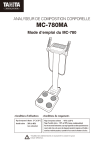
ANALYSEUR DE COMPOSITION CORPORELLE
MC-780MA
Mode d’emploi du MC-780
<Conditions d’utilisation>
Plage de température d’utilisation : 5°C à 35°C
Humidité relative : 30% à 80%
(sans condensation)
<Conditions de rangement>
Plage de température ambiante : -10°C à 50°C
Plage d’humidité relative : 10% à 90% (sans condensation)
Pour éviter tout mauvais fonctionnement, ne pas ranger l’appareil dans un endroit exposé directement aux
rayons du soleil, ni dans un lieu soumis à des changements importants de température ou d’humidité, ni
encore dans un endroit très poussiéreux, à proximité d’un feu ou soumis à des vibrations ou à des chocs.
Veuillez lire attentivement ce manuel et le conserver pour
future référence.
Utilisation prévue
F
Les analyseurs de composition corporelle Tanita ont été cliniquement prouvés fiable et
fournissant des résultats de mesures hautement reproductibles. Nos analyseurs sont utilisés
dans le monde entier, dans les secteurs de la santé, de la recherche et par les professionnels
de la médecine, principalement pour les utilisations suivantes :
- examen médical et évaluation de santé des adultes et des enfants
- suivi du progrès de la perte de poids au cours du traitement médical relatif aux maladies
liées au mode de vie, telles que diabète, hyperlipidémie, chirurgie bariatrique, hypertension
et stéatose hépatique.
- suivi de l’augmentation de la masse musculaire, de la diminution de la masse graisseuse et
des niveaux d’hydratation, dans le cadre de programmes de mise en forme ou
d’entraînement
- évaluation de l’efficacité réelle des programmes de nutrition et d’activité physique dans
lesquels l’indice de masse corporelle ne peut identifier les changements importants de la
composition corporelle.
Efficacité
Ce produit a été spécialement conçu pour une utilisation simple et l’utilisateur n’a besoin
d’aucune assistance pour prendre les mesures.
Pour un confort maximal, les mesures peuvent être prises en moins de 30 secondes.
2
Table des matières
F
Avant l’utilisation
Pour votre sécurité
4
Part Names & Connection
8
Preparation
10
Power Supply
14
Settings
15
Comment l’utiliser
Prendre une mesure
17
Mode composition corporelle
17
Résultats de la mesure
19
Mode balance
21
Mode blocage du poid
22
Transmission et stockage des résultats de la mesure
23
Si nécessaire
Dépannage
25
Caractéristiques du produit
26
3
Pour votre sécurité
F
(consignes de sécurité)
Avant l’utilisation
Cette section explique les mesures de précaution à prendre pour éviter tout risque de blessures des
utilisateurs de l’appareil et des autres personnes, ainsi que tout dommage à la propriété. Veuillez vous
familiariser avec ces informations, afin de vous assurer d’un fonctionnement sans danger de cet appareil.
Avertissement
Prudence
Le fait de ne pas respecter les instructions distinguées par ce symbole
peut entraîner de graves blessures corporelles ou même la mort.
Le fait de ne pas respecter les instructions distinguées par ce symbole peut
entraîner de graves blessures ou des dommages à la propriété.
Ce symbole indique quelles actions sont interdites.
Ce symbole indique quelles instructions doivent toujours être suivies.
Avertissement
Cet appareil ne doit pas être utilisé sur des sujets portant un pacemaker
ou tout autre implant mécanique.
Cet appareil laisse passer à travers votre corps un courant électrique extrêmement
faible qui pourrait causer des interférences avec des implants médicaux électriques
et provoquer leur mauvais fonctionnement, entraînant un préjudice grave.
Ne pas manipuler la prise avec les mains mouillées.
Ceci pourrait résulter en un choc électrique, un incendie ou une fuite.
Interdit
Garder cet appareil loin de tout gaz inflammable et de tous environnements
riches en oxygène.
Ne modifier cet appareil en aucun cas.
Ceci pourrait causer un choc électrique ou une blessure, ou affecter la précision
de l’analyse.
Ne pas utiliser un adaptateur multiprise.
Ceci pourrait provoquer un incendie.
4
Éviter d’utiliser sur des sujets allergiques aux métaux.
L’acier inoxydable utilisé dans les électrodes de cet appareil peuvent causer des réactions allergiques.
Ne pas sauter sur l’appareil.
(consignes de sécurité)
Garder loin de l’eau.
Ne pas prendre appui sur l’appareil.
Ne pas utiliser cet appareil près d’autres produits qui émettent des radiations électromagnétiques.
Ne pas insérer les doigts dans les ouvertures.
Interdit
Ne pas appliquer de force sur l’écran.
Le panneau de l’écran pourrait se briser et causer une blessure.
Ne pas placer d’objets sensibles aux forces magnétiques près de l’appareil.
L’aimant du mesureur d’impédance peut causer une corruption des données sur des appareils tels que les
clés USB si ceux-ci sont placés près de l’appareil.
Aider les personnes handicapées.
Les personnes handicapées qui ne peuvent prendre elles-mêmes les mesures doivent obtenir l’aide
d’une autre personne.
S’assurer de la propreté de la plate-forme de la balance, en utilisant un désinfectant approprié, après chaque utilisation.
S’écarter du sujet au cours de la prise de mesure, afin d’assurer la précision de la mesure.
Surveiller continuellement le sujet et l’appareil pour détecter toute anomalie.
En cas de découverte d’une anomalie sur le sujet ou l’appareil, prendre les mesures appropriées, comme
par exemple, arrêter l’appareil, tout en s’assurant de la sécurité du sujet.
S’assurer d’utiliser l’adaptateur CA inclu.(TR30M120)
Ne pas prendre appui sur l’appareil.
Débrancher le câble CA de l’appareil lors du déplacement de celui-ci.
Toujours…
Lors du déplacement de l’appareil, resserrer les pieds réglables.
L’interprétation des résultats d’analyse (par ex. l’évaluation des mesures et la formulation des
programmes d’exercice basées sur les résultats) doit être effectuée par un professionnel.
Les mesures pour perdre du poids et les programmes d’exercices basés sur une auto-analyse peuvent être
dangereux pour la santé.
Cet appareil est conçu comme étant un appareil de Classes B IT (principalement pour les
systèmes destinés à être utilisés dans des environnements intérieurs) et est certifié CE
(EMC), mais il peut affecter les appareils sensibles aux ondes électromagnétiques.
Lors du branchement d’un ordinateur ou d’appareils périphériques à cet appareil, veuillez utiliser
des appareils conformes à IEC60601-1 (EN60601-1). L’alimentation électrique doit provenir d’un
transformateur d’isolation médical pour les appareils IEC60950 (EN60950). Pendant le
fonctionnement, conserver une distance de 1,5 m entre les appareils. Un manquement à cette
instruction pourrait causer des chocs électriques pour le sujet ou un mauvais fonctionnement.
5
Avant l’utilisation
Prudence
F
F
(consignes de sécurité)
Avant l’utilisation
Pour des mesures précises
Éviter de prendre les mesures après un exercice intense.
Ceci pourrait produire des mesures inexactes. Veuillez prendre les mesures après un repos suffisant.
Éviter de prendre les mesures après avoir absorbé trop de nourriture ou de
liquides ou en cas de déshydratation.
Ceci pourrait produire des mesures inexactes. Pour une plus grande précision, éviter d’utiliser
l’appareil au réveil. Utiliser celui-ci toujours à la même heure ou à la même occasion, au moins
trois heure après avoir pris un repas.
Lors de la prise de mesure, s’assurer que les bras du sujet ne touchent pas ses côtés et que l’intérieur
de ses cuisses ne se touche pas. Si nécessaire, placer une serviette sèche entre ses bras et ses côtés
et/ou entre ses cuisses.
Ne pas prendre de mesure tout en utilisant un appareil de transmission, tel qu’un téléphone
portable, ce qui pourrait affecter la lecture des résultats.
Pour un suivi précis des modifications, autant que faire ce peu, utiliser l’appareil
dans les mêmes conditions et dans la même position.
Les lectures sont affectées par le niveau d’hydratation et la position du corps.
Éviter de prendre les mesures dans différents endroits, avec des températures très
différentes.
Ceci pourrait causer des mesures inexactes. Si l’appareil est déplacé dans un nouvel endroit, avec
une différence de température de 20°C ou plus, laisser l’appareil au repos pendant au moins 2
heures avant de l’utiliser.
S'assurer également de la propreté de la plante des pieds, la saleté pouvant faire obstacle au
passage du courant électrique faible.
Au cours de la prise de mesures, le sujet doit garder les bras le long du corps, afin d’éviter des erreurs
de mesures, telles que des sous-mesures de la graisse corporelle.
Les pieds nus doivent être placés correctement sur la plate-forme à électrodes.
Au cours de la prise de mesure, garder les bras le long du corps.
Utiliser une surface stable.
Si l’appareil n’est pas utilisé sur une surface stable, des erreurs de mesure peuvent se produire.
6
1. Au moins une fois par jour, vérifier:
• que l’appareil est sur une surface stable et plane, par exemple sur un sol ferme et non pas sur une moquette épaisse.
• les réglages de la date et de l’heure
(consignes de sécurité)
TANITA recommande que chaque site effectue périodiquement des contrôles de chaque appareil.
2. Au moins une fois par semaine, inspecter visuellement:
• l’écran, pour tout endommagement ou toute contamination
• tous les câbles, les cordons et les extrémités des connecteurs pour tout dommage ou toute contamination
• la lisibilité de tout l’étiquetage relatif à la sécurité
• tous les accessoires (capteurs, électrodes, etc.), pour usure ou dommages
3. Au moins chaque mois, inspecter visuellement:
•Les vis de montage du pied
Selon les résultats obtenus au cours des inspections visuelles, mettre à jour les réglages, remplacer
les objets ou appeler pour une réparation. Si tout signe d’endommagement est remarqué, ne pas
utiliser l’appareil. Le matériel qui a été endommagé doit être vérifié pour garantir un fonctionnement
correct, par un personnel compétent, avant d’être réutilisé.
7
Avant l’utilisation
Planning de maintenance
F
Noms des pièces détachées et procédure de branchement
F
Les symboles et leur signification
(consignes de sécurité)
Avant l’utilisation
0123
Polarité positive
Interface sérielle
Conformité à la Directive
sur les équipements
médicaux 93/42/EEC
Courant direct
Courant alternatif
Appareil Classe II
Poignée
Entrée, sortie
Pièce appliquée de type BF
–poignées et plate-forme
Date de fabrication
WEEE - Waste Electrical and Electronic
Equipment Directives (Directive relative aux
déchets d’équipements électriquesélectroniques)
Attention
Se référer aux notes
jointes.
Pour une utilisation à
l’intérieur uniquement
Carte SD
Voir les instructions
*Le logo SD est une marque déposée de
SD Association.
Appareil de
contrôle
Roulettes (x 2)
Electrode x 8
Indicateur de
niveau
Pieds réglables x 4
Plate-forme
Vérification de l’indicateur de niveau
cercle noir
* Pour des mesures précises, placer l’appareil sur une
surface plane.
* Tourner les pieds réglables en 4 positions de réglage
de telle sorte que les bulles de l’indicateur de niveau
se trouvent au centre.
bulle d'air
Vue du haut de l’indicateur de niveau
Branchement des fiches de l’appareil de contrôle
8
RS-232C USB A USB B Port de carte SD
Branchement des fiches de la plate-forme
Câble de
communication
Adaptateur
de CA
F
Affichage et touches
(consignes de sécurité)
PT
Setting
7
8
9
Standard
Athletic
4
5
6
Male
Female
1
2
3
Age
5 - 99
Height
90.0 - 249.9cm
0
CE
Enter
Signification des indicateurs DEL et des touches
Mettre en marche/éteindre
(ON / OFF) la mise sous
tension
Affichage de la masse graisseuse (pourcentage et masse)
*Non pas la valeur mesurée mais la valeur calculée
Affichage de la musculation du corps (pourcentage et masse)
*Non pas la valeur mesurée mais calculée
Imprimer le résultat
Affichage de l’eau dans le corps (pourcentage et masse)
*Non pas la valeur mesurée mais calculée
Affichage du taux de
graisse viscérale
Setting Réglage de diverses fonctions
Réinitialiser le point zéro
PT
Réinitialiser la valeur de
préréglage (poids des vêtements)
Sélectionner le mode de
mesure
Standard
Athlétique
Homme
Femme
Age
5 - 99
Taille
90.0 - 249.9cm
Affichage du taux
métabolique de base
Indique que le « mode standard ou le mode
athlétique » est sélectionné comme type corporel.
Indique qu’ « Homme ou Femme » est sélectionné
comme sexe
Entrer l’âge entre « 5 - 99 ans »
Entrer la taille entre « 90,0 – 249,9 cm »
Enter Confirme la valeur numérique entrée.
9
Avant l’utilisation
MC-780 III Max 270kg Min 2kg e=0.1kg T = -10kg
Préparation
Réglage de l’appareil principal
F
(consignes de sécurité)
Avant l’utilisation
Plate-forme / Boîtier de commande / Accessoires
□ Mode d’emploi (ce manuel)
□ Manuel de montage
E
E
□ Housse
F
C
□ Vis (2)
D G
G
F
A
B
H
□ Housse de la base
H
I
J
L K
□
Housse de l’appareil
de commande
I
□ Tournevis
J
□ Cordon CA
10
K
□ Adaptateur CA
L
□ Mini-câble USB B
A
2
1
(consignes de sécurité)
2
3
4
Avant l’utilisation
F
3
C
2
1
1
B
F
Montage
11
Préparation
F
(consignes de sécurité)
Avant l’utilisation
5
6
Réglage de l’appareil principal
Montage (suite)
A
7
D
E
12
(consignes de sécurité)
Avant l’utilisation
Montage (suite)
F
10
8
G
9
K+ J
13
Alimentation électrique
F
(consignes de sécurité)
Avant l’utilisation
Allumage de l’alimentation principale ON/OFF
Mettre l’alimentation principale sur ON.
Appuyer sur la touche
allumer.
pour
L’écran initial est affiché.
Mettre l’alimentation principale sur OFF.
Appuyer sur la touche
éteindre.
pour
Interrupteur d’urgence
Lors du fonctionnement de l’appareil, laisser de l’espace autour de la prise de courant, en cas d’urgence.
14
Réglage
F
(consignes de sécurité)
Setting
pour
L’écran de réglage est affiché.
Remarque
•La touche
2
Setting
Avant l’utilisation
1
Appuyer sur la touche
changer de mode.
ne peut être utilisée pendant que la balance mesure le poids ou l’impédance.
Sélectionner les éléments de réglage dans la liste ci-dessous.
Entrer les valeurs numériques et appuyer sur la touche Enter .
Liste des éléments de réglage
Enter
0
Vérifier la version du logiciel
1
Date et heure
* Date et heure
Sauvegarder les modifications et retourner
Remarque
Setting
Retourner sans sauvegarder
10
Unité d’entrée de la hauteur
(0 : 0,1 cm incréments 1 : 1 cm incréments)
11
Détermination automatique de l’heure d’entrée des informations
(0-9 seconde(s))
* 0: Désactive cette fonction
18
Entrée du taux de masse corporelle ciblée
(0: off 1: on)
19
Langue d’impression
(1: Anglais, 2: Français 3: Allemand, 4: Italien, 5: Espagnol)
20
Réglage de la position d’impression
(2:↓ , 4:← , 6:→ , 8:↑)
2
Chiffre à imprimer automatiquement
(Mode composition corporelle)
(0-2 feuille(s))
3
Chiffre à imprimer automatiquement
(Mode balance)
(0-2 feuille(s))
4
Sélectionner le papier d’impressions
(0: Papier pré-imprimé 1: Papier blanc)
5
Bip sonore
(0: off 1: on)
6
Numéro d’ID (Entrée manuelle)
(0: off 1: on)
21
Fonction d’expiration de la durée d’affichage du résultat
(0: désactivée 1: activée)
7
Numéro d’ID (Décompte automatique)
(0: off 1: on)
30
8
Mode de mesure
(0: Mode en deux étapes (tout d’abord, mesure du poids corporel)
1: Mode en une étape (Entrer tout d’abord les informations personnelles)
* Mode de mesure P.17
Format de sortie des données sur le PC
(0: Format par défaut 1: Format BC-418)
31
Direction de l’affichage
(0: défaut 1: sens inverse)
9
Sélection du type corporel (Mode athlétique)
(0: off 1: on)
* Mode athlétique P.24
32
Gamme d’IMC souhaité
(0: 18.5 à 25 1: 18.5 à 23)
60
Lecture des résultats des mesures enregistrées → P.24
Remarque
Entrer l’année, le mois, le jour, l’heure et les minutes.
Le format de date est « aaaa mm jj hh mm »
Exemple
18h47, 24 septembre, 2012
« 2012 » « 09 24 » « 18:47 »
Pour entrer un nombre à 1 chiffre (0 – 9), appuyer tout d’abord sur « 0 ».
15
Réglages (suite)
F
(consignes de sécurité)
Avant l’utilisation
Sélectionner le mode de mesure
Sélectionner le mode de mesure en appuyant sur la touche
En appuyant sur la touche
,
le mode de mesure défile dans
l’ordre suivant :
.
Composition corporelle
MC-780 III Max 300kg Min 2kg e=0.1kg T = -10kg
7
Standard
PT
Male
Age
Setting
Height
« Composition corporelle »
8
9
Athletic
4
5
6
Female
1
2
3
5 - 99
0
90.0 - 249.9cm
CE
Enter
Balance
« Balance »
« Balance (Mode blocage du poids) »
MC-780 III Max 300kg Min 2kg e=0.1kg T = -10kg
Standard
PT
Male
Age
Setting
Height
Lorsque le mode échelle est affiché,
le symbole « » est affiché.
Athletic
Female
5 - 99
7
8
9
4
5
6
1
2
0
90.0 - 249.9cm
3
CE
Enter
Balance (mode blocage du poids)
MC-780 III Max 300kg Min 2kg e=0.1kg T = -10kg
PT
Setting
8
9
Standard
Athletic
4
5
6
Male
Female
1
2
3
Age
Height
16
7
5 - 99
90.0 - 249.9cm
0
CE
Enter
Prendre une mesure
F
Mode composition corporelle
Mettre en marche et vérifier que «
» est
affiché.
Entrer la valeur de la tare présélectionnée
(poids des vêtements)
La gamme de valeur de la tare est 0,0 – 10,0 kg
Comment l’utiliser
2
(consignes de sécurité)
1
Entrer la valeur de la tare présélectionnée (poids des vêtements)
Mesure du poids corporel
Attendre jusqu’à ce que «
»
(Monter) clignote. «
» estt affiché lorsqu’une valeur de tare est entrée (poids des vêtements).
Remarque
Lorsque le déroulement en une étape est sélectionné, veuillez entrer d’abord les informations personnelles. → P.15
Si la balance ne détecte pas le poids, appuyer sur
Si la balance détecte le poids, appuyer sur
3
4
PT
PT
pour passer à « Entrer la valeur de la tare ».
pour afficher la valeur de la tare entrée.
Entrer le numéro d’ID
Si la fonction du numéro d’ID est réglée sur OFF, la balance
passe directement à « Sélectionner le type corporel », sans
demander un numéro d’ID.
Entrer le numéro d’ID.
Le numéro d’ID se trouve entre 0 et 9999999999999999.
Sélectionner le type corporel
Standard
Athletic
Si la sélection du type corporel (Mode athlétique) est réglée sur
OFF, la balance passe directement à « Sélectionner le sexe » sans
demander un type corporel.
Lorsque le mode athlétique est sélectionné, le symbole «
affiché.
Remarque
Mode athlète
» est
P.24
17
Prendre une mesure (suite)
F
Mode composition corporelle
Comment l’utiliser
(consignes de sécurité)
5
6
Sélectionner le sexe
Entrer l’âge
Age
Utiliser le clavier numérique pour
entrer l’âge.
PT
Setting
7
Height
Utiliser le clavier numérique pour
entrer la taille.
PT
La taille se trouve entre 90,0 et 249,9 cm.
18
Female
5 - 99
8
9
4
5
6
1
2
0
90.0 - 249.9cm
3
CE
Enter
7
8
9
Standard
Athletic
4
5
6
Male
Female
1
2
3
Age
Height
5 - 99
90.0 - 249.9cm
0
CE
Enter
Régler le coefficient de masse graisseuse ciblée
Si la fonction coefficient de masse graisseuse ciblée est
réglé sur OFF, la balance passe directement à « Mesurer
l’impédance », sans entrer la valeur ciblée.
Le coefficient de masse graisseuse est entre 4 et 55.
Remarque
9
Athletic
7
Taille
Setting
8
Standard
Male
Age
L’âge se trouve entre 5 et 99.
Entrer la taille
Female
Male
Masse graisseuse ciblée
P.24
Mesurer la composition corporelle
Dès que toutes les informations personnelles sont entrées, la
balance commence à mesurer l’impédance.
Les valeurs de l’impédance par segments sont mesurées dans
l’ordre.
La balance affiche les résultats de la mesure après la mesure de
l’impédance corporelle complète et l’impédance par segments.
<Child>
<Adult>
F
Résultats de la mesure (Mode composition corporelle)
Lorsque la mesure est terminée, ses résultats sont affichés sur l’écran DEL.
Lorsque la mesure est terminée, les résultats sont immédiatement transmis au PC.
Appuyer sur la touche
En appuyant sur la touche
Comment l’utiliser
(consignes de sécurité)
Affichage des résultats de la mesure (Mode composition corporelle)
pour sélectionner l’affichage de la mesure.
, l’affichage de la mesure apparait dans l’ordre suivant :
« Graisse »→ « Masse musculaire »→ « Eau dans le corps »→ « Taux de graisse viscérale »
→ « Taux métabolique de base »→ « IMC »
Masse graisseuse
Icône de graisse
% de graisse
par segments
Poids (kg)
% de masse graisseuse
Masse graisseuse (kg)
Évaluation de vos résultats par
rapport aux valeurs moyennes.
Masse musculaire
Icône de la masse musculaire
Masse musculaire
par segments
Poids (kg)
% de la masse musculaire
Masse musculaire (kg)
Évaluation de vos résultats par
rapport aux valeurs moyennes.
19
Prendre une mesure (suite)
F
Résultats de la mesure (Mode composition corporelle)
Comment l’utiliser
(consignes de sécurité)
Eau dans le corps
Poids (kg)
Eau dans le corps %
Eau dans le corps (kg)
Icône de l’eau dans le corps
Taux de masse viscérale
Poids (kg)
Taux de masse viscérale
Icône du taux de masse viscérale
Taux métabolique de base (BMR – Basal metabolic ratio)
Poids (kg)
BMR (kJ)
BMR (kcal)
Icône de BMR
Indice de masse corporelle (IMC)
Poids (kg)
IMC
20
Icône d’IMC
F
Mode balance
Si la fonction numéro d’ID est réglée sur OFF, la balance
commence immédiatement à mesurer votre poids.
Entrer le numéro d’ID.
Le numéro d’ID est entre 0 et 9999999999999999.
Comment l’utiliser
1
Entrer le numéro d’ID
(consignes de sécurité)
Lorsque le mode balance est sélectionné, le symbole « » est affiché
Appuyer sur PT pour entrer la valeur de la tare (poids
des vêtements).
La valeur de la tare est entre 0,0 – 10,0 kg.
2
Mesure du poids corporel
Attendre jusqu’à ce que «
«
» (Monter) clignote.
» est affiché lorsqu’une valeur de tare est entrée (poids des vêtements).
Le symbole « Stabilisé » ( ) apparait lorsque la charge est stable.
Le symbole « Stabilisé » ( ) disparait lorsque la charge est instable.
Lorsque la charge est stable, les résultats de la mesure sont transmis via la clé
USB et stockés sur une carte SD.
21
Prendre une mesure (suite)
F
Mode blocage du poids
(consignes de sécurité)
Comment l’utiliser
Lorsque le mode blocage du poids est sélectionné,
le symbole « » et le «
» sont affichés.
Entrer la valeur de tare présélectionnée (poids des vêtements)
Après que le mode balance est sélectionné,
« » est affiché.
Entrer la valeur de tare présélectionnée
(poids des vêtements)
La valeur de tare est entre 0.0 – 10.0 kg.
Entrer le numéro d’ID
Si la fonction numéro d’ID est réglée sur OFF, la balance commence immédiatement à mesurer votre poids.
Entrer le numéro d’ID.
Le numéro d’ID est de 0 à 9999999999999999.
Mesure du poids corporel
*«
22
» est affiché lorsqu’une valeur de tare est entrée (poids des vêtements).
Transmission et stockage des résultats de la mesure
F
Transmission des données
Les données sont transmises au format CSV.
Comment l’utiliser
Immédiatement après la mesure, les résultats
sont transmis au PC.
(consignes de sécurité)
Transmission des résultats de la mesure via une clé USB
Stockage des données
Stockage des données des résultats de la mesure
Immédiatement après la mesure, les résultats
sont sauvegardés sur une carte SD.
Lorsqu’une carte SD valide est installée, le
symbole
s’affiche.
Un nouveau fichier est créé sur la carte SD
pour chaque jour.
Le fichier est créé en utilisant la date et l’heure de la mesure comme nom de fichier, tel que
montré ci-dessous :« AAAAMMJJ » (année, mois et jour)
Si « error 12 » (erreur 12) s’affiche sur l’écran, ceci indique qu’il n’y a pas suffisamment d’espace libre sur la carte SD.
Environ 10 000 résultats de mesure peuvent être stockés (mode poids uniquement) sur une carte de 2GB.
Ne pas ôter la carte lorsqu’elle est en train de stocker ou de lire les données.
Ne pas éteindre l’alimentation électrique principale lorsque la carte SD est en train de stocker ou de lire les données.
Impression des données
Impression des résultats de mesures
Immédiatement après la prise de mesures, les résultats sont imprimés à partir de l’imprimante.
Le nombre de feuilles imprimées est fixé par le Setting .
Appuyer sur la touche
pour imprimer d’autres copies.
Le résultat peut être imprimé si
est éclairé.
23
Transmission et stockage des résultats de la mesure (suite)
F
Lecture des données des résultats de mesure stockés
Comment l’utiliser
(consignes de sécurité)
Téléchargement, affichage et impression des données des résultats de la mesure stockés (→P.15 Réglage 60)
Sélectionnez le fichier que vous souhaitez télécharger en utilisant les touches
Affichage des données enregistrées.
MMJJ
ou
et
ou
et appuyez sur
Enter
.
AAAA
Date et heure à laquelle les
mesures affichées ont été prises
ID DE DONNEE
HH
Année, mois et jour
Heure, minute et seconde
MI
SS
Changer l’affichage en appuyant
sur la touche
.
→ Imprimer
Poids (kg)
Enter
→ Donnée suivante
% de graisse
corporelle
CE
→ Sortie
Mémorisation
de la tare (kg)
Instructions générales pour la mesure de la composition corporelle
Mode athlétique
•Recommandé pour les personnes de 18 ans ou plus et qui répondent aux conditions suivantes
pour sélectionner « Mode athlétique ».
- Les personnes qui effectuent 12 heures ou plus d’exercice cardio-vasculaire par semaine.
- Les personnes qui appartiennent à une équipe sportive ou à un organisme de sport dans
le but de participer à la compétition, etc.
- Les personnes étant des athlètes professionnels.
Graisse corporelle ciblée
•Le % ciblé de masse graisseuse doit être uniquement fixé par un professionnel. Tanita n’est pas responsable de la définition appropriée du % de graisse corporelle ciblée pour des individus particuliers.
Attention
•Posture lors de la mesure
- Se tenir debout, les deux pieds parallèles sur les électrodes.
- Se tenir debout sans plier les genoux.
•La plage d’entrée d’âge est de 5 à 99 ans.
Entrer 99 pour ceux qui ont 100 ans et plus.
Remarque
24
•Des résultats inexacts peuvent être rapportés après une consommation excessive de nourriture / de
liquides, ou après des périodes d'exercice intense.
•Lorsque le poids des vêtements est entré, il est soustrait de la mesure du poids.
Dépannage
F
Avant de faire appel au service de dépannage, veuillez vérifier:
Problème
Erreur lors de la
mise à zéro
•Eteindre l’alimentation électrique et ôter tout ce qui
se trouve sur la plate-forme, puis allumer à nouveau
l’alimentation électrique et reprendre la mesure.
La valeur de poids
ne se stabilise pas.
•L’appareil est-il posé sur une surface qui vibre?
•La plate-forme de prise de mesure est-elle
penchée?
•Quelquechose bloque-t-il l’espace de la plateforme de mesure?
•Ôter tout objet qui aurait pu être inséré.
Rien ne s’affiche,
même si l’alimentation
électrique est allumée.
•Confirmer que l’alimentation électrique est
correctement branchée.
« ------» s’affiche.
•Le poids mesuré dépasse la capacité de poids.
Si nécessaire
Affichage
Erreur de la
mesure d’impédance
•Avec les doigts et la paume des mains, tenir
fermement les poignées et les électrodes.
•Pour prendre la mesure, se tenir pieds nus sur
la plate-forme.
•Si la plante des pieds est sèche, utiliser le
compte-gouttes inclu pour appliquer environ
0,5ml d’eau avant de prendre la mesure.
•Vérifier les informations d’entrée.
(consignes de sécurité)
Mesure
Solution
25
Caractéristiques du produit
F
Numéro de modèle
MDD: CLASSE IIa
NAWI: CLASSE III
CA 100 - 240V
Alimentation
18VA
Plage de courant électrique
8 électrodes multi-fréquences
Système de mesure
5kHz/50kHz/250kHz
Fréquence de mesure
Jusqu’à 90µA
Courant de mesure
Mesure de
Pieds: acier inoxydable/poignées: plaquées
Matériaux d’électrodes
l’impédance
Pièce de mesure
Corps entier/bras droit/bras gauche/jambe droite/jambe gauche
Plage de mesure
75.0_ - 1,500.0_ (0,1_incréments)
Précision à la première calibration ± 2%
Capteur à jauge de contrainte
Système de mesure
Capacité maximum
270 kg (y compris la valeur de la tare présélectionnée)
Poids mesuré
Graduation minimum
0.1kg
Précision à la première calibration ± 0.2kg
Double écran DEL
Affichage
Connecteur de type USB B (appareil)
RS-232C
Interface
USB mini-B (pour imprimante Pictbridge)
Carte SD*4
5°C – 35°C
Conditions Plage de température
d’utilisation Humidité relative
30% - 80% (sans condensation)
Poids du produit
15.5kg
Dimensions de la plate-forme: 360 mm x 360 mm; Hauteur: 94 mm
Plate-forme
Taille du produit
Produit
1165mm
Taux de précision
Si nécessaire
(consignes de sécurité)
26
MC-780MA
F
Si nécessaire
0 - 10.0kg (0.1kg incréments)
Jusqu’à 16 chiffres
Femme/Homme
Standard/Athlétique*1
5 - 99 ans
90.0 - 249.9cm (incréments de 0.1cm)
4 - 55%(incréments de 1%)
16 chiffres
Femme/Homme
Standard/Athlétique *1
5 - 99 ans
90.0 - 249.9cm (incréments de 0.1cm)
0kg - 10.0kg (incréments de 0.1kg)
0kg - 270.0kg (0.1kg incréments)
1.0% - 75.0% (0.1% incréments)
(0.1kg incréments)
(0.1kg incréments)
(0.1kg incréments)
(0.1 incréments)
(0.1kg incréments)
(consignes de sécurité)
Poids des vêtements
N° de série
Sexe
Entrée
Type corporel
éléments
Age
Taille
Graisse corporelle ciblée en %
ID
Sexe
Type corporel
Âge
Taille
Poids des vêtements
Poids
Graisse en %
Masse graisseuse*3
Masse maigre*3
Masse musculaire*3
IMC
Analyse Masse minérale*2*3
du corps Âge métabolique*2
entier Taux métabolique de base*2
Sortie
éléments
Taux de graisse viscérale*2
TBW*3
TBW %
ECW*2
ICW*2
ECW / TBW*2
Masse musculaire*3
2
Analyse Taux de masse musculaire*
Graisse en %
par
segmentation Masse graisseuse*3
Taux de graisse*2
2
Évaluation de Taux physique*
l’équilibre du Équilibre de masse musculaire*2
corps
Score du muscle de la jambe*2
Autre
Données bioélectriques
(1kcal/1kJ incréments)
1 - 55 (1 incréments)
(0.1kg incréments)
(0.1% incréments)
(0.1kg incréments)
(0.1kg incréments)
(0.1% incréments)
(0.1kg incréments)
-4 - +4 (1 incréments)
(0.1% incréments)
(0.1kg incréments)
-4 - +4 (1 incréments)
Réactance / résistance / Angle de phase
*1 1 Le mode athlétique peut être sélectionné entre 18-99 ans seulement
*2 18-99 ans
*3 Valeur calculée
*4 Compatible avec les cartes mémoire SD et SDHC
Remarque
Non compatible avec les cartes mémoire SDXC
27
Destruction
Ce produit répond aux exigences suivantes :
1. Instruments de pesage non automatique (2009/23/EC)
2. Directive sur les dispositifs médicaux (93/42/EEC)
3. RoHS Directive (2011/65/EU)
Cet appareil est un dispositif électronique.
Ne pas le jeter avec les déchets ordinaires,
mais suivre les règlements régionaux pour
l’élimination des appareils électriques.
<EU representative>
Hoogoorddreef 56-E, 1101 BE Amsterdam, The Netherlands Tel: +31-20-560-2970 Fax: +31-20-560-2988 http://www.tanita.eu
1-14-2, Maeno-cho, Itabashi-ku, Tokyo, Japan Tel: +81 (0) 3-3968-7048 Fax: +81 (0) 3-3967-3766 http://www.tanita.co.jp
2625 South Clearbrook Drive,
Arlington Heights, Illinois 60005, U.S.A.
Tel : +1-847-640-9241
Fax: +1-847-640-9261
http://www.tanita.com
Unit 301-303,Wing On Plaza, 3/F., 62 Mody Rord,
Tsimshatsui East, Kowloon, Hong Kong
Tel : +852-2834-3917
Fax: +852-2838-8667
www.tanita.asia
A-502, Mittal Commercia, Off. M. V. Road (Andheri Kurla Road),
Marol, Andheri-East, Mumbai 400 059 INDIA
Tel : +91-22-3192-6107
Fax: +91-22-2859-9143
www.tanita.co.in
Room 8005, 877 Huai Hai Zhong Lu, Shanghai,
People's Republic of China
Tel : +86-21-6474-6803
Fax: +86-21-6474-7901
www.tanita.com.cn
(Shanghai) Trading Co., Ltd.
Copyright © 2013 TANITA Corporation. All Rights Reserved.
MC7807601(1)-1304FA
">